
Key Takeaways (TL;DR)
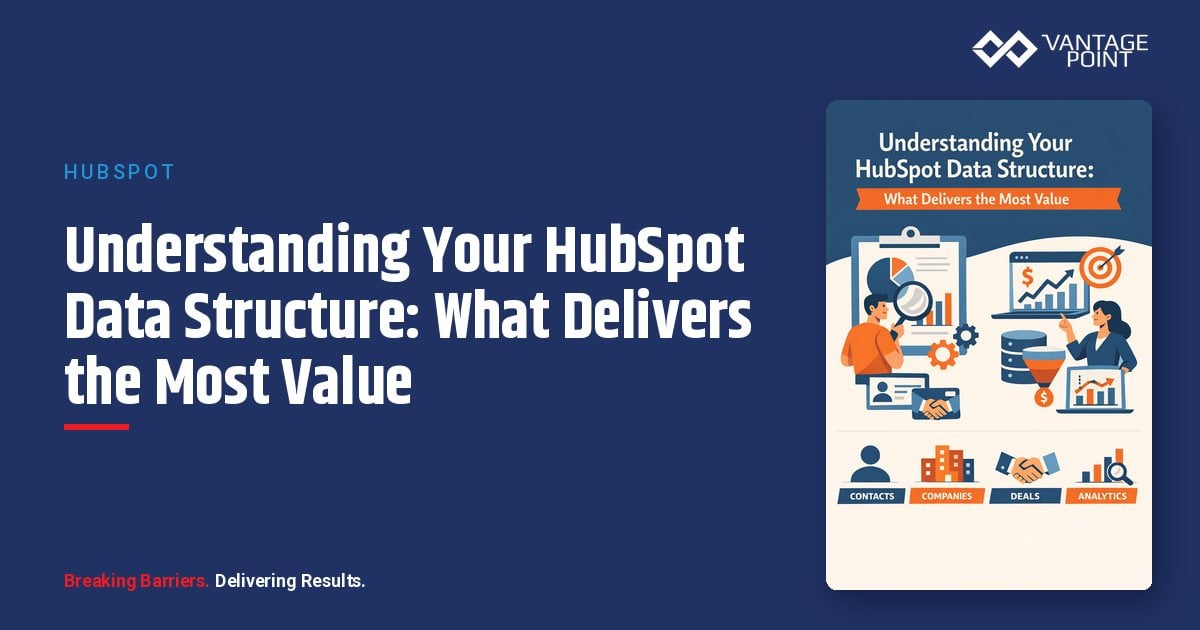
- What is it? Your HubSpot data structure is the architecture of objects, properties, associations, and records that determines how customer data is stored, related, and activated across your CRM
- Key Benefit: A well-designed data structure unlocks accurate reporting, powerful automation, reliable AI predictions, and a true 360° customer view
- Common Problem: 70% of CRM databases contain incomplete or inaccurate data, and most portals suffer from property sprawl—dozens of duplicate fields tracking identical information
- Timeline: A data structure audit and optimization typically takes 2–6 weeks depending on portal complexity
- Best For: Organizations scaling their HubSpot instance, preparing for AI adoption, or struggling with inconsistent reporting and broken workflows
- Bottom Line: Clean, well-structured data is the single highest-ROI investment you can make in your CRM—it's the foundation that makes every other tool actually work
Introduction: Your Data Structure Is Your Most Valuable CRM Asset
Here's a truth most HubSpot users learn the hard way: the value you get from your CRM is directly proportional to the quality of the data structure underneath it.
You can have the most sophisticated workflows, the best marketing campaigns, and the latest AI tools—but if your data is fragmented across duplicate properties, your associations are incomplete, and your object model doesn't reflect how your business actually operates, none of it will perform the way it should.
According to research from Validity, nearly half of all CRM data is incomplete or inaccurate, and 70% of business leaders say bad data directly impacts their revenue. The root cause isn't usually the data itself—it's the structure holding that data.
In this guide, we'll walk through the four layers of HubSpot's data architecture, identify which structural elements deliver the most business value, show you how to audit and optimize your existing setup, and explain why getting your data structure right is the essential prerequisite for AI readiness in 2026 and beyond.
What Is HubSpot Data Structure? The Four-Layer Architecture
HubSpot's CRM data architecture consists of four interconnected layers. Understanding each layer—and how they interact—is the key to building a system that scales.
Layer 1: Objects (Your Database Tables)
Objects are the top-level containers that define what type of data you're storing. Think of them as database tables. Every HubSpot portal includes standard objects:
- Contacts – individual people
- Companies – organizations
- Deals – sales opportunities
- Tickets – service requests
- Leads – prospecting records (Sales Hub Professional+)
Depending on your subscription, you may also have Line Items, Quotes, Products, and more. Enterprise users can create custom objects for data that doesn't fit standard categories—subscriptions, facilities, contracts, projects, and more.
Layer 2: Records (Individual Rows)
Records are individual instances within each object. Each Contact is a record. Each Deal is a record. Every record has a unique HubSpot ID, a creation timestamp, and values for the properties defined on its parent object. HubSpot logs every property change, association update, and activity on each record's timeline—creating a full audit trail.
Layer 3: Properties (Data Fields)
Properties are the columns in your database tables—the individual data points stored on each record. Each property has:
- An internal API name (permanent—cannot be changed after creation)
- A display label (editable—what users see)
- A field type (text, number, date, dropdown, boolean, calculated)
- Optional constraints (required, unique, validation patterns)
Properties are where most data structure problems originate. Without governance, teams create redundant fields—marketing adds lead_source_campaign, sales creates campaign_source, and operations builds utm_campaign_source—all tracking identical data.
Layer 4: Associations (Relationships Between Records)
Associations are the foreign keys connecting records across objects. They map real-world relationships:
- Contact → Company ("works at")
- Deal → Contact ("involved in")
- Ticket → Company ("submitted by")
Associations support custom labels that clarify how two records relate—like "Decision Maker," "Influencer," or "End User" on a Deal → Contact association. This relational context is what makes cross-object reporting, automation, and AI possible.
Which Parts of Your Data Structure Deliver the Most Value?
Not all data structure investments are equal. Here's where to focus for maximum impact, ranked by return on effort.
1. Clean, Consistent Properties (Highest ROI)
Property hygiene is the single most impactful thing you can do for your HubSpot instance. Most portals we audit have 30–40% more properties than they need—duplicate fields, deprecated properties, and fields created for one-time use that were never cleaned up.
Why it matters:
- Duplicate properties split your data across multiple fields, making reports unreliable
- Workflows referencing the wrong version of a property silently fail
- Sales reps see 80+ properties on a record when only 12 are relevant, causing confusion and poor adoption
- AI tools trained on fragmented data return inconsistent results
High-value actions:
- Audit all properties and identify duplicates (HubSpot's Data Model Builder shows property usage)
- Establish naming conventions with prefixes (e.g.,
mktg_for marketing,ops_for operations) - Use property groups to organize fields within objects
- Archive unused properties for 30 days before deletion—monitor for errors from API integrations and third-party apps
2. Well-Defined Associations (Critical for AI and Reporting)
Associations are where most organizations leave value on the table. Missing or incorrect associations create blind spots that cascade across your entire system.
Why it matters:
- Cross-object reporting requires complete associations
- HubSpot's AI features rely on associations to understand cause and effect
- Workflow automation across objects depends on association integrity
High-value actions:
- Audit associations between contacts, companies, and deals—every contact should have a company association
- Define custom association labels before associating records
- Establish parent-child company relationships for enterprise accounts
- Limit association labels to prevent sprawl (HubSpot allows 100 per object pair)
3. Thoughtful Object Design (Foundation for Scale)
Choosing between custom objects and additional properties is an architectural decision that's expensive to change later.
When to create a custom object:
- One-to-many relationships where the "many" side needs independent tracking
- Many-to-many relationships requiring context
- Data with its own lifecycle independent of standard objects
When to add properties instead:
- The data describes attributes of an existing record
- You're tracking simple yes/no, date, or category information
- The relationship is strictly one-to-one
Key limits to know:
| Limit | Professional | Enterprise |
|---|---|---|
| Custom objects allowed | 10 | 100 |
| Records per custom object | 150,000 | 2,000,000 |
| Custom properties per object | 1,000 | 10,000 |
4. Behavioral Data Capture (The AI Feedback Loop)
Structural and relational data give AI a framework. Behavioral data gives it memory.
Every logged call, email, meeting, deal outcome, and support ticket is an opportunity for AI to learn what success and failure look like in your business.
High-value actions:
- Require close-lost reasons on every deal
- Log engagement consistently across teams
- Connect product usage or support metrics to the CRM
- Automate feedback loops that update outcomes in real time
How to Audit Your Current Data Structure
Step 1: Use the Data Model Builder
Navigate to Settings → Data Management → Data Model in your HubSpot account. This visual interface shows all standard and custom objects as nodes, association lines connecting objects, property counts per object, and association label counts per object pair.
Click View Details on any object to see the Usage tab (record counts, property fill rates, properties with no data) and the Used In tab (which reports, workflows, and lists reference the object).
Step 2: Identify Property Sprawl
Go to Settings → Data Management → Properties. Filter by object type and look for properties with similar names, zero fill rate, no usage in forms/workflows/reports, and outdated time-based API names.
Step 3: Check Association Completeness
Run reports to identify contacts without company associations, deals without contact associations, and records with default association labels that lack specificity.
Step 4: Evaluate Custom Objects
For each custom object, ask: Does this data truly need its own lifecycle? Could these fields live as properties on an existing object? Are the association labels clear and non-redundant?
Preparing Your Data Structure for AI in 2026
HubSpot's AI capabilities—Breeze AI, predictive scoring, content recommendations, and the emerging agentic platform—all depend on one thing: the quality and structure of your underlying data.
There are three types of data that shape AI readiness:
Structural Data: The Framework AI Learns From
When your data model is fragmented—inconsistent lifecycle stages, duplicate properties, unclear object boundaries—AI pattern recognition collapses. When structure is clean: Predictive scoring improves because lifecycle stages align. Forecasting becomes faster and more reliable. Dashboards reflect a single definition of performance.
Behavioral Data: The Feedback Loop That Drives Intelligence
Without behavioral accuracy, AI can recognize movement but not meaning. When behavior is captured: You can identify which activities lead to conversion, detect patterns that predict churn or expansion, and recommend next actions that shorten sales cycles.
Relational Data: The Context That Makes AI Useful
Associations explain how contacts relate to companies, how deals relate to products, and how activities relate to revenue. When relationships are mapped: AI can forecast pipeline quality, attribution becomes precise, and personalization improves as every contact inherits verified company and deal context.
Leveraging HubSpot Data Hub for Ongoing Data Quality
HubSpot rebranded Operations Hub to Data Hub at INBOUND 2025, reflecting a shift from "ops tools" to accessible data management for all teams. Key capabilities:
- Data Quality Command Center: AI-powered monitoring that continuously scans your database, fixing duplicates, formatting errors, and identifying inconsistencies
- Data Studio (Datasets): A drag-and-drop interface for building composite datasets from multiple HubSpot objects and external sources—no code required
- Data Model Builder: The visual interface for managing objects, properties, and associations
- Programmable Automation: Workflows, webhooks, and custom code actions for end-to-end data quality processes
Best Practices for Building a High-Value Data Structure
1. Document Before You Build
Map your intended data model before creating anything in HubSpot. Identify all objects, associations, cardinality rules, and key properties. Test with 10–20 records per object to validate reporting and workflow behavior before full rollout.
2. Establish Naming Conventions on Day One
Use prefixes to signal property provenance—mktg_ for marketing, fin_ for financial services, hc_ for healthcare. Keep API names generic and timeless.
3. Govern Property Creation
Require cross-functional review before new properties are created. HubSpot doesn't enforce property governance by default.
4. Design Associations with Labels from the Start
Define association labels during custom object creation, before associating any records.
5. Invest in Ongoing Data Hygiene
Set up automated deduplication, regular property audits (quarterly at minimum), and data validation rules that catch issues at entry.
6. Think in Terms of AI Readiness
Every data structure decision should be evaluated through the lens of: "Will AI be able to learn from this?"
Industry-Specific Data Structure Considerations
Financial Services
- Custom objects for policies, accounts, or portfolios linked to contacts and companies
- Association labels distinguishing account holder, beneficiary, authorized signer
- Properties for compliance status, risk scoring, AUM tiers
- Strict property governance to prevent sensitive data leaking into non-compliant fields
Healthcare
- Custom objects for patient interactions or care plans with HIPAA-compliant data handling
- Association labels for primary provider, referring physician, care coordinator
- Properties for consent tracking, appointment preferences, communication opt-ins
Insurance
- Custom objects for policies, claims, and renewals with independent lifecycles
- Multi-company associations for agents, carriers, and policyholders
- Properties for policy type, premium amount, renewal dates, claim status
SaaS/Technology
- Custom objects for subscriptions, product usage, and feature adoption
- Associations connecting product data to deal records and customer success metrics
- Properties for MRR, churn indicators, product engagement scores
Frequently Asked Questions
What is HubSpot data structure and why does it matter?
HubSpot data structure is the architecture of objects (database tables), records (individual entries), properties (data fields), and associations (relationships) that organizes your CRM. It matters because every HubSpot feature—reporting, workflows, AI, personalization—depends on how well this structure reflects your actual business processes.
How do I know if my HubSpot data structure needs optimization?
Common signs include reports that show conflicting numbers, workflows referencing deprecated properties, sales reps who can't find information on records, duplicate records that keep appearing, and AI predictions that seem unreliable. Use the Data Model Builder to visualize your current architecture.
When should I use custom objects instead of custom properties?
Use custom objects when data has its own lifecycle, when you need one-to-many or many-to-many relationships with independent tracking, or when the entity requires its own properties, associations, and workflows. Use properties when data simply describes an attribute of an existing record.
How many custom properties is too many?
If your portal has 200+ custom properties on a single object, you likely have significant sprawl. Most well-structured portals accomplish their goals with 40–80 custom properties per object. The key metric is property fill rate—properties with zero or low fill rates are candidates for cleanup.
What is the biggest data structure mistake teams make?
Creating properties without naming conventions or cross-functional review. This leads to multiple properties tracking the same data under different names, fragmenting reporting, confusing users, and degrading AI performance.
How does data structure affect HubSpot AI tools like Breeze?
HubSpot's AI capabilities depend on pattern recognition across your data. Inconsistent lifecycle stages, missing associations, and duplicate properties all degrade AI accuracy. Clean structural data gives AI order, behavioral data gives it memory, and relational data gives it meaning.
Can I restructure my HubSpot data model without losing data?
Yes, but it requires careful planning. Property migration involves creating new properties, transferring data via workflows or API scripts, updating dependent workflows and reports, then deprecating old properties. Always test with a small dataset first.
Conclusion: Start with Structure, Scale with Confidence
Your HubSpot data structure isn't just a technical detail—it's the foundation that determines whether your CRM accelerates growth or creates friction. The organizations getting the most value from HubSpot in 2026 are the ones investing in clean properties, complete associations, thoughtful object design, and consistent behavioral data capture.
Start with a data model audit using HubSpot's built-in tools. Identify your most impactful quick wins—deduplicating properties, completing associations, establishing naming conventions. Then build toward a structure that's ready for AI, automation, and scale.
Ready to optimize your HubSpot data structure? Vantage Point helps regulated industries design, audit, and implement HubSpot data architectures that deliver measurable business value. From initial data model design to AI readiness assessments, we ensure your CRM foundation supports every layer of your growth strategy. Contact us today to schedule a data structure consultation.
About Vantage Point
Vantage Point is a CRM consulting firm specializing in HubSpot, Salesforce, MuleSoft integration, Data Cloud, and AI personalization for regulated industries. We help organizations in financial services, healthcare, insurance, and beyond build technology foundations that drive growth, ensure compliance, and deliver exceptional client experiences. Learn more at vantagepoint.io.