

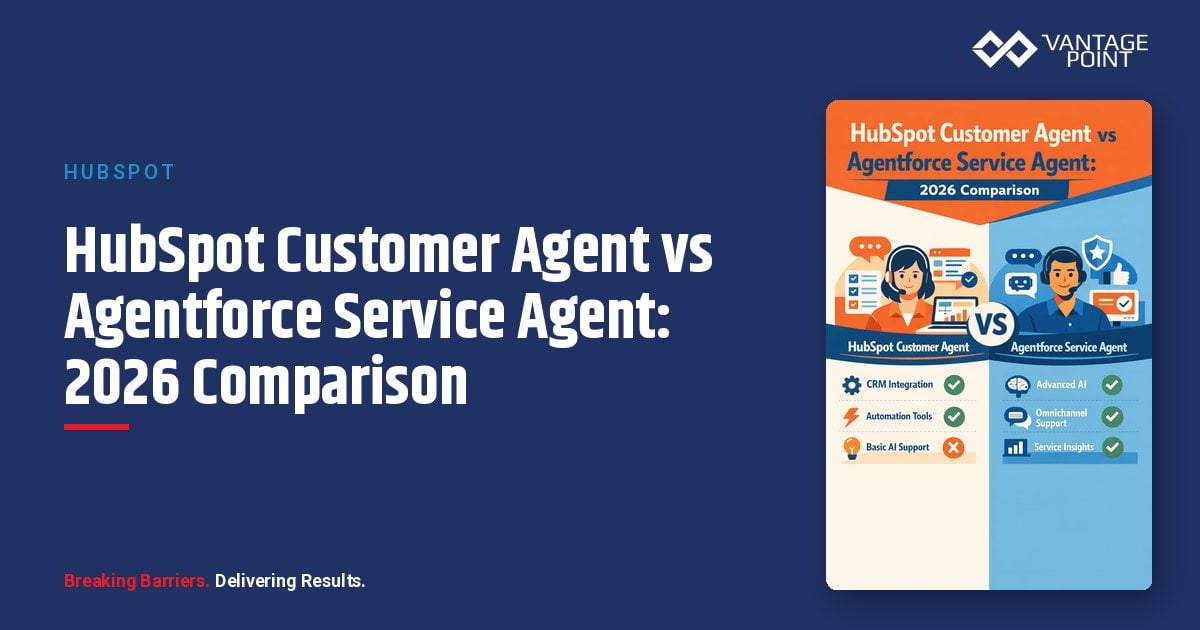
AI service agents have moved from pilot projects to production support channels. HubSpot's Breeze Customer Agent and Salesforce's Agentforce Service Agent are the two native options most teams evaluate first, and they take very different approaches to setup, pricing, and control.
This comparison breaks down both products across the criteria that actually drive the decision: setup time, pricing model, accuracy and grounding, escalation behavior, CRM data access, and governance. It is written for teams running HubSpot, Salesforce, or both.
Vantage Point implements both platforms, so this is a practitioner's comparison: not a vendor pitch for either side.
Quick Answer
HubSpot Customer Agent is the better fit if your support team works in HubSpot Professional or Enterprise and you want an AI agent live quickly with outcome-based pricing: you pay $0.50 per resolved conversation, not per attempt. Agentforce Service Agent is the better fit if you run Salesforce Service Cloud and need deep customization, multi-channel deployment (including voice), complex actions, and enterprise-grade governance: priced via Flex Credits, per-conversation, or per-user models. The decision usually follows where your service data and processes already live. Vantage Point is a consulting partner for both platforms and helps teams choose, configure, and govern the right agent.
TL;DR
- What this compares: HubSpot Customer Agent vs Salesforce Agentforce Service Agent: the native AI service agents for each CRM in 2026.
- Pricing models differ fundamentally: HubSpot charges per resolved conversation ($0.50 via credits); Salesforce offers Flex Credits per action ($0.10), $2 per conversation, or per-user licensing.
- Setup effort differs: Customer Agent deploys in hours from your knowledge base; Agentforce typically requires structured implementation with topics, actions, and testing.
- Control differs: Agentforce offers far deeper customization (custom instructions, Flows, Apex actions); Customer Agent prioritizes simplicity over configurability.
- Best starting point: Deploy the agent native to the CRM where your service data lives, and get the data foundation right first. Vantage Point's HubSpot consulting and Salesforce advisory teams support both paths.
What Is HubSpot Customer Agent?
HubSpot Customer Agent (part of the Breeze AI suite) is an AI support agent that answers customer questions in HubSpot's chat widget and conversations inbox, grounded in your knowledge base articles, website pages, and uploaded documents. It is available to HubSpot Professional and Enterprise customers.
Key characteristics:
- Fast deployment. The agent is configured inside HubSpot's UI, choose content sources, set a role and tone, define handoff rules, and test. No code is required for a baseline deployment.
- Outcome-based pricing. As of April 14, 2026, HubSpot charges only when the agent resolves a conversation: 50 credits (about $0.50) per resolution, per HubSpot's outcome-based pricing announcement. HubSpot reports the agent resolves 65% of conversations across more than 8,000 customers that have activated it.
- Content-driven accuracy. Answer quality depends almost entirely on the quality and structure of your knowledge base. Short, well-structured Q&A articles perform best.
- Light action support. The agent can take actions (order status checks, password resets) if you configure API-based actions, but custom behavioral instructions are limited compared to Agentforce.
- Native handoff. Unresolved conversations route to your team in the HubSpot inbox or Help Desk with full conversation context.
What Is Salesforce Agentforce Service Agent?
Agentforce Service Agent is Salesforce's autonomous AI service agent, built on the Agentforce platform. It resolves customer issues across chat, messaging channels, and voice, grounded in Salesforce CRM data, Knowledge, and Data Cloud, with reasoning handled by Salesforce's agentic runtime and governed by the Einstein Trust Layer.
Key characteristics:
- Deep configurability. Agents are built from topics, instructions, and actions. Actions can invoke Flows, Apex, prompt templates, and MuleSoft APIs, so the agent can do real work (process returns, update records, schedule appointments), not just answer questions.
- Multiple pricing models. Per Salesforce's Agentforce pricing page: Flex Credits at $500 per 100,000 credits (a standard action consumes 20 credits, about $0.10), conversation-based pricing at $2 per conversation, per-user add-ons at $125/user/month for employee-facing use, and Agentforce 1 editions bundling 2.5M Flex Credits.
- Multi-channel by design. The same agent can serve web chat, in-app messaging, WhatsApp, SMS, and voice (Agentforce Voice).
- Enterprise governance. The Einstein Trust Layer handles data masking, audit trails, and guardrails; Digital Wallet provides near-real-time consumption tracking; the Testing Center supports batch-testing agent behavior before launch.
- Structured escalation. Handoffs flow through Omni-Channel routing into Service Cloud with full context, respecting existing queues and skills-based routing.
How Do the Two Agents Compare?
| Criteria | HubSpot Customer Agent | Agentforce Service Agent |
|---|---|---|
| Plan requirement | HubSpot Professional or Enterprise | Salesforce org (Foundations free tier to start; usage purchased separately) |
| Pricing model | $0.50 per resolved conversation (50 credits); pay only on resolution | Flex Credits ($0.10 per standard action), $2 per conversation, or per-user licensing |
| Setup time | Hours to days: UI-driven, knowledge-base grounded | Days to weeks: topics, actions, testing, and channel configuration |
| Customization | Role, tone, content sources; limited custom instructions | Custom topics, instructions, Flows, Apex, MuleSoft actions |
| Grounding / data access | Knowledge base, website pages, documents, Smart CRM context | CRM records, Salesforce Knowledge, Data Cloud, external data via integrations |
| Channels | Web chat, conversations inbox | Web chat, in-app, WhatsApp, SMS, voice |
| Escalation | Handoff rules to inbox/Help Desk | Omni-Channel routing into Service Cloud queues |
| Governance | Platform-level controls; content-source scoping | Einstein Trust Layer, Digital Wallet, Testing Center, audit trails |
| Best for | Fast FAQ-style resolution for HubSpot support teams | Complex, action-taking service automation at enterprise scale |
How Does Pricing Actually Play Out?
The headline rates are easy to compare; the consumption mechanics matter more.
HubSpot's model is simple and outcome-aligned. You pay only when a conversation is resolved. Professional plans include 3,000 HubSpot Credits per month (about 60 resolutions) and Enterprise includes 5,000 (about 100); beyond that, additional credits cost $10 per 1,000 per month. Watch two mechanics: unused monthly credits expire, and exhausting purchased credit packs can trigger automatic additions to your subscription, so monitor usage in months that spike.
Salesforce's model is flexible but requires forecasting. Flex Credits charge per action: a conversation that triggers three actions costs about $0.30, while a complex multi-step resolution costs more. Conversation pricing ($2) is flat and predictable but generally suits higher-value interactions. The two models cannot be mixed in the same org, so model your expected interaction patterns before committing. Digital Wallet alerts help prevent surprises, and overages bill at your contracted rate with no penalty.
The practical takeaway: for high-volume, simple support questions, HubSpot's per-resolution rate is usually the lower-cost path. For agents that take multi-step actions and serve multiple channels, Salesforce's Flex Credits align cost to the work performed, but require active consumption management.
Which Should You Choose?
Choose HubSpot Customer Agent if:
- Your support team already works in HubSpot Professional or Enterprise.
- Most inquiries are answerable from a knowledge base (FAQs, how-tos, policies).
- You want a working agent in days, not weeks, with minimal admin overhead.
- Outcome-based pricing matters: you only want to pay for resolutions.
Choose Agentforce Service Agent if:
- Your service operation runs on Salesforce Service Cloud.
- You need the agent to take actions: process returns, update cases, schedule service: not just answer questions.
- You need multi-channel coverage, including voice.
- You have enterprise governance, audit, and testing requirements.
Running both platforms? Many organizations run marketing and support in HubSpot with sales or service in Salesforce. In that case, deploy the agent where the service workload lives, and make sure records and context sync cleanly between systems. A poorly integrated stack is the most common cause of wrong or incomplete agent answers. Vantage Point's HubSpot: Salesforce integration practice exists for exactly this scenario.
If your team is evaluating how AI service agents apply to your Salesforce, HubSpot, or integration roadmap, Vantage Point can help assess the right next step and build a practical implementation plan.
What Should Businesses Do Next?
- Audit your knowledge content. Both agents are only as accurate as the content and data behind them. Consolidate, update, and restructure articles into short, direct answers before activation.
- Map your top 20 inquiry types. Classify each as "answerable from content" vs "requires action." Mostly content → HubSpot's agent covers it. Mostly action → Agentforce's action framework earns its setup cost.
- Model consumption costs. Estimate monthly conversation volume and resolution complexity, then price both models against real numbers: not list-price assumptions.
- Define escalation rules before launch. Decide which topics must always reach a human, and test handoff paths with real conversation transcripts.
- Pilot narrow, then expand. Launch on one channel with a limited topic scope, measure resolution quality weekly, and expand only after accuracy holds.
How Vantage Point Helps
Vantage Point is a boutique, senior-led consulting partner for both Salesforce and HubSpot. One of the few firms positioned to compare these agents credibly because we implement both. We help teams:
- Choose the right agent and pricing model based on actual inquiry patterns and platform footprint, through our Salesforce implementation and advisory services and HubSpot consulting practice.
- Prepare the data and content foundation that determines agent accuracy, including knowledge restructuring and CRM data quality work.
- Design AI rollouts with governance built in: escalation rules, guardrails, testing, and adoption: supported by our AI-driven personalization and analytics services.
- Keep both platforms in sync so agents answer from complete, current customer context.
Ready to evaluate AI service agents for your team? Contact Vantage Point for a practical readiness assessment.
FAQ
Is HubSpot Customer Agent cheaper than Agentforce Service Agent?
For simple, high-volume support questions, usually yes: HubSpot charges $0.50 per resolved conversation, and you pay nothing for unresolved attempts. Agentforce can cost less per interaction for single-action requests (about $0.10 per standard action with Flex Credits) but more for complex multi-step resolutions. The honest answer is that cost depends on your interaction mix, which is why modeling real volumes matters more than comparing list prices.
How long does it take to set up each agent?
HubSpot Customer Agent can be configured in hours if your knowledge base is in good shape. Content sources, role, tone, and handoff rules are all UI-driven. Agentforce Service Agent typically takes days to weeks because you define topics, build actions, configure channels, and batch-test behavior before launch. In both cases, content and data preparation is the real timeline driver, not the software setup.
Can HubSpot Customer Agent take actions like processing a return?
It supports limited, API-configured actions such as order lookups or password resets, but it is primarily a question-answering agent grounded in your content. Agentforce is the stronger choice when the agent must execute multi-step business processes, because its actions framework invokes Flows, Apex, and integration APIs directly.
What data does each agent use to answer questions?
HubSpot Customer Agent grounds answers in your knowledge base articles, website pages, uploaded documents, and Smart CRM context. Agentforce Service Agent grounds answers in Salesforce CRM records, Salesforce Knowledge, and Data Cloud, which lets it personalize responses with live customer data. In both cases, stale or thin content produces weak answers: data readiness comes first.
How does escalation to a human work in each product?
HubSpot routes unresolved conversations to your team in the conversations inbox or Help Desk based on handoff rules you define, with the full transcript attached. Agentforce escalates through Omni-Channel routing into Service Cloud, respecting your existing queues, skills, and availability rules. Agentforce offers more routing sophistication; HubSpot's handoff is simpler to configure.
Can I use Agentforce with HubSpot, or Customer Agent with Salesforce?
Each agent is native to its own platform and grounds answers in that platform's data, so cross-deployment is not the practical path. If you run both CRMs, deploy the agent where your service workload lives and integrate the platforms so customer context stays consistent. Vantage Point helps teams design exactly this kind of dual-platform architecture.
Do both agents require a paid plan?
HubSpot Customer Agent requires a Professional or Enterprise subscription, with usage paid through HubSpot Credits beyond the included monthly allotment. Salesforce offers a free Foundations tier that includes Agentforce Builder for experimentation, but production usage is purchased through Flex Credits, conversation pricing, or per-user licensing. Budget for usage costs in both cases, not just licenses.
What is the biggest mistake teams make when launching an AI service agent?
Launching against weak content and incomplete CRM data. Both vendors' accuracy depends on what the agent can read: thin knowledge bases produce wrong or vague answers, and disconnected systems produce answers missing customer context. Audit content, fix data quality, and define escalation rules before activation: then pilot narrowly and expand based on measured resolution quality.


