HubSpot launched Agent Hub and Agent Builder in public beta on July 23, 2026, for all Professional and Enterprise customers. Agent Hub is a single console for every AI agent running across your go-to-market teams. Agent Builder is a no-code canvas where you describe what you want in plain language and Breeze Assistant builds a custom agent on the data already in your CRM.
For teams already running Breeze Customer Agent, Prospecting Agent, or Data Agent, this is the missing management layer. For teams that have been waiting to build their own agents, this is the on-ramp: no separate tool, no field mapping, no developer required.
Quick Answer
HubSpot Agent Hub is a centralized dashboard that shows every AI agent in your portal with live status, recent results, and one-click activation, organized by the outcomes they drive: build demand, win deals, delight customers, and scale growth. Agent Builder (the evolution of Breeze Studio) lets you create custom agents and agentic workflows in plain language, running on your live Smart CRM data from day one. Both are in public beta for Professional and Enterprise customers. This matters most for marketing, sales, and service leaders who need AI output they can actually govern and measure, and it is a natural fit for teams working with a HubSpot consulting partner to design agents around real business processes.
TL;DR
- What it is: HubSpot Agent Hub centralizes oversight of every AI agent in your portal; Agent Builder lets you build custom CRM-powered agents in plain language.
- Availability: Public beta since July 23, 2026, for all HubSpot Professional and Enterprise customers.
- Why it matters: Agents stop operating in silos. They share CRM context, and leadership gets one view of what AI is actually producing.
- Decision point: Which workflows to hand to agents first, and what approval guardrails to set before letting agents act autonomously.
- How Vantage Point helps: Our HubSpot services team designs agent use cases, data readiness, and governance so custom agents deliver measurable outcomes.
What Is HubSpot Agent Hub?
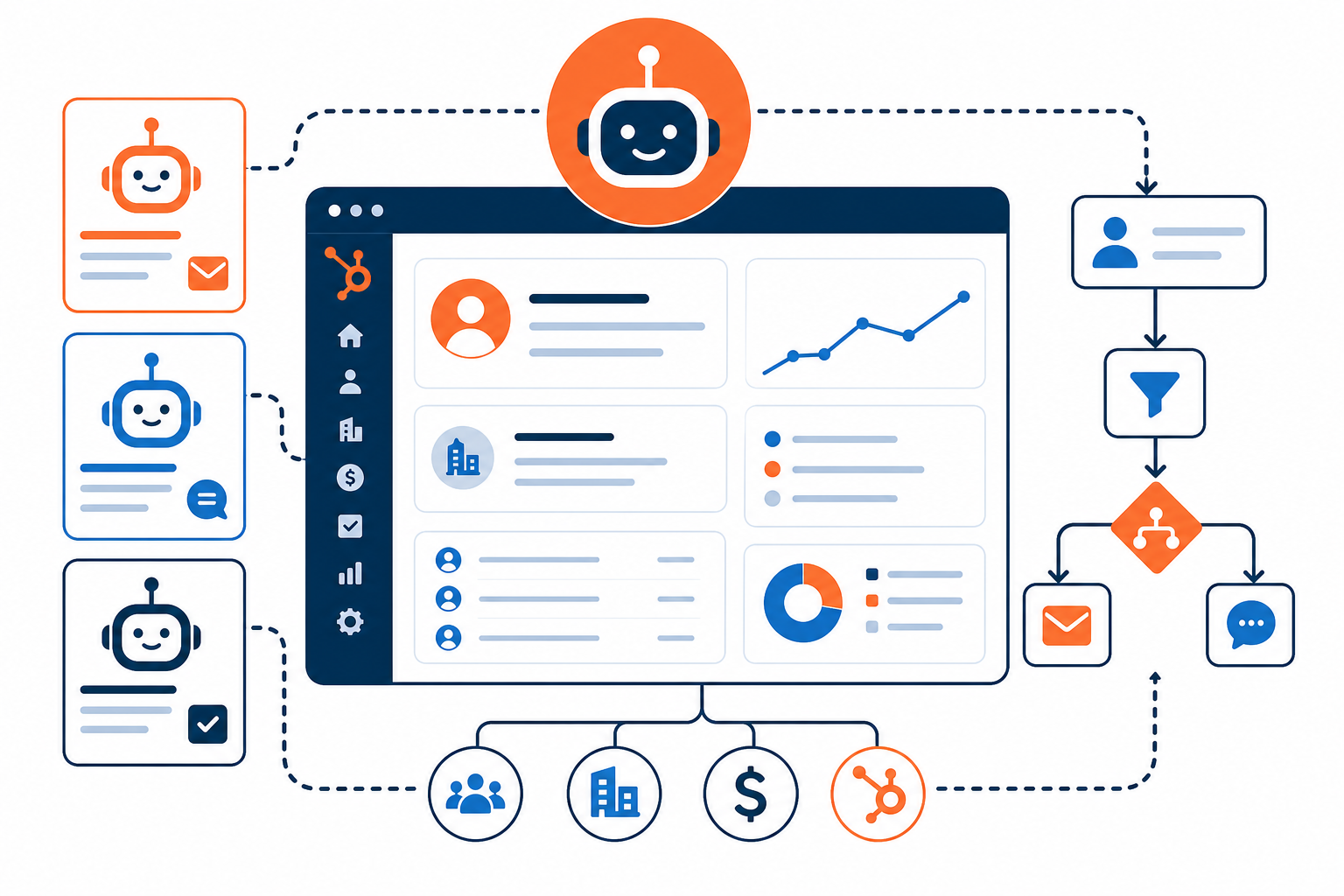
Agent Hub is HubSpot's new home for every AI agent your business runs, built directly into the platform. Instead of hunting through individual hubs to find out what your agents are doing, Agent Hub shows your whole AI team in one place.
Each agent appears as a card with live status and recent results. Agents are organized by the go-to-market outcome they drive (building demand, winning deals, delighting customers, and scaling growth) so you can see coverage across the full customer journey from awareness through retention. Inactive agents show what they would deliver, with a single action to turn them on. Agent Hub also connects directly to Agent Builder and the Agent Marketplace, so you can manage, build, and discover agents without leaving the console.
What Is Agent Builder?
Agent Builder is where teams create custom agents and agentic workflows tailored to their business. It is built directly into HubSpot, which means agents run on your own context (deal history, contact records, call transcripts, and buying signals) with no separate setup or field mapping.
The build experience is deliberately simple: you describe what you want to Breeze Assistant in plain language, and Agent Builder assembles the agent or workflow on one canvas. Key capabilities include:
- One canvas for agents and automations. Connect workflows, custom agents, and triggers without switching tools.
- Multi-source triggers. Start agents on a schedule, on contact or deal updates, via webhooks, or from third-party integrations.
- Plain-language building. Breeze Assistant drafts the agent configuration from your description; you refine from there.
- Shared data foundation. Custom agents use the same Smart CRM data as HubSpot's core agents from day one.
- Approval guardrails. Actions can require human approval until your team is ready to let them run autonomously.
Why Do Agent Hub and Agent Builder Matter in 2026?
Most go-to-market teams running AI agents today have the same problem: the agents are scattered and disconnected. A prospecting agent reaches out to a customer the same week a service agent handles an open complaint from that same account, and neither agent knows what the other is doing. When leadership asks what the AI investment is producing, nobody has a clean answer.
Agent Hub and Agent Builder attack that problem from both sides. Agent Hub delivers centralized oversight: one place to see agent performance, spot idle agents, and tie AI activity to commercial outcomes. Agent Builder lowers the barrier to building agents that actually fit your process, because they run on the customer data you already have instead of a copy in a separate tool.
HubSpot's own early example is Ignite Reading, a virtual literacy tutoring program operating across more than 25 states. According to HubSpot, the team built a custom agent that finds and parses each school district's academic calendar using data already stored in the deal record. Work that previously took 15-20 minutes per district and now takes seconds. That is the pattern to look for: narrow, repetitive, data-dependent tasks where an agent with CRM context removes manual effort.
What Can Teams Actually Build? Use Cases by Team
The practical question is where custom agents fit your operation. Here are starting points by team:
| Team | Example custom agent | CRM data it uses | Outcome category |
|---|---|---|---|
| Marketing | Monitor form submissions and route high-intent leads with context-rich summaries | Contacts, forms, page activity | Build demand |
| Sales | Watch deal stages and draft follow-up tasks when deals stall past a threshold | Deals, activities, call transcripts | Win deals |
| Service | Triage incoming tickets, summarize history, and suggest next steps for reps | Tickets, conversations, company records | Delight customers |
| RevOps | Flag incomplete records and enrich or deduplicate on a schedule | Contact and company properties | Scale growth |
| Leadership | Compile a weekly digest of agent activity and results for review | Cross-agent reporting in Agent Hub | Scale growth |
Start with one workflow that is repetitive, rules-based, and measured. Prove value there before expanding.
What Are the Governance Implications?
Custom agents acting on live CRM data raise real governance questions. Agent Hub and Agent Builder include the controls to answer them, but your team still has to make the decisions:
- Access and permissions. A Super Admin must enable the relevant AI settings (including CRM data access) before agents can be built. Treat that toggle as a policy decision, not a technical one.
- Approval guardrails. Keep human approval on for any agent that sends communications, modifies records, or triggers downstream automation until its behavior is proven.
- Data quality. Agents are only as good as the CRM data behind them. Duplicate records, stale properties, and inconsistent pipelines will produce unreliable agent output.
- Shared context. The upside of agents sharing one CRM picture is consistency; the risk is that a bad assumption propagates across every agent. Review agent results in Agent Hub on a regular cadence.
- Measurement. Use Agent Hub's outcome organization to tie each agent to a business result. If an agent cannot be tied to an outcome, question whether it should be running.
What Should Businesses Do Next?
- Confirm eligibility and join the beta. Agent Hub and Agent Builder are available to Professional and Enterprise customers through HubSpot's product updates.
- Audit your current agents. Inventory which Breeze agents are active, idle, or unconfigured: Agent Hub makes this visible immediately.
- Pick one high-friction workflow. Choose a narrow, repetitive task with clear CRM data behind it, and build your first custom agent there.
- Set guardrails before autonomy. Define which actions need approval, who owns each agent, and how results get reviewed.
- Fix the data foundation. If your CRM data is not clean and unified, address that first: it is the single biggest factor in agent quality.
If your team is evaluating how Agent Hub and Agent Builder apply to your marketing, sales, or service processes, Vantage Point can help assess the right first use case and build a practical rollout plan.
How Vantage Point Helps
Vantage Point is a boutique CRM consulting firm and HubSpot partner. We help teams turn features like Agent Hub and Agent Builder into working, governed automation:
- HubSpot implementation and optimization. Our HubSpot services cover portal setup, Breeze AI configuration, and custom agent design aligned to your processes.
- CRM and marketing automation strategy. Through our CRM and marketing automation services, we map which workflows belong in agents, which belong in workflows, and which stay human.
- Data readiness and integration. Agents need clean, connected data. Our integration and data migration services get your CRM foundation ready.
- Adoption and change management. Our advisory and change management team helps your people trust, review, and govern agent output.
Senior consultants only. No junior handoffs; the experts you meet are the experts who deliver.
FAQ
What is HubSpot Agent Hub?
Agent Hub is a centralized console in HubSpot that shows every AI agent running in your portal, with live status, recent results, and one-click activation. Agents are organized by the outcomes they drive (build demand, win deals, delight customers, and scale growth) so teams can see AI coverage across the whole customer journey.
What is HubSpot Agent Builder?
Agent Builder is HubSpot's no-code tool for creating custom AI agents and agentic workflows. You describe what you want in plain language to Breeze Assistant, and Agent Builder assembles the agent on one canvas using the data already in your Smart CRM: no separate tool, field mapping, or developer required.
Who can access Agent Hub and Agent Builder?
Both are available in public beta to all HubSpot Professional and Enterprise customers as of July 23, 2026. A Super Admin needs to enable the relevant AI settings, including CRM data access, before teams can build agents.
Do I need developers to build a custom agent in HubSpot?
No. Agent Builder is designed for non-technical users: Breeze Assistant drafts the agent from a plain-language description, and you refine triggers, actions, and guardrails on a visual canvas. Complex integrations may still benefit from consulting support, but coding is not required.
How is Agent Builder different from Breeze Studio?
Agent Builder is the evolution of Breeze Studio. It keeps the custom agent building capability and adds a unified canvas where workflows, agents, and triggers come together, plus tighter integration with Agent Hub for management and oversight.
What governance controls exist for custom agents?
Agents can require human approval for actions until your team is ready to let them run autonomously. Agent Hub provides ongoing visibility into status and results, and Super Admins control AI data access through HubSpot's AI settings. Vantage Point recommends defining approval rules and review cadences before enabling autonomous actions.
What should my first custom agent do?
Pick a narrow, repetitive, data-dependent task: like summarizing stalled deals, triaging tickets, or enriching incomplete records. Prove value on one workflow, then expand. Vantage Point's HubSpot team can help identify the highest-impact starting point in your portal.
Ready to put custom AI agents to work on your HubSpot data? Vantage Point helps teams design, build, and govern Agent Hub and Agent Builder workflows that deliver measurable outcomes. Contact Vantage Point to start the conversation.
Resources
- HubSpot Community: Introducing Agent Hub and Agent Builder (public beta)
- HubSpot Company News: Meet Agent Hub and Agent Builder
- HubSpot Agent Hub product page
- Vantage Point HubSpot services
- Vantage Point CRM and marketing automation services
Vantage Point is a boutique CRM consulting firm helping businesses transform with Salesforce, HubSpot, and AI. Senior consultants only. No junior handoffs; the experts you meet are the experts who deliver. Learn more at vantagepoint.io.