Source note: This article is a Vantage Point strategic brief for operations, IT, and enablement leaders planning a team-wide rollout of Claude alongside Salesforce, HubSpot, or both. It uses anonymized patterns from recent advisory conversations and does not identify any client, individual, or vendor account team.
Key Takeaways
| Question | Answer |
|---|---|
| What is it? | A structured plan for deploying Anthropic's Claude across a team, choosing the right plan, defining use cases, enabling people, and governing usage. |
| Key benefit | Faster, safer adoption: people use Claude on real work, governance is in place from day one, and value is measured instead of assumed. |
| What you need | An executive sponsor, a use-case inventory, scoped access, an acceptable use policy, training tailored by role, and a way to measure adoption. |
| Biggest risk | A "license-and-hope" rollout where access is granted with no enablement or governance, producing low adoption and shadow AI. |
| Best for | Teams on Salesforce, HubSpot, or both that want Claude adopted deliberately rather than left to chance. |
| Bottom line | Tools do not drive adoption; enablement and change management do. Plan the rollout like a change program, not a software install. |
Quick Answer
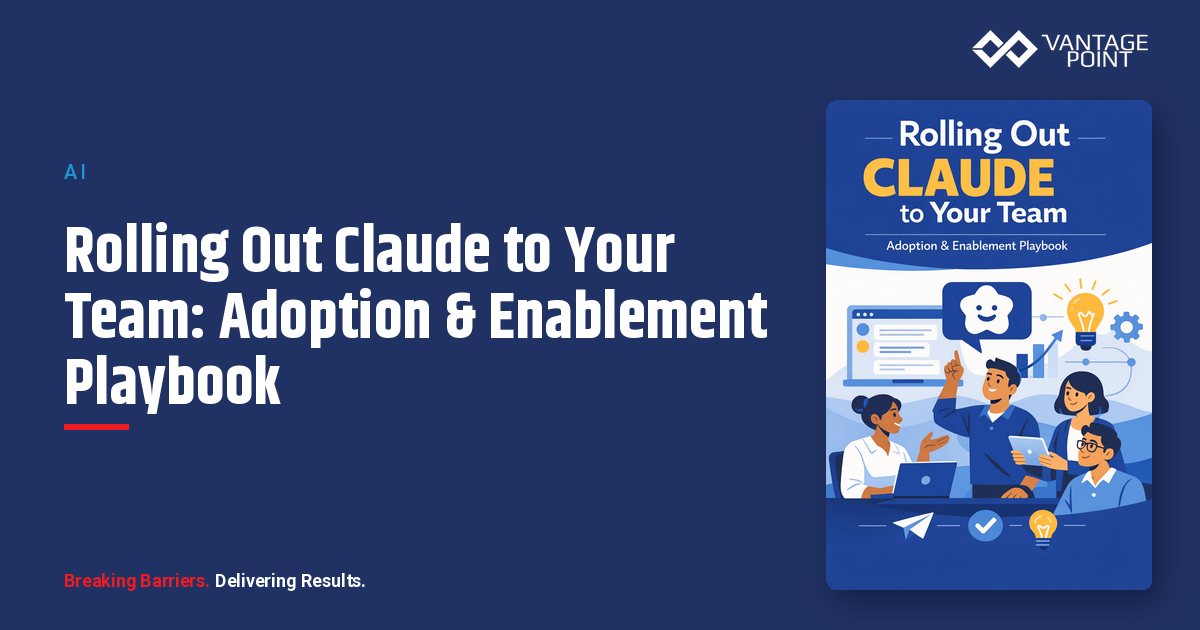
Rolling Claude out to your team is a change-management exercise, not a procurement task. A successful rollout names an executive sponsor, picks the right Claude plan, defines a short list of high-value use cases per role, grants scoped access, publishes an acceptable use policy, trains people on their actual workflows, and measures adoption so you can expand what works.
The sequence that works is sponsor and scope first, enablement and governance together, and measured expansion last. Buying licenses and emailing a login link is the most common way rollouts stall: people try the tool once, get a generic result, and drift back to old habits. Treat Claude like any other capability your team must learn, and adoption follows.
TL;DR
- Adoption is a program, not a purchase. Sponsor, use cases, enablement, governance, and measurement all matter more than the license itself.
- Start with roles and use cases. Map two or three concrete, high-value tasks per team before you train anyone.
- Govern from day one. An acceptable use policy, data-handling rules, and scoped access prevent shadow AI and data leakage.
- Train on real work. Role-based enablement on actual workflows beats a generic "intro to AI" session.
- Measure and expand. Track active usage and outcomes, then widen scope to the use cases that prove out.
What Is a Claude Rollout, and Why Does It Need a Playbook?
A Claude rollout is the structured process of putting Anthropic's Claude into the daily work of a team, and it needs a playbook because the failure mode is rarely the technology. Claude is capable out of the box; what determines success is whether people know what to use it for, are allowed to use it safely, and are supported while they build the habit.
Most stalled rollouts share the same pattern: licenses are purchased, access is granted broadly, and enablement is a single all-hands demo. A few enthusiasts adopt; everyone else tries it once and stops. Meanwhile, ungoverned use creeps in through personal accounts. A playbook replaces that with a deliberate sequence of sponsorship, scoping, enablement, governance, and measurement: the same discipline that defines effective advisory and change management for any major capability.
Which Claude Plan Should Your Team Roll Out On?
Choose the plan that matches your governance and integration needs, not just your headcount. Anthropic offers consumer and business tiers, and the difference that matters for a team rollout is administrative control, data handling, and the ability to connect Claude to your systems.
| Plan | Best for | Admin & governance | Notes for rollout |
|---|---|---|---|
| Free | Individual trial | None | Not suitable for team or business data |
| Pro | Individual power users | Personal only | Fine for personal productivity, not governed teams |
| Team | Small teams needing central billing and management | Central user management, business data handling | A practical starting point for many teams |
| Enterprise | Organizations needing SSO, fine-grained controls, and scale | SSO/SAML, domain capture, audit, expanded context | Best fit where governance and integration are priorities |
The right tier depends on your security requirements and how deeply you intend to connect Claude to systems of record. Teams that plan to ground Claude in CRM data or internal documents generally need the administrative controls of a business tier, and should align the choice with their broader compliance and security requirements before licenses are purchased.
What Workflows Should You Target First?
Target a short list of concrete, high-value tasks per role rather than a vague "use AI more." Adoption accelerates when each person can point to two or three things Claude makes faster this week.
| Team | Early high-value use cases | Why it lands |
|---|---|---|
| Sales / RevOps | Meeting prep briefs, call and email summaries, follow-up drafting | Immediate time savings on work reps already do |
| Customer service | Drafting responses, summarizing case history, knowledge lookup | Faster handling without changing the system of record |
| Operations | Drafting SOPs, summarizing documents, data formatting | Removes repetitive writing and reformatting |
| Marketing | First-draft copy, repurposing content, brief creation | Speeds the blank-page phase while keeping human review |
| Leadership | Summarizing reports, drafting updates, scenario thinking | Saves prep time on recurring communication |
The common thread is that each use case is repetitive, language-heavy, and easy for the person to verify. Mapping these tasks is itself a workflow automation and process optimization exercise: you are identifying where an assistant removes friction without changing the system of record or the human decision.
What Data Does a Claude Rollout Need?
A rollout needs less raw data than you might expect and more clarity about what Claude is allowed to touch. Two categories matter: the inputs that make Claude useful, and the operational data that tells you whether the rollout is working.
For usefulness, decide which context each use case legitimately requires:
- Reference material: the SOPs, templates, product docs, or knowledge that ground Claude in how your business actually works.
- Scoped system access: if Claude will read from Salesforce or HubSpot, define the exact objects and fields each use case needs and nothing more.
- Role and access mapping: who is in the rollout, what they do, and what they should be able to see.
For measurement, capture the adoption signals that show whether the program is succeeding:
- Active usage: how many licensed users are actually using Claude weekly, not just provisioned.
- Use-case coverage: which targeted workflows are being used and which are being ignored.
- Outcome signals: time saved, output quality, and qualitative feedback from each team.
Deciding what data Claude may read, and ensuring source-of-truth rules across systems, is part of a deliberate HubSpot and Salesforce integration design when both platforms are in play.
What Governance Do You Need Before You Roll Out?
You need a clear acceptable use policy, data-handling rules, and scoped access defined before the first license is assigned: not bolted on after an incident. Governance is what lets you expand confidently instead of clawing back access later.
A workable baseline includes:
- Acceptable use policy: plain-language rules on what data can and cannot be entered, which use cases are approved, and what requires review.
- Data classification: define which categories of information (public, internal, confidential, regulated) may be used with Claude and under what conditions.
- Least-privilege access: scope any system connections to the minimum objects and fields each use case requires.
- Human-in-the-loop: require people to review and own Claude's output, especially anything customer-facing or written back to a system of record.
- Shadow-AI prevention: give people a sanctioned, governed option so they do not paste company data into personal accounts.
- Audit and review: log usage where the plan supports it and review access and use cases on a regular cadence.
For regulated teams, this should sit inside the existing risk and compliance program rather than alongside it, which is where senior Salesforce and HubSpot advisory experience helps connect AI governance to how your CRM data is already controlled.
What Can Go Wrong With a Team Rollout?
Most rollout failures are change-management failures, not model failures. They show up weeks after launch, once the initial novelty fades.
| Failure | What it looks like | How to prevent it |
|---|---|---|
| License-and-hope | Access granted with no enablement; usage collapses | Treat the rollout as a change program with a sponsor |
| Generic training | One demo, no role relevance; people forget it | Train on each team's real workflows and use cases |
| Shadow AI | People use personal accounts with company data | Provide a sanctioned, governed option and clear policy |
| No governance | Confidential data entered with no rules or review | Publish an acceptable use policy and data classification first |
| Over-broad access | System connections expose more than needed | Least-privilege scoping per use case |
| No measurement | No one knows if it is working, so it quietly dies | Track active usage and outcomes from week one |
| No sponsor | Rollout has no owner or executive air cover | Name an accountable sponsor before launch |
The pattern is consistent: the tool works, but the program around it is missing. Enablement, governance, and measurement are what convert a license into a habit.
How Should You Start?
Start with a small, sponsored pilot on a few well-defined use cases, prove it, then expand by role. The goal of the first phase is a visible win and a governance model you can scale, not broad access.
A practical sequence:
- Name a sponsor and a lead. Give the rollout an accountable owner with executive air cover.
- Inventory use cases. Pick two or three high-value tasks per pilot team that people can verify themselves.
- Choose the right plan. Match the Claude tier to your governance and integration needs, not just headcount.
- Publish governance. Release the acceptable use policy and data classification before anyone logs in.
- Run role-based enablement. Train each team on their actual workflows, not a generic AI overview.
- Pilot and measure. Track active usage, use-case coverage, and outcomes for a defined period.
- Expand what works. Widen scope to the use cases and teams that proved out, and add governed system connections where they earn it.
This mirrors the adoption sequencing that works in practice: sponsor and scope first, enablement and governance together, measured expansion last. Sustaining adoption over time is itself an ongoing discipline supported by managed services and ongoing support.
How Vantage Point Helps
Vantage Point is a vendor-agnostic firm that helps organizations evaluate, adopt, and optimize technology across both Salesforce and HubSpot, with senior consultants who have led change programs in regulated and high-growth environments. For a Claude rollout, we do not start with a license count or a single vendor's playbook. We start with the use cases, the people who will use them, the data and access involved, and the governance that keeps it safe.
That neutrality matters for adoption. The right rollout depends on your workflows, your risk profile, and how your teams actually work: not on which product a vendor happens to sell. Because we work across both major CRMs and own the integration layer between them, we can design enablement and governed system access that respect each platform's permission model while building durable adoption.
If your team is planning to roll Claude out across sales, service, or operations on Salesforce, HubSpot, or both, Vantage Point can help define use cases, choose the right plan, build the governance model, and run role-based enablement. Ask about a complimentary AI Discovery and the available $1,600 credit positioning for qualified teams. The work connects directly to our advisory and change management practice.
FAQ
How long does a Claude rollout take?
It depends on scope, but a focused pilot on two or three use cases for one or two teams typically runs a few weeks: a week to set governance and access, a week or two of role-based enablement and active use, then a review. Expanding across the organization is a phased effort that follows the pilot's results rather than a single big-bang launch.
Which Claude plan is best for a team?
Choose based on governance and integration needs, not headcount alone. A business tier with central user management and business-grade data handling is the practical floor for team use, and organizations that need SSO, fine-grained admin controls, or deep system connections generally need the enterprise tier. Align the choice with your security requirements before purchasing.
How do we prevent shadow AI during a rollout?
Give people a sanctioned, governed option and pair it with a clear acceptable use policy. Shadow AI thrives when employees have a need but no approved tool, so they paste company data into personal accounts. A timely, well-enabled rollout with reasonable use cases removes the incentive to go around it.
Do we need to clean our data before rolling out Claude?
Not for every use case, but for any workflow where Claude reads from your CRM, remediate the specific records and fields that workflow depends on. Many early use cases (drafting, summarizing pasted content, working from documents) do not require system access at all, which is why they make good first pilots.
How do we measure whether the rollout is working?
Track active usage (licensed users actually using Claude weekly, not just provisioned), use-case coverage (which targeted workflows are being used), and outcome signals (time saved, output quality, and team feedback). Measuring from week one lets you expand what works and fix or retire what does not.
What governance do we need before launch?
At minimum: an acceptable use policy, a data classification scheme defining what information may be used, least-privilege access for any system connections, and a human-in-the-loop rule for anything customer-facing or written back to a system of record. Regulated teams should fold this into their existing risk and compliance program.
Does a Claude rollout work the same for Salesforce and HubSpot teams?
The adoption playbook is the same, but the integration mechanics differ. If Claude will read from your CRM, Salesforce uses connected apps with OAuth scopes and field-level security, while HubSpot uses private or OAuth apps with granular scopes. Many rollout use cases need no system access at all, so adoption and governance can move ahead while integrations are scoped separately.
How does Vantage Point help with a Claude rollout?
Vantage Point is vendor-agnostic and works across both Salesforce and HubSpot, so we design the rollout around your use cases, people, data, and risk profile. We help name the sponsor, build the use-case inventory, choose the right plan, write the governance model, run role-based enablement, and set up measurement: then sequence expansion from a proven pilot to broader adoption.