SEO title: Claude for Sales Operations: Meeting Prep, Summaries, CRM Hygiene Meta description: See how Claude supports sales operations with meeting prep, call summaries, and CRM hygiene, the data and governance you need, and how Vantage Point helps. Recommended slug: blog/ai/claude-sales-operations-meeting-prep-crm-hygiene
Source note: This article is a Vantage Point strategic brief for RevOps, sales operations, and CRM leaders evaluating Claude and other AI assistants to support selling teams on Salesforce, HubSpot, or both. It uses anonymized patterns from recent discovery conversations and does not identify any client, individual, or vendor account team.
Key Takeaways
| Question | Answer |
|---|---|
| What is it? | Using Anthropic's Claude as an assistant for sales operations work, preparing for meetings, summarizing calls and emails, and keeping CRM records clean and current. |
| Key benefit | Reps spend less time on prep and data entry and more time selling, while operations leaders get more complete, consistent CRM data. |
| What you need | Scoped access to relevant CRM objects, clean and well-associated records, a connection layer (MCP, API, or middleware), and a governance model. |
| Biggest risk | Ungoverned write-back and over-broad access. An assistant that edits the wrong records or acts on dirty data erodes trust fast. |
| Best for | Sales operations, RevOps, and CRM teams on Salesforce, HubSpot, or both that want AI grounded in their own pipeline data. |
| Bottom line | Claude accelerates the busywork around selling, but only when access, data quality, and governance are designed first. |
Quick Answer
Claude supports sales operations by handling the repetitive, context-heavy work that surrounds selling: assembling meeting prep briefs, summarizing calls and email threads into next steps, and proposing CRM updates so records stay clean. It does this by reading a scoped slice of your Salesforce or HubSpot data through a connection layer you control, then drafting outputs a human reviews before anything is saved.
The right sequence is read-only assistance first and governed write-back last. Start by letting Claude draft prep notes and summaries that a rep approves, prove the outputs are accurate, and only then allow it to update records under human review and source-of-truth rules.
TL;DR
- Three high-value workflows: meeting prep briefs, call and email summaries with action items, and CRM hygiene (field completion, deduplication flags, stage updates).
- Grounding beats generic AI: Claude is far more useful when it reasons over real account, deal, and activity data instead of generic prompts.
- Data readiness gates results: duplicate contacts, stale stages, and missing fields produce confident but wrong summaries and bad updates.
- Governance is mandatory: least-privilege access, human review of writes, audit logging, and clear source-of-truth rules.
- Start read-only: prove value on prep and summaries before granting any write access to the CRM.
What Sales Operations Work Can Claude Actually Do?
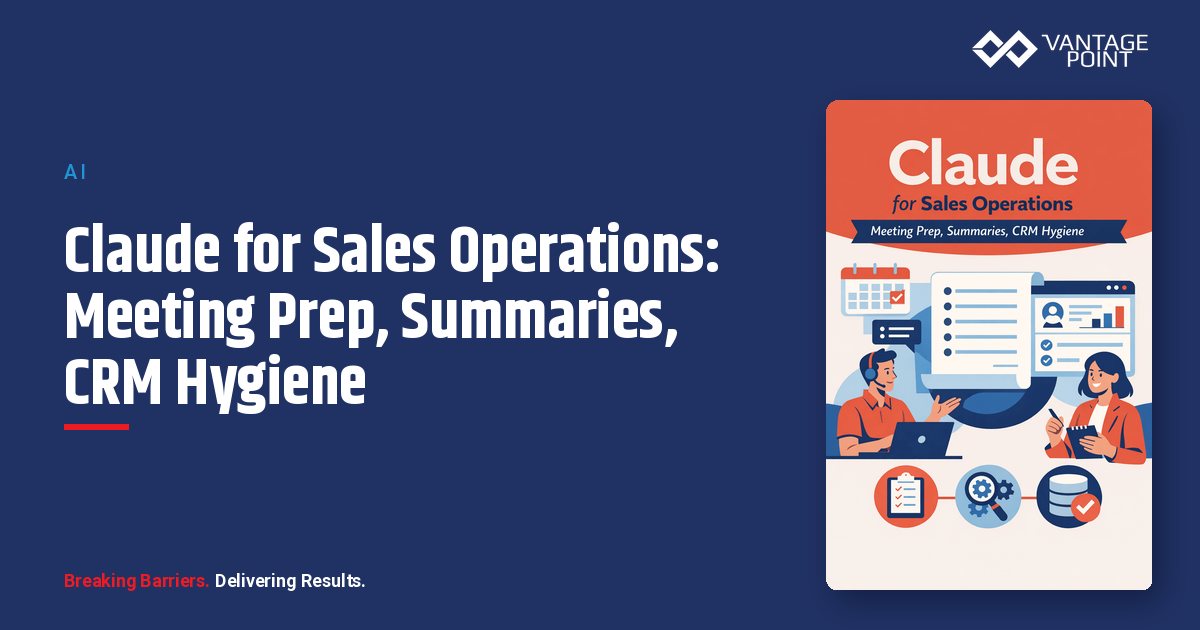
Claude is well suited to the language-heavy, repetitive tasks that consume selling time but rarely require human judgment to produce a first draft. In a sales operations context, three workflows deliver the clearest early value.
| Workflow | What Claude does | Data it reads | Human role |
|---|---|---|---|
| Meeting prep | Builds a brief: account history, open deals, recent activity, likely talking points | Account/company, contacts, deals/opportunities, recent activities | Rep reviews and adjusts before the meeting |
| Call & email summaries | Turns a transcript or thread into a summary, decisions, and next steps | Meeting notes, call transcripts, email engagement | Rep confirms accuracy and approves follow-ups |
| CRM hygiene | Flags duplicates, fills gaps, suggests stage or next-step updates | Core objects, picklists, associations, last-activity fields | Ops approves proposed changes before they save |
The common thread is that Claude drafts and proposes; people decide. That distinction is what makes the assistant safe to deploy on real pipeline data, and it mirrors how disciplined teams approach workflow automation and process optimization more broadly.
How Does Claude Improve Meeting Prep and Summaries?
Claude improves meeting prep by assembling scattered context into one brief in seconds, and improves summaries by converting long calls or threads into structured, reviewable outputs. Reps routinely spend 20 to 30 minutes preparing for an important meeting and similar time writing it up afterward. An assistant grounded in CRM data compresses both.
For prep, Claude can read the account, its open opportunities, recent activities, and prior notes, then produce a brief that highlights relationship history, open questions, and risks. For follow-up, it can take a call transcript or email thread and return a concise summary, the decisions made, and a proposed list of next steps and CRM updates.
The result is not just time saved. Consistent, structured summaries make pipeline reviews more reliable and reduce the "what actually happened on this deal?" problem that plagues operations leaders. This is the practical edge of AI-driven personalization and analytics applied to everyday selling.
What CRM Data Does Claude Need?
Claude needs the minimum data required for each workflow, structured so it can reason reliably. Sending everything is both a security and an accuracy risk, because irrelevant or conflicting fields dilute the context.
For sales operations workflows, the useful data set usually includes:
- Core objects: companies or accounts, contacts, and deals or opportunities tied to the task.
- Associations: which contacts belong to which accounts, and which deals relate to them.
- Pipeline fields: deal or opportunity stage, amount, close date, owner, and last activity date.
- Engagement context: recent emails, calls, meetings, and notes the workflow legitimately requires.
- Governance fields: consent and communication preferences, record ownership, and data classification.
For teams running both Salesforce and HubSpot, the data question also includes source-of-truth rules: if a contact or deal exists in both systems, Claude needs to know which record is authoritative before it summarizes or proposes an update. Resolving that is part of HubSpot and Salesforce integration design, not an afterthought.
What Governance Do You Need Before You Deploy?
You need a governance model that controls what Claude can read and write, how its actions are logged, and where human review is required: defined before deployment, not after. Sales data is customer data, so governance is a prerequisite.
A workable baseline includes:
- Least privilege: scope credentials to the smallest object, field, and record set each workflow needs.
- Read-before-write: begin read-only and add write capability only with explicit approval.
- Human-in-the-loop for writes: require review before Claude updates a record, changes a stage, or sends outreach.
- Audit logging: log every retrieval and proposed or applied change so you can trace what the assistant did.
- Source-of-truth rules: define which system and which field wins when data conflicts.
- Consent rules: never let Claude draft outreach to contacts who have opted out.
Teams in regulated industries should align this with their broader compliance and security program, including data processing terms and access reviews.
What Can Go Wrong?
Most failures are not model failures. They are access, data, or governance failures that surface once an assistant touches real pipeline records.
| Failure | What it looks like | How to prevent it |
|---|---|---|
| Ungoverned write-back | Claude updates the wrong deal or overwrites a clean field | Read-only start, human review, source-of-truth rules |
| Dirty data | Summaries and prep built on duplicates or stale stages | Remediate the data that gates each workflow first |
| Over-broad access | Assistant can read or edit far more than the workflow needs | Least-privilege credentials and field-level security |
| Hallucinated context | Claude fills gaps when required fields are missing | Send complete, structured context; instruct it to flag gaps |
| Low adoption | Reps ignore the assistant because outputs feel generic | Ground it in CRM data and tune to your sales process |
| No audit trail | No way to explain what changed and why | Log every retrieval and proposed change |
The common thread is that AI amplifies whatever foundation it sits on. Clean data and tight access produce useful results; messy data and broad access produce fast, confident mistakes.
How Should You Start?
Start with one read-only workflow on well-governed data, prove it, then expand. The goal of the first deployment is a trustworthy, reviewable result that earns the right to widen scope.
A practical sequence:
- Pick one workflow. Meeting prep or call summaries are ideal first candidates because reps can verify outputs immediately.
- Define the data set. List the exact objects, fields, and associations the workflow needs, and exclude everything else.
- Remediate gating data. Fix the duplicates, picklists, associations, and missing fields that affect this specific workflow.
- Build a scoped, read-only connection. Use an MCP server, API integration, or middleware under a least-privilege identity.
- Add governance and logging. Turn on audit logging and document what Claude can access.
- Pilot with human review. Measure accuracy, manual corrections, and time saved.
- Add governed write-back. Only after the pilot proves out, allow proposed CRM updates under human approval.
This mirrors AI sequencing that works in practice: data readiness first, internal assistance second, and governed automation last. Keeping records clean throughout is itself a CRM and marketing automation discipline.
How Vantage Point Helps
Vantage Point is a vendor-agnostic firm that helps organizations evaluate, implement, and optimize both Salesforce and HubSpot, with senior consultants who have done this work across regulated and high-growth environments. For AI initiatives, we do not start with a tool checklist or a single platform's roadmap. We start with the workflow, the data foundation, the access model, and the governance plan.
That neutrality matters for sales operations. The right approach to meeting prep, summaries, and CRM hygiene depends on your pipeline, your source-of-truth rules, and your risk profile: not on which product a vendor happens to sell. Because we work across both major CRMs and own the integration layer between them, we can design assistant workflows that respect each platform's permission model and keep a clean audit trail.
If your team is evaluating Claude or other AI assistants to support selling on Salesforce, HubSpot, or both, Vantage Point can help assess readiness, design safe workflows, and build a practical implementation plan. Ask about a complimentary AI Discovery and the available $1,600 credit positioning for qualified teams. Ongoing tuning and support are available through our managed services and ongoing support.
FAQ
Can Claude update my CRM automatically?
It can, but it should not do so without governance. The safest pattern is for Claude to propose updates that a human reviews and approves before anything saves. Add governed write-back only after a read-only pilot proves the outputs are accurate, and always enforce source-of-truth rules.
Does Claude work with both Salesforce and HubSpot?
Yes. Claude reasons over data from either platform through a connection layer you control. The principle is the same, but the mechanics differ: Salesforce uses connected apps with OAuth scopes, profiles, and field-level security, while HubSpot uses private apps or OAuth apps with granular scopes.
Do I need to clean my CRM before using Claude for sales operations?
You should clean the data that gates your first workflow. You do not need a perfect CRM, but duplicates, stale stages, and missing fields will produce confident but wrong summaries and bad update suggestions, so remediate the specific records each workflow depends on first.
What sales operations tasks should I automate first?
Begin with meeting prep briefs and call or email summaries. They are read-only, easy for reps to verify, and deliver immediate time savings. CRM hygiene with proposed updates is a strong second step once write-back governance is in place.
How does Claude help with CRM hygiene specifically?
Claude can flag likely duplicate contacts or companies, identify records missing key fields, and propose stage or next-step updates based on recent activity. With human approval, this keeps records more complete and consistent without adding manual data-entry burden on reps.
Will reps actually use an AI assistant for prep and summaries?
Adoption depends on relevance. Generic AI gets ignored; an assistant grounded in real account and deal data, tuned to your sales process, and embedded in existing workflows gets used. Measuring time saved and surfacing it to the team reinforces adoption.
How does Vantage Point help deploy Claude for sales operations?
Vantage Point is vendor-agnostic and works across both Salesforce and HubSpot, so we design the workflows, access model, and governance plan that fit your pipeline and risk profile. We assess data readiness, build scoped connections, set up audit logging, and sequence the rollout from read-only pilot to governed write-back.