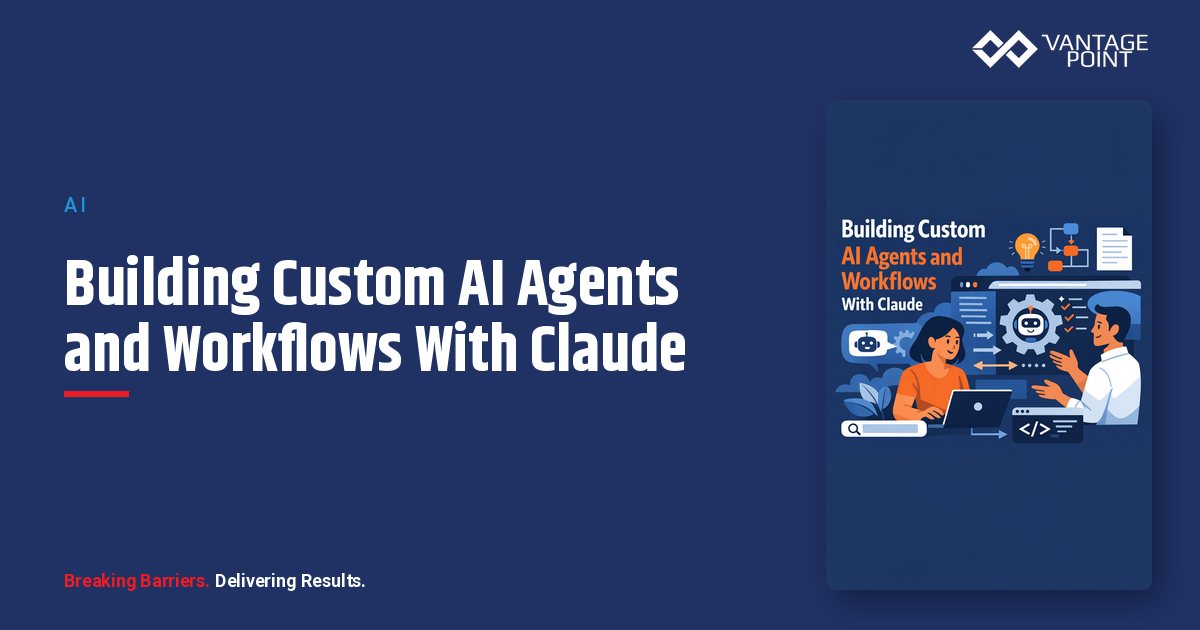
Most teams start with AI by chatting in a window. The real value shows up later, when AI stops being a place you visit and becomes a set of agents and workflows that run inside the way you already work. This guide explains how to build custom AI agents and workflows with Claude, what they actually are, what data and governance they need, and how to start without creating risk you cannot see.
Quick Answer
A custom AI agent built with Claude is a configured assistant that uses defined instructions, connected tools, and scoped data access to complete a specific job. A workflow chains those agents and actions into a repeatable process. You build them by defining one narrow use case, giving Claude the right context and tools through governed connections, testing with a human in the loop, then expanding only after the first agent proves reliable.
TL;DR
- A Claude agent is a configured assistant with instructions, tools, and scoped data; a workflow is a repeatable process that strings agents and steps together.
- Start with one narrow, high-value use case, not a platform-wide rollout.
- Agents need clean data, scoped permissions, and audit logging before they touch customer records.
- The biggest failures are governance and data quality, not the model.
- Vantage Point builds agents and workflows on both Salesforce and HubSpot, tied to workflow automation and process optimization and compliance and security solutions.
What Is a Custom AI Agent?
A custom AI agent is Claude configured to do a specific job rather than answer general questions. It combines three things: a clear instruction set that defines its role and limits, a set of tools or connections it can use to act, and a defined scope of data it can read or write.
A general chat session is open-ended. An agent is purposeful. Instead of "ask Claude anything," an agent is "summarize every new support case, classify its urgency, and draft a first response for a human to approve." The narrower the job, the more reliable the agent.
Agents vs. Workflows: What Is the Difference?
The terms are often used interchangeably, but they describe different things. Understanding the distinction keeps projects focused.
| Concept | What it is | Example |
|---|---|---|
| Prompt | A single instruction in a chat | "Summarize this email thread" |
| Agent | A configured assistant with a role, tools, and data scope | A meeting-prep agent that pulls CRM context before each call |
| Workflow | A repeatable process linking agents, triggers, and actions | New lead arrives, then enrich, score, route, and draft outreach |
| Autonomous system | Multiple agents coordinating with limited human input | A service desk where agents triage, draft, and escalate |
Most organizations should build agents first and only assemble them into workflows once each agent is trusted. Jumping straight to autonomous systems is where projects stall.
Why Build Agents Instead of Using Chat?
Chat is useful for one-off tasks. Agents and workflows matter because they remove repetition, enforce consistency, and run where work already happens.
- Consistency: An agent applies the same instructions every time, so outputs do not vary by who is prompting.
- Speed: Routine steps such as research, summarization, and drafting happen automatically.
- Scale: A workflow runs across thousands of records, not one at a time.
- Governance: A well-built agent has defined data access and logging, which a free-form chat does not.
The goal is not to replace people. It is to let people spend time on judgment instead of busywork.
What Data and Tools Do Claude Agents Need?
An agent is only as good as the context and tools it can reach. Before building, map what the agent must read, what it is allowed to do, and where the boundaries sit.
| Requirement | Why it matters | What to define |
|---|---|---|
| Clean source data | Garbage in, garbage out; agents amplify bad data | Deduplicated, complete CRM records |
| Scoped data access | Agents should see only what the job needs | Field- and object-level permissions |
| Connected tools | Agents act through APIs, connectors, or the Model Context Protocol | Approved tools and read/write limits |
| System of record | Agents should write back to one trusted place | Salesforce or HubSpot as the anchor |
| Audit logging | You must know what the agent did and why | Action logs and human approval points |
This is where integration work usually surfaces. Connecting Claude to a CRM safely is a system integration and data migration effort, not a toggle you flip.
How to Build a Claude Agent: A Practical Sequence
You do not need a large program to start. You need one use case and a disciplined sequence.
Step 1: Pick one narrow use case
Choose a task that is repetitive, high-volume, and low-risk to begin with, such as drafting follow-up summaries or enriching new records. Avoid starting with anything that touches money, contracts, or sensitive decisions.
Step 2: Define the agent's instructions and limits
Write down the agent's role, the steps it follows, the tone it uses, and what it must never do. Explicit limits ("never send an email without human approval") are as important as the task itself.
Step 3: Connect only the data and tools it needs
Give the agent scoped access through a governed connection. Read-only access first is a safe default. Expand to write access only after testing.
Step 4: Test with a human in the loop
Run the agent against real but reviewed cases. A person approves every output at first. Track where it gets things wrong and refine the instructions.
Step 5: Add a workflow once the agent is reliable
When the agent performs consistently, connect it to triggers and downstream actions so it runs automatically. This is where workflow automation and process optimization turns a single agent into a repeatable process.
Step 6: Monitor, log, and review
Keep audit logs, review outputs on a schedule, and adjust as data and needs change. Agents are not "set and forget."
What Governance Do AI Agents Require?
Agents act on your behalf, so governance is not optional. The model is rarely the risk; the access and oversight are.
- Least-privilege access: Each agent sees only the data its job requires.
- Human approval gates: High-impact actions require a person to confirm before execution.
- Audit trails: Every action the agent takes is logged and reviewable.
- Clear ownership: A named owner is accountable for each agent's behavior.
- Data boundaries: Sensitive fields, exports, and credentials are explicitly off-limits.
These controls should be designed in from the start through compliance and security solutions, not bolted on after an incident.
What Can Go Wrong?
Knowing the common failure modes helps you avoid them.
| Risk | What it looks like | How to prevent it |
|---|---|---|
| Bad data | Agent acts on duplicates or stale records | Clean and dedupe before connecting |
| Over-broad access | Agent can read or change more than it should | Scope permissions tightly |
| No human gate | Agent sends or edits without review | Require approval for high-impact actions |
| Scope creep | One agent grows to do too much | Keep agents narrow; split jobs |
| No monitoring | Errors go unnoticed for weeks | Log actions and review on a schedule |
| Vendor lock-in | Workflow only works in one ecosystem | Build with a vendor-agnostic, portable design |
The pattern is consistent: most problems trace back to data quality, access scope, and oversight rather than the AI itself.
How Does This Work Across Salesforce and HubSpot?
Agents and workflows should fit the CRM you already run, not force a migration. The principles are the same on either platform, even though the connection details differ.
| Element | Salesforce | HubSpot |
|---|---|---|
| Data anchor | Standard and custom objects | Contacts, companies, deals, tickets |
| Access control | Profiles, permission sets, sharing rules | Teams, permissions, scoped tokens |
| Automation layer | Flows and platform events | Workflows and webhooks |
| Connection path | APIs, middleware, or MCP | APIs, middleware, or MCP |
A vendor-agnostic approach matters here. The right answer depends on your operating model, not on which platform a vendor happens to sell. Vantage Point builds on both and stays focused on what fits your business.
How to Start Without Overcommitting
Begin with a readiness check: is your data clean enough, is one use case clearly defined, and do you know what governance you need? If yes, build one agent, keep a human in the loop, and prove value before scaling. If the data or governance is not ready, fix that first; it is far cheaper than recovering from a failed rollout.
How Vantage Point Helps
Vantage Point designs and builds custom Claude agents and workflows that run inside Salesforce and HubSpot, with governance and integration handled by senior consultants rather than handed off to junior staff. A typical engagement includes assessing readiness, selecting the first use case, designing scoped data access and audit controls, building and testing the agent, and connecting it into a governed workflow.
Because the work is vendor-agnostic and dual-platform, the focus stays on what your business actually needs: practical agents that improve real workflows, connected through advisory and change management so your team adopts them, not just installs them.
FAQ
What is a custom AI agent in Claude?
A custom AI agent is Claude configured for a specific job with defined instructions, connected tools, and scoped data access. Unlike open-ended chat, an agent follows a set role and limits, which makes its outputs consistent and reviewable.
What is the difference between an agent and a workflow?
An agent is a single configured assistant that completes one job. A workflow is a repeatable process that links agents, triggers, and actions together. You generally build reliable agents first, then assemble them into workflows.
Do I need clean CRM data before building an agent?
Yes. Agents amplify whatever data they read, so duplicates, missing fields, and stale records degrade results. Cleaning and deduplicating data first is usually the highest-return step before any agent is connected.
How do I keep an AI agent secure?
Use least-privilege access so the agent sees only what its job requires, require human approval for high-impact actions, log every action for audit, and assign a clear owner. Design these controls before connecting the agent to live data.
Can Claude agents work with both Salesforce and HubSpot?
Yes. The same principles apply to both platforms, though the access controls and automation layers differ. A vendor-agnostic, dual-platform approach lets you build agents that fit your existing CRM instead of forcing a migration.
What should my first Claude agent do?
Start with a narrow, repetitive, low-risk task such as drafting summaries, enriching new records, or classifying incoming requests. Prove reliability with a human in the loop before expanding scope or adding write access.
How long does it take to build a custom agent?
A single, well-scoped agent can often be built and tested in a few weeks, assuming clean data and clear governance. The timeline depends far more on data readiness and integration complexity than on the AI itself.