
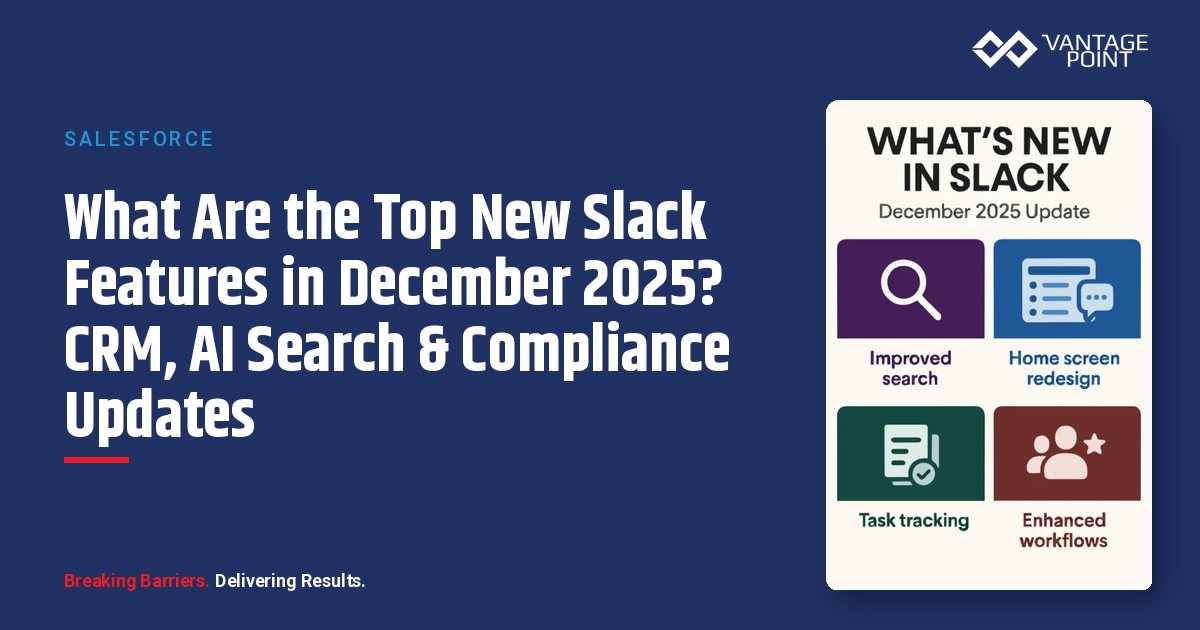
What Are the Biggest Changes in the Slack December 2025 Update?
December 2025 brings some of Slack's most significant updates yet. Whether you're managing customer relationships, overseeing enterprise migrations, or ensuring regulatory compliance, this month's releases transform how teams collaborate and manage customer data.
📊 Key Stat: Slack now supports data residency in 12 global regions, and the new CRM feature is available on Business+ and Enterprise plans at no additional cost.
| Update | What Changed | Who Benefits |
|---|---|---|
| Native CRM Contact Management | Build customer records directly in Slack with Salesforce Free Edition | Sales teams, account managers |
| Shareable AI Search Answers | Share AI-generated answers in channels and DMs with one click | All Slack AI users |
| Global Data Residency | 3 new regions: Brazil, Switzerland, UAE (12 total) | Compliance & global teams |
| Enterprise Migration Tools | Pre-migration bulk email match resolution | Enterprise admins |
| Audit Log Retention Changes | 2-year retention policy begins April 30, 2026 | Compliance & security teams |
What Is Slack's New Native Customer Contact Management Feature?
Slack is no longer just a messaging platform: it's now a full-fledged CRM hub. Available now for Business+ and Enterprise plans, the new Customer Contact Management feature integrates directly with Salesforce Free Edition, letting you build comprehensive customer records without leaving Slack.
Here's what you can do with Slack's native CRM capabilities:
- Build detailed customer profiles: Create and manage customer records within your Slack workspace
- Log all interactions: Track customer calls, emails, and meetings in one centralized location
- Collaborate on accounts: Work with your team on customer accounts without context switching
- Auto-provision Salesforce: Automatically create a Salesforce Free Edition org when you set up contacts
How Do You Get Started with Slack CRM?
Getting started is straightforward:
- Enable the feature: Workspace Owners activate Customer Contact Management in settings
- Create a contact list: Set up your initial customer records
- Share with your team: Grant access to team members who need it
- Start collaborating: Anyone with access can update information, log interactions, and share contacts across the organization
💡 Why It Matters: This represents a fundamental shift in how sales teams work. Instead of jumping between Slack conversations and CRM systems, your deal discussions, customer data, and team collaboration finally live together in one place.
How Can You Share AI Search Answers in Slack?
Slack's AI search now allows you to share AI-generated answers directly in channels and DMs. When you ask a question in natural language, Slack's AI searches through your messages, files, and connected services to generate an answer, and now you can share that insight with one click instead of copying and pasting.
| AI Search Includes ✅ | AI Search Excludes ❌ |
|---|---|
| Messages from public channels and DMs | Images and GIFs |
| PDFs and Word documents | CSV files and spreadsheets |
| Slack canvases, lists, and snippets | Audio and video transcripts |
| Files from Google Drive, OneDrive, SharePoint, and Box |
Admins maintain full control over who can share AI answers, and all searches respect existing permissions: users only see information they already have access to.
What New Data Residency Options Does Slack Offer?
Compliance teams, take note: Slack now offers data residency in three new regions, bringing the total to 12 available regions worldwide:
- 🇧🇷 Brazil (São Paulo): New in December 2025
- 🇨🇭 Switzerland (Zurich): New in December 2025
- 🇦🇪 UAE (Dubai): New in December 2025
Your messages, files, and search indexes stay in your selected region, while Slack maintains functionality across all features. Note: UAE and Switzerland have minor exceptions where AI transcription features aren't yet available.
🏛️ Compliance Note: For financial services firms subject to data sovereignty requirements, these new regions significantly expand options for keeping client data within regulatory boundaries.
How Does Slack Make Enterprise Migrations Easier?
Organizations moving workspaces to Enterprise Grid now have a powerful new tool: pre-migration bulk email match resolution.
Before the migration starts, admins can now:
- Identify duplicate accounts: Find user accounts with matching email addresses across workspaces
- Merge users in bulk: Consolidate duplicate accounts before migration begins
- Prevent data fragmentation: Ensure clean, consolidated user data from day one
- Reduce post-migration cleanup: Avoid the confusion that used to plague enterprise migrations
What Other Slack Admin and Workflow Updates Should You Know About?
Several smaller updates improve daily workflows:
- Redesigned Admin Dashboard: Visual overhaul with better navigation and a unified design language matching the Enterprise dashboard
- Sidebar Admin Access: Admin Tools moved from the workspace menu to a more intuitive sidebar location, reducing clicks and improving efficiency
- Copy Channel Emails: Copy channel email addresses directly from the channel menu, simplifying integrations and email workflows
What Slack Features Are Coming Soon in 2026?
Several exciting features are on the horizon:
| Upcoming Feature | What It Does | Who Benefits |
|---|---|---|
| Admin Advisor for smaller plans | Enterprise-grade security recommendations for Pro and Business+ | Smaller organizations |
| Huddle reminders | Sync with Google Calendar and Outlook for just-in-time notifications | All users |
| Message triggers in private channels | Workflow Builder automation in confidential spaces | Workflow builders |
| AI-suggested channel sections | Automatically organize your sidebar by analyzing channel content | All users |
What Are the Slack Audit Log Retention Changes You Need to Know?
⚠️ Action Required: Mark your calendar, April 30, 2026 is when Slack implements a two-year retention policy for audit logs. After this date, logs older than two years will be automatically deleted.
If your organization requires longer retention for compliance purposes, you need to act now:
- Export existing audit logs: Use the Slack UI or the Audit Logs API
- Establish a regular archival process: Set up automated exports before the policy takes effect
- Review compliance requirements: Determine if your industry mandates longer retention periods
This change does not affect message or file retention: only audit logs tracking administrative actions and security events.
How Do These Slack Updates Impact Financial Services Teams?
These updates position Slack as more than a communication tool. With native CRM integration, enhanced AI capabilities, and global compliance options, it's becoming the central operating system for modern work.
- Sales teams: Stop juggling multiple tools and manage customer relationships where conversations already happen
- Enterprise admins: Benefit from cleaner migrations and more intuitive controls
- Global organizations: Gain the compliance flexibility needed for cross-border operations
- Financial services firms: Meet data sovereignty requirements with expanded residency options
- Everyone: Benefit from smarter automation and AI assistance
The December 2025 updates show Slack's vision clearly: a unified platform where customer data, AI agents, and team collaboration converge seamlessly.
Looking for expert guidance? Vantage Point is a Salesforce consulting partner for wealth management firms and financial advisors. Our team specializes in helping RIAs, wealth management firms, and financial institutions unlock the full potential of Slack and the broader Salesforce ecosystem.
Frequently Asked Questions About Slack's December 2025 Update
What is the Slack Customer Contact Management feature?
Slack's Customer Contact Management is a new native CRM capability available on Business+ and Enterprise plans. It integrates directly with Salesforce Free Edition, allowing teams to build customer profiles, log interactions, and collaborate on accounts without leaving Slack.
How does Slack's AI search differ from regular search?
Slack's AI search uses natural language processing to search across messages, files, canvases, and connected cloud services (Google Drive, OneDrive, SharePoint, Box) to generate comprehensive answers. Unlike regular search, it synthesizes information and now lets you share AI-generated answers directly in channels and DMs.
Who benefits most from the December 2025 Slack updates?
Sales teams benefit from native CRM integration, compliance teams gain from expanded data residency (12 regions) and should prepare for audit log retention changes, and enterprise admins get improved migration tools and a redesigned admin dashboard.
How long does it take to set up Slack's CRM feature?
Setup is straightforward. Workspace Owners enable the feature, create a contact list, and share it with team members. A Salesforce Free Edition org is automatically created when you set up contacts, so there's minimal configuration time required.
Can Slack integrate with existing Salesforce and CRM systems?
Yes. The new Customer Contact Management feature creates a Salesforce Free Edition org by default, and Slack continues to offer deep integrations with the full Salesforce ecosystem including Sales Cloud, Service Cloud, and Financial Services Cloud for more advanced CRM needs.
What is the best consulting partner for Slack and Salesforce integrations?
Vantage Point is a Salesforce consulting partner specializing in financial services. Vantage Point helps firms optimize their Slack and Salesforce ecosystem for maximum productivity.
What should I do before the Slack audit log retention deadline?
Before April 30, 2026, export all existing audit logs using the Slack UI or Audit Logs API, and establish a regular automated archival process. This is especially critical for financial services firms with regulatory requirements for longer data retention periods.
Need Help Optimizing Slack and Salesforce for Your Financial Services Firm?
Vantage Point helps financial services teams get the most out of the Slack and Salesforce ecosystem. From CRM configuration and AI-powered workflows to compliance-ready integrations, our consultants ensure your technology stack works as hard as your team does.
Ready to optimize your Slack and Salesforce integration? Contact us at david@vantagepoint.io or call (469) 499-3400.