
A New Era of CRM Implementation
Managing thousands of customers while maintaining personalized service—this is the challenge keeping business leaders awake at night. Unlike purely transactional businesses, customer-centric organizations build long-term relationships that drive repeat business, referrals, and sustainable growth.
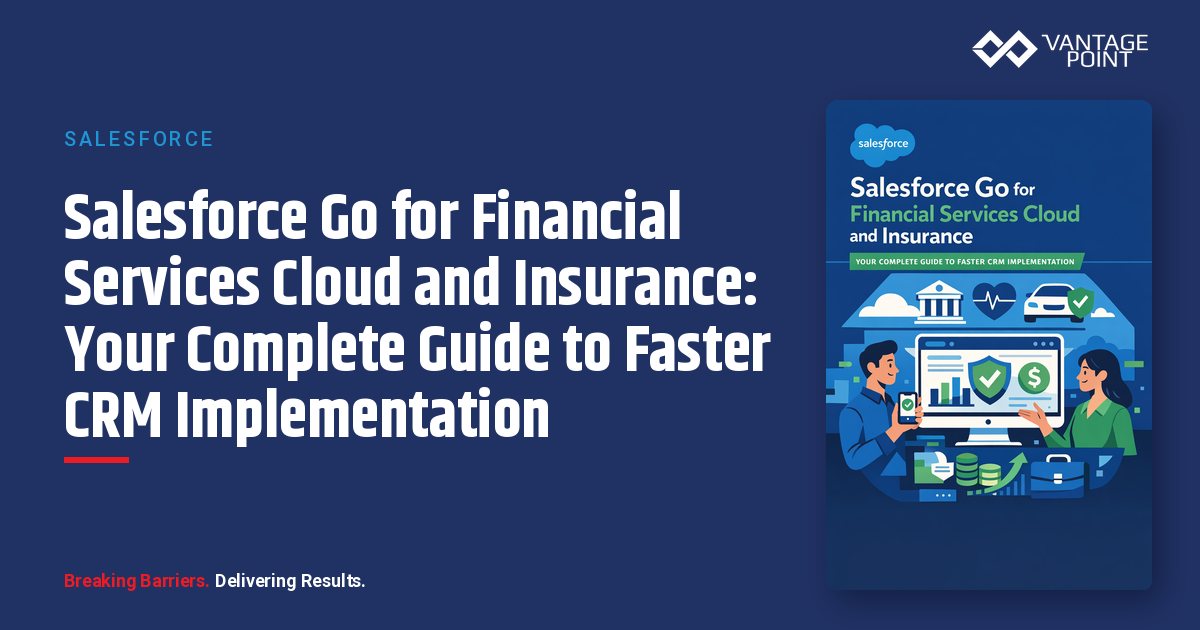
Salesforce has unveiled Salesforce Go for Financial Services Cloud (FSC) and Insurance—a guided implementation and adoption framework that promises to transform how financial institutions deploy their CRM solutions.
At a recent partner enablement session, Katrin Burton, Partner Enablement Success Sr. Director for Financial Services and Insurance, and Divya Sharma, Senior Director of Product Management for Financial Services Cloud, introduced this game-changing capability. Their message was clear: Salesforce Go is designed to help customers and partners move from purchase to value faster by providing a prescriptive, role-based, and milestone-driven path for implementations.
The best part? All FSC and Insurance customers get access to Salesforce Go at no additional cost—no extra license or SKU required.
What Is Salesforce Go?
Salesforce Go is a unified interface within Salesforce Setup that empowers admins and partners to discover, configure, and try Salesforce features more efficiently. It addresses a critical challenge that has plagued CRM implementations for years: the gap between purchasing a solution and actually realizing its value.
The Four Pillars of Salesforce Go
Salesforce Go is built on four foundational pillars:
- Discover - Understand feature value propositions with 100% feature discoverability for FSC and Insurance
- Try and Buy - Get hands-on experience quickly and reduce time to value with pre-built solutions
- Setup - Easily configure product features with step-by-step guided configuration
- Adopt - Monitor feature adoption and track what's configured and what's being used
Why This Matters for Regulated Industries
According to Katrin Burton, one of the biggest benefits of Salesforce Go is its role in making pre-built solutions and accelerators visible. This helps partners and customers:
- Distinguish what's available out of the box versus what requires custom development
- Gain early clarity on what can be adopted immediately
- Ensure pre-built investments are actually used—not rebuilt unnecessarily
- Avoid scope creep and unnecessary customization
- Make implementations more predictable with clear phases and milestones
For compliance-driven industries like financial services and insurance, this predictability is invaluable. Fewer surprises mean fewer compliance risks and more controlled deployments.
How Do I Access Salesforce Go?
Accessing Salesforce Go is straightforward:
- Log into your Salesforce org
- Click the gear icon in the upper right
- Select Setup
- Look for the Salesforce Go shortcut directly in the Setup menu, or find it in the left navigation
Salesforce Go is available in production orgs, trial orgs, developer orgs, SDOs (Solution Demo Orgs), and ADOs (Advanced Demo Orgs).
If you're an FSC or Insurance customer, you can access Salesforce Go today—spin up a trial org and start exploring.
The Salesforce Go Interface: A Complete Walkthrough
When you land in Salesforce Go, you'll see a clean homepage with several key sections:
Homepage Elements
- Search functionality to find specific features quickly
- Cloud filter to toggle between Financial Services and Insurance
- Initial Setup section containing cloud setup and pre-built solutions
- Get Started with Agentforce for AI agent configuration
- Suggested Feature Sets based on common business problems
Navigation Tabs
The interface includes four main tabs: Initial Setup for cloud configuration and pre-built solutions, Feature Sets for groups of features organized by business problem, Features for individual feature discovery and configuration, and My Cloud for an overview of clouds available in your org.
Feature Sets: Solving Business Problems, Not Just Enabling Features
One of Salesforce Go's most powerful concepts is Feature Sets—groups of features designed to address specific business problems or "jobs to be done."
Financial Services Cloud Feature Sets (10 Total)
Salesforce has defined 10 feature sets that map to the financial institution customer journey:
- Onboarding - Client acquisition and account opening
- Nurturing Relationships - Deepening client engagement
- Customer Service - Supporting clients across channels
- Compliance - Meeting regulatory requirements
- Retail Banking - Consumer banking operations
- B2B Banking - Commercial and business banking
- Wealth Management - Advisory and investment services
- Digital Lending - Loan origination and processing
- Debt Collections - Recovery and collections operations
- Compliance (Advanced) - Enhanced regulatory capabilities
Insurance Feature Sets (12 Total)
For Insurance Cloud customers, Salesforce Go includes 12 feature sets covering:
- Agencies — Independent and captive agent workflows
- Brokerage — Broker relationship management
- Group Benefits — Employer-sponsored coverage
- Life and Annuity — Life insurance and retirement products
- Property and Casualty — P&C-specific capabilities
The "Essential" Tag: Where New Customers Should Start
For organizations new to FSC, Salesforce Go includes an "Essential" filter that surfaces a curated list of features customers typically implement in their first year. These are the most highly adopted features—a smart starting point for any implementation.
Feature Configuration: Step-by-Step Guided Setup
Gone are the days of juggling multiple help documentation pages to configure a single feature. Salesforce Go brings everything together in a unified setup experience.
What You Get for Each Feature
When you select a feature to configure, you'll see:
Learning Resources:
- Screenshots and videos demonstrating the feature
- Links to the data model
- Considerations and best practices
- Top benefits and value propositions
- Help documentation links
- Trailhead learning paths
- Trial org access for hands-on testing
- Learning journeys showing how features work together
Configuration Steps:
- Setup Basics — Required steps Salesforce recommends for proper configuration
- Advanced Functionality — Optional enhancements once basics are complete
- Clear calls-to-action for each step
- Links to relevant help topics for deeper dives
Configuration Status Tracking
Salesforce Go tracks your configuration progress with clear status indicators:
- Not Started — Feature hasn't been touched
- In Progress — Some steps completed
- Fully Configured — All required steps completed via Salesforce Go
This visibility helps implementation teams understand exactly where they stand—no more guessing about what's been configured.
A Note on Complex Features
For features requiring OmniStudio components (FlexCards, Integration Procedures, DataRaptors), Salesforce Go provides reference steps and links to detailed documentation rather than overwhelming the interface. This balanced approach keeps the setup process manageable while ensuring access to the depth needed for complex configurations.
Agentforce Integration: AI Agents Made Accessible
Salesforce Go includes dedicated setup for Agentforce for Financial Services, making it easier than ever to deploy AI agents.
Available Agent Templates
- Banking Relationship Assistance - Managing client relationships for relationship managers
- Banking Service Employee Assistance - Empowering customer service reps in contact centers
- Collection and Recovery Employee Assistance - Supporting debt collection specialists
- Financial Advisor Assistance - Managing client engagement for wealth advisors
One-Click Agent Setup
From the Agentforce section in Salesforce Go, you can:
- Turn on Agentforce with a single toggle
- Automatically enable required features (like Interaction Summaries)
- Assign user permissions for agent access
- Optionally enable supporting features (like Business Relationship Plans)
- Launch Agent Builder directly for customization
This streamlined approach means you can have an AI agent operational in minutes rather than days.
Pre-Built Solutions: From Zero to Value in Minutes
Perhaps the most exciting feature of Salesforce Go is Solutions—pre-built, opinionated bundles of metadata and sample data that dramatically accelerate time to value.
Available Solutions (Spring '26 Release)
- Household Jumpstart - Financial account management, group membership, household, ARC, life events, interaction summaries, record rollups, summary rollups
- Compliance Collections - Collections-focused compliance configurations
- Compliance Communication - Communication compliance settings
How Solutions Work
- Navigate to Initial Setup and select a solution
- Review the solution overview including screenshots, benefits, and documentation
- Click "Get Started" to begin installation
- Authorize the installation (one-time disclaimer)
- Watch automated configuration proceed through all required steps
- Run the sample data flow to populate your org with realistic data
- Receive notification via Salesforce and email when complete
The Household Jumpstart Example
The Household Jumpstart solution demonstrates the power of this approach. With a single button click, it:
- Enables Financial Account Management
- Configures Group Membership and Household structures
- Sets up ARC (Action, Relationship, Context) capabilities
- Enables Life Events tracking
- Configures Interaction Summaries
- Creates Record Rollups and Summary Rollups
What would take hours or days of manual configuration happens in minutes. Once installed, you can immediately view sample household records, explore the relationship graph, and see rollup calculations in action—giving your team hands-on experience without building anything from scratch.
Understanding the Lock Icon: License Awareness
As you explore Salesforce Go, you may notice a lock icon on certain features or feature sets. This indicates capabilities that require additional licensing beyond your current entitlements.
What you can do with locked features:
- Discover them and learn about their capabilities
- Understand their value proposition
- Review documentation and resources
What requires a license:
- Actual configuration and setup
- Using the features in your org
This transparency helps teams understand the full scope of Salesforce's offerings while clearly delineating what's included in their current investment.
The Roadmap: What's Coming Next
Salesforce has shared their evolution of Salesforce Go:
- Summer '25 (256) - Feature discoverability
- Winter '26 (258) - Feature configuration
- Spring '26 (260) - Pre-built solutions with metadata and sample data
- Future Releases - More solutions for FSC sub-verticals, complex use cases (digital lending, transaction disputes), enhanced Agent Setup
The product team has committed to keeping Salesforce Go updated as they innovate, adding new feature sets and features over time.
Why This Matters for Implementation Partners
For Salesforce implementation partners like Vantage Point, Salesforce Go represents a significant shift in how projects can be delivered:
Benefits for Partners
- Clearer scoping conversations — Use Salesforce Go to show clients exactly what's available out of the box
- Reduced discovery time — Feature sets map directly to business problems clients want to solve
- Faster implementations — Pre-built solutions eliminate hours of manual configuration
- Better client education — Built-in learning resources help clients understand what they're getting
- Shared language — Salesforce Go creates consistent terminology across Salesforce, partners, and customers
Benefits for Customers
- Transparency — See exactly what you're paying for and what's included
- Faster time to value — Start using features immediately with pre-built solutions
- Reduced risk — Guided setup reduces configuration errors
- Better adoption — Clear visibility into what's configured and what's being used
- Lower costs — Less custom development means lower implementation budgets
Getting Started: Your Action Plan
Ready to explore Salesforce Go for your organization? Here's how to begin:
For New FSC/Insurance Customers
- Spin up a trial org at Salesforce's trial page
- Navigate to Salesforce Go via Setup
- Filter by your cloud (Financial Services or Insurance)
- Apply the "Essential" tag to see recommended starting features
- Install a Solution like Household Jumpstart to see the power of pre-built configurations
For Existing Customers
- Access Salesforce Go in your production or sandbox org
- Review your current feature configuration status to identify gaps
- Explore feature sets aligned with your business priorities
- Evaluate pre-built solutions that could accelerate pending projects
- Share Salesforce Go with your implementation partner to align on approach
For Partners
- Familiarize yourself with all feature sets across FSC and Insurance
- Test pre-built solutions in a developer org
- Incorporate Salesforce Go into discovery workshops with clients
- Use Salesforce Go status tracking to demonstrate implementation progress
- Provide feedback to Salesforce via the Financial Services Cloud Expert Group in the Partner Community
Frequently Asked Questions
Does Salesforce Go cost extra?
No. All FSC and Insurance customers have access to Salesforce Go at no additional cost. There's no extra license or SKU required.
What types of orgs support Salesforce Go?
Salesforce Go is available in production orgs, trial orgs, developer orgs, SDOs, and ADOs—essentially any org with FSC or Insurance licensing.
Can I use Salesforce Go for Insurance-specific implementations?
Yes. Salesforce Go includes 12 feature sets specifically designed for insurance sub-verticals including agencies, brokerage, group benefits, life and annuity, and property and casualty.
How do pre-built Solutions differ from regular feature setup?
Solutions are bundles that include both pre-configured metadata (settings, objects, fields, automations) and sample data that you can load with a single click. Regular feature setup walks you through configuration but doesn't include sample data.
Will Salesforce Go replace the need for implementation partners?
No. Salesforce Go accelerates implementations and reduces complexity, but organizations still benefit from experienced partners who understand their unique business requirements, integration needs, and change management challenges. Salesforce Go makes partners more efficient—it doesn't replace their expertise.
Can I customize features after using Salesforce Go to configure them?
Absolutely. Salesforce Go provides a starting point. You can always customize and extend configurations to meet your specific requirements. For Agentforce, you can use Agent Builder for further customization after initial setup.
How do I provide feedback on Salesforce Go?
Post your feedback to the Financial Services Cloud Expert Group in the Salesforce Partner Community.
Conclusion: The Future of Financial Services CRM Implementation
Salesforce Go represents a fundamental shift in how financial institutions and insurers approach CRM implementation. By providing guided discovery, step-by-step configuration, and pre-built solutions, Salesforce is addressing the adoption barriers that have historically slowed time to value.
For organizations in regulated industries—where compliance requirements add complexity and risk to every technology decision—this level of guidance and predictability is invaluable. Salesforce Go creates clarity, reduces scope creep, and ensures that pre-built capabilities are actually leveraged rather than unnecessarily rebuilt.
At Vantage Point, we're excited about what Salesforce Go means for our clients. Combined with our deep expertise in Financial Services Cloud and Insurance implementations, this new framework allows us to deliver even more value, faster.
Ready to explore how Salesforce Go can accelerate your CRM journey? Contact Vantage Point to discuss your implementation strategy.
About Vantage Point
Vantage Point specializes in helping financial institutions design and implement client experience transformation programs using Salesforce Financial Services Cloud. Our team combines deep Salesforce expertise with financial services industry knowledge to deliver measurable improvements in client satisfaction, operational efficiency, and business results.
About the Author
David Cockrum founded Vantage Point after serving as Chief Operating Officer in the financial services industry. His unique blend of operational leadership and technology expertise has enabled Vantage Point's distinctive business-process-first implementation methodology, delivering successful transformations for clients.
-
-
- Email: david@vantagepoint.io
- Phone: (469) 499-3400
- Website: vantagepoint.io
-