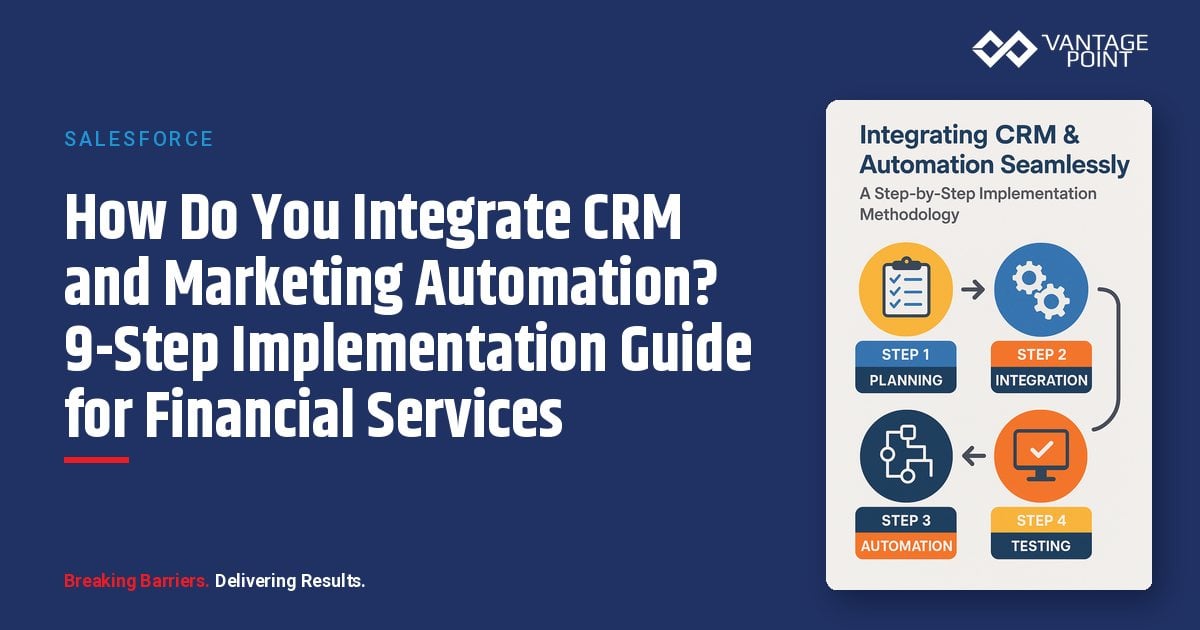
How Do You Integrate CRM and Marketing Automation for Financial Services? A 9-Step Implementation Methodology
📊 Key Insight: Financial services firms that integrate CRM with marketing automation are positioned to improve lead conversion rates and shorten sales cycles.
Your CRM implementation has been running for years. It houses valuable customer data, tracks sales activities, and supports your team’s daily operations. But as your firm grows and client expectations evolve, you’re noticing gaps: manual processes that don’t scale, missed opportunities, inconsistent follow-up, and difficulty measuring marketing’s true impact on revenue.
Integrating CRM systems with marketing automation platforms is a transformative initiative that can revolutionize how financial services firms engage with clients. However, the technical complexity, organizational change management, and strategic considerations involved make this a high-stakes project that requires careful planning and execution.
This comprehensive methodology provides a proven, step-by-step framework that financial services firms can follow to achieve seamless CRM and marketing automation integration. Based on successful implementations across the industry, this approach minimizes risk, accelerates time-to-value, and ensures long-term success through strategic planning and disciplined execution.
What Should You Do Before Integrating CRM and Marketing Automation?
How Do You Establish a Strong Project Foundation? (Step 1: Week 1)
1.1 Define Business Objectives
Begin by articulating clear, measurable goals that integration should achieve. Common objectives for financial services firms include:
- Operational Efficiency: Reduce manual data entry by 80% and free up 10+ hours per sales rep weekly
- Lead Quality: Improve lead-to-opportunity conversion rate by 35%
- Revenue Growth: Increase closed deals by 25% through better nurturing and timing
- Client Experience: Deliver personalized communications at scale to 5,000+ contacts
- Compliance: Ensure automated systems meet regulatory requirements (SEC, FINRA, GDPR)
Document these goals in a project charter with executive sponsorship and success criteria.
1.2 Assemble Cross-Functional Team
Successful integration requires collaboration across multiple departments:
| Role | Responsibilities | Time Commitment |
|---|---|---|
| Executive Sponsor | Remove roadblocks, approve budget, resolve conflicts | 2-3 hours/week |
| Project Manager | Coordinate activities, track progress, manage timeline | Full-time |
| CRM Administrator | Configure Salesforce/CRM, manage data model | 20+ hours/week |
| Marketing Operations | Set up automation platform, build campaigns | 20+ hours/week |
| IT/Security Lead | Ensure compliance, manage integrations, security review | 10-15 hours/week |
| Sales Manager | Define workflows, provide user perspective, champion adoption | 5-10 hours/week |
| Customer Success Rep | Input on client lifecycle, retention workflows | 5 hours/week |
| Data Analyst | Reporting requirements, measure success metrics | 5-10 hours/week |
Schedule weekly project meetings and establish communication channels (Slack, Teams, project management tool).
1.3 How Do You Conduct a Current State Assessment?
Audit your existing systems and processes across four critical areas:
Technical Inventory:
- CRM platform and version: Identify current system capabilities
- Current integrations and data sources: Map all connected systems
- Custom fields and objects: Document customizations
- User permissions and security model: Review access controls
- Data volume: Number of records and storage usage
Process Documentation:
- Lead lifecycle and handoff procedures: How leads move between teams
- Sales methodology and stages: Current pipeline structure
- Marketing campaign workflows: Existing automation processes
- Reporting and analytics requirements: Current dashboard needs
Data Quality Analysis:
- Run duplicate detection reports: Identify record overlap
- Assess field completeness rates: Find data gaps
- Identify data inconsistencies: Spot formatting issues
- Review historical data cleanup needs: Plan remediation
User Feedback:
- Survey sales and marketing teams: Capture pain points
- Document wish-list features: Identify desired capabilities
- Identify resistance areas: Address concerns proactively
How Do You Design the Future State Architecture? (Step 2: Week 2)
2.1 How Do You Select the Right Marketing Automation Platform?
If not already chosen, evaluate platforms based on criteria relevant to financial services:
| Evaluation Criteria | What to Look For |
|---|---|
| Compliance Features | FINRA archiving, audit trails, consent management |
| CRM Integration | Native vs. third-party connectors, sync capabilities |
| Scalability | Support for contact volume and data complexity |
| Ease of Use | User interface, training requirements, technical expertise needed |
| Pricing | Total cost of ownership including add-ons and professional services |
| Security | SOC 2 Type II compliance, data encryption, access controls |
Leading Platforms for Financial Services:
- HubSpot: User-friendly, strong inbound marketing, good for small-to-mid size firms
- Marketo: Enterprise-grade, advanced capabilities, higher complexity
- Pardot (Salesforce): Native Salesforce integration, good for existing SF customers
- ActiveCampaign: Affordable, solid automation, growing in financial sector
2.2 How Do You Map Data Architecture Between Systems?
Create detailed documentation of how data will flow between systems:
Object-Level Mapping:
| Marketing Automation | CRM | Sync Direction | Notes |
|---|---|---|---|
| Contact | Lead | Bidirectional | Creates Lead if no existing match |
| Contact | Contact | Bidirectional | Updates existing Contact records |
| Company | Account | Bidirectional | Company domain = matching key |
| Deal/Opportunity | Opportunity | Bidirectional | Full pipeline sync |
| List Membership | Campaign Member | MA → CRM | Marketing campaign attribution |
| Form Submission | Task/Activity | MA → CRM | Log engagement activities |
Field-Level Mapping:
Document every field that will sync, including:
- Source system: Which platform is authoritative
- Sync direction: One-way or bidirectional
- Conflict resolution: Rules if both systems update same field
- Data transformations: Formatting, picklist mappings
Example Field Mapping:
| MA Field | CRM Field | Direction | Authority | Notes |
|---|---|---|---|---|
| Two-way | Most recent update | Primary unique identifier | ||
| First Name | FirstName | Two-way | Most recent update | Standardize capitalization |
| Last Name | LastName | Two-way | Most recent update | Standardize capitalization |
| Company | Company | MA → CRM | MA | From form submissions |
| Lead Score | Lead_Score__c | MA → CRM | MA | Calculated in automation platform |
| Lifecycle Stage | Lead_Status__c | Two-way | MA | Mapped to CRM picklist values |
| Owner | Owner | CRM → MA | CRM | For personalized email sending |
2.3 How Do You Design a Lead Management Framework?
Define how leads will flow through your integrated system:
Lead Lifecycle Stages:
- Subscriber: Opted in but not yet engaged (scored 0-24 points)
- Lead: Showing early interest (25-49 points)
- Marketing Qualified Lead (MQL): Meets criteria for sales attention (50-99 points)
- Sales Accepted Lead (SAL): Sales agrees to work the lead (CRM status = Working)
- Sales Qualified Lead (SQL): Verified fit and intent (100+ points, opportunity created)
- Opportunity: Active sales process (Opportunity stages)
- Customer: Closed/won (Account with active relationship)
- Evangelist: Promoter and referral source (NPS 9-10)
Lead Scoring Model:
| Category | Criteria | Points |
|---|---|---|
| Demographic (Firmographic Fit) | Ideal company size | +30 |
| Target industry | +25 | |
| Decision-maker title | +25 | |
| Geographic match | +10 | |
| Behavioral (Engagement) | Email open | +2 |
| Email click | +5 | |
| Website visit | +3 | |
| Content download | +15 | |
| Pricing page view | +20 | |
| Demo request | +50 | |
| Negative (Disqualifiers) | Student email domain | -50 |
| Competitor | -100 | |
| Unsubscribe | -25 |
💡 Pro Tip: Decrease scores by 5 points every 30 days without engagement to prevent stale leads from cluttering your pipeline.
Handoff Triggers:
- Reach 50 points → Change stage to MQL, create CRM task for SDR
- Reach 100 points → Change stage to SQL, assign to account executive, send alert
- Form submission requesting contact → Immediate notification regardless of score
2.4 What Integration Requirements Should You Document?
Create technical specifications across these key areas:
API Requirements:
- CRM API access enabled: Confirm with your administrator
- Marketing automation API limits understood: Plan within quotas
- Dedicated integration user accounts created: Separate from individual accounts
- Authentication methods determined: OAuth or API keys
Sync Frequency:
- Real-time: For high-priority data (form submissions, hot leads)
- Every 15 minutes: For standard updates (scores, activities)
- Nightly batch: For large data loads (historical imports)
Error Handling:
- Define acceptable error rate thresholds: Set clear benchmarks
- Establish monitoring and alerting protocols: Get notified immediately
- Create procedures for investigating and resolving sync failures: Document resolution steps
Security and Compliance:
- Data encryption in transit: TLS/SSL required
- Data encryption at rest: Protect stored data
- Access control and user permissions: Role-based access
- Audit logging requirements: Track all changes
- Data retention policies: Define retention periods
- GDPR/CCPA compliance: Consent management framework
How Do You Build and Configure the CRM Integration?
How Do You Prepare Data for Integration? (Step 3: Week 3)
3.1 Execute Data Cleanup
Clean data before integration to avoid perpetuating problems:
Duplicate Removal:
- Run CRM duplicate detection: Merge based on email as unique ID
- Deduplicate company/account records: Use domain matching
- Remove test and employee records: Clear non-prospect data
- Consolidate records with similar names/emails: Prevent fragmentation
Standardization:
- Phone numbers: Convert to consistent format (e.g., +1-555-123-4567)
- State/province codes: Use standard abbreviations (CA, NY, not California)
- Company names: Remove Inc., LLC, etc. for matching consistency
- Job titles: Standardize common variations (CEO vs Chief Executive Officer)
Field Completion:
- Identify required fields: Email, company, owner are critical
- Fill gaps through research or enrichment services: Don’t migrate incomplete records
- Set up validation rules: Enforce completeness going forward
3.2 Enrich Existing Data
Third-Party Enrichment:
- Clearbit, ZoomInfo, or Dun & Bradstreet: Professional enrichment services
- Append firmographic data: Company size, revenue, industry
- Add technographic data: Systems and tools they use
- Populate social media profiles: Complete digital footprint
Historical Activity Import:
- Export past email interactions: Transfer from CRM
- Import into marketing automation platform: Preserve historical context
- Tag with source and date: Distinguish from new activities
How Do You Install and Configure the Integration? (Step 4: Week 4)
4.1 Technical Installation
Follow platform-specific integration procedures:
For HubSpot-Salesforce Integration:
- In HubSpot:
- Navigate to Settings → Integrations → Connected Apps
- Search for Salesforce and click “Connect app”
- Authenticate with Salesforce integration user credentials
- In Salesforce:
- Install HubSpot managed package from AppExchange
- Select “Install for All Users”
- Grant necessary permissions (API access, object permissions)
- Wait for installation to complete (5-10 minutes)
- Return to HubSpot:
- Configure object mappings (Contacts, Companies, Deals)
- Set sync direction for each object
- Map custom fields
- Choose activity sync settings
- Add Visualforce Components (Optional):
- Install HubSpot embed window in Salesforce page layouts
- Allows viewing HubSpot activity timeline within Salesforce records
For more detailed technical guidance on automating financial services workflows with Salesforce and HubSpot, including custom object creation and advanced integration configurations specific to financial services needs, specialized resources are available.
4.2 Configure Field Mappings
- Map standard fields first: Name, Email, Company
- Create custom fields in destination system: If needed for unique data
- Configure sync rules: Two-way, prefer one system, don’t sync
- Set up picklist value mappings: Ensure values match between systems
- Test mappings with sample records: Validate before full sync
4.3 What Are the Best Approaches for Inclusion/Exclusion Rules?
| Approach | How It Works | Advantages | Disadvantages |
|---|---|---|---|
| Inclusion List | Only sync contacts with specific lifecycle stages (MQL and beyond) | Cleaner data, focused sales visibility, better security | Must manage list criteria carefully |
| Exclusion List | Sync all contacts except employees, partners, competitors, test records | Simpler configuration, less risk of missing important contacts | Larger data volume, potential for irrelevant data in CRM |
💡 Recommendation for Financial Services: Use an inclusion list starting with MQL stage and above. Expand as your team gains confidence with the integration.
How Do You Build Automation Workflows? (Step 5: Weeks 5-6)
5.1 Lead Scoring Configuration
Implement the scoring model designed in Step 2.3:
- Create scoring rules: In marketing automation platform
- Assign point values for demographic attributes: Firmographic fit
- Set up behavioral tracking: Point assignments for engagement
- Configure score decay rules: Prevent stale leads
- Map lead score to CRM field: Sync to Lead_Score__c
- Set up real-time sync: Update CRM immediately
5.2 What Are the Key Lead Lifecycle Automation Workflows?
Workflow 1: MQL Handoff
- Trigger: Lead score reaches 50 or form submission with “Request Contact” checked
- Actions:
- Update lifecycle stage to “MQL” in both systems
- Create CRM task assigned to sales development rep
- Send internal notification email/Slack alert
- Log activity “Lead became MQL” with timestamp
- Wait 2 days → if task not completed, send reminder
Workflow 2: SQL Promotion
- Trigger: Lead score reaches 100 or sales manually converts to opportunity
- Actions:
- Update lifecycle stage to “SQL”
- Create CRM opportunity record
- Assign to appropriate account executive (based on territory rules)
- Send alert to AE with lead intelligence summary
- Enroll contact in “Sales Follow-Up” email sequence
Workflow 3: Engagement Re-Engagement
- Trigger: No email engagement or website activity for 60 days AND not in active opportunity
- Actions:
- Update contact property “Engagement Status” to “At Risk”
- Enroll in re-engagement email campaign
- If no engagement after 30 days, mark as “Dormant” and suppress from future campaigns
- If re-engages, reset status to “Active” and restart scoring
5.3 What Sales Enablement Automations Should You Build?
High-Intent Activity Alerts:
- Trigger: Contact visits pricing page
- Action: Send Slack/email alert to owner: “[Name] from [Company] just viewed pricing page: reach out now!”
Content Engagement Notifications:
- Trigger: Contact downloads case study or watches demo video
- Action: Create CRM task with note: “[Name] engaged with [Content Title], follow up with related conversation”
Buying Committee Identification:
- Trigger: 3+ contacts from same company engage within 7 days
- Action: Send alert to account owner: “Increased activity from [Company], potential buying committee emerging”
5.4 How Do You Automate Post-Sale Client Workflows?
Onboarding Sequence:
- Trigger: Opportunity status = Closed/Won
- Actions:
- Change lifecycle stage to “Customer”
- Enroll in welcome email series (7 emails over 30 days)
- Create CRM tasks for customer success team (kickoff call, training, check-ins)
- Send internal notification to CS team with opportunity details
- Tag contact for monthly newsletter
Renewal Reminder Workflow:
- Trigger: 90 days before renewal date (custom date field)
- Actions:
- Create CRM task for account executive
- Send usage report email to customer
- 60 days before: Send case study and testimonials
- 30 days before: Send renewal reminder with easy approval link
- 7 days before: Escalate to management if renewal not secured
How Do You Test the Integration Thoroughly? (Step 6: Week 7)
6.1 Unit Testing
Test individual components:
- Create test contact in marketing automation → verify appears in CRM
- Update test contact in CRM → verify changes sync to marketing automation
- Submit test form → verify workflow triggers correctly
- Assign test lead to sales rep → verify ownership syncs
- Update opportunity stage → verify syncs and triggers automation
6.2 End-to-End Testing
Test Scenario 1: New Lead Acquisition
- Submit website form as prospect
- Verify contact created in marketing automation with correct data
- Confirm lead created in CRM with proper assignment
- Check that welcome email sends automatically
- Engage with email (open/click)
- Verify engagement scored and logged in CRM
- Download content to reach MQL threshold
- Confirm CRM task created for sales rep
Test Scenario 2: Sales Follow-Up
- Sales rep contacts lead (log call in CRM)
- Verify call logged in marketing automation
- Sales qualifies lead and creates opportunity
- Confirm opportunity syncs and contact exits nurture workflow
- Sales rep moves through opportunity stages
- Verify stages sync and appropriate automations trigger
Test Scenario 3: Data Conflict Resolution
- Update same field in both systems simultaneously
- Verify conflict resolved according to mapping rules
- Confirm no data loss or unexpected overwrites
6.3 Performance and Error Testing
- Monitor sync speed and latency: Ensure acceptable response times
- Check error logs for failures: Investigate any sync errors
- Verify API usage stays within limits: Prevent throttling
- Test with realistic data volumes: Simulate production loads
6.4 User Acceptance Testing
- Have sales and marketing users test real workflows: Validate end-user experience
- Collect feedback on usability: Document pain points
- Document any issues or requested modifications: Prioritize fixes
- Make adjustments before full rollout: Refine based on feedback
How Do You Successfully Launch and Drive Adoption?
How Do You Train Users Effectively? (Step 7: Week 8)
7.1 Create Training Materials
Develop role-specific documentation:
| Audience | Key Training Topics |
|---|---|
| Sales Team | View marketing engagement in CRM, understand lead scores, trigger campaigns from CRM, data entry best practices |
| Marketing Team | Build campaigns with CRM integration, use CRM data for segmentation, monitor campaign performance, lead handoff SLAs |
| Leadership | New reporting dashboards, integration health monitoring, full-funnel attribution |
7.2 Conduct Training Sessions
- Hold live training webinars: For each user group
- Record sessions: For future reference
- Provide hands-on practice time: Supervised exercises
- Create quick reference guides and cheat sheets: Desk-ready resources
- Set up office hours: Drop-in Q&A sessions
How Do You Execute a Phased Rollout? (Step 8: Weeks 9-10)
Phase 1: Pilot Program (Week 9)
- Select small group of power users: 5-10 people
- Enable integration for pilot group only: Limited scope
- Monitor closely for issues: Dedicated support
- Gather detailed feedback: Document learnings
- Make refinements: Iterate before broader launch
Phase 2: Department Rollout (Week 10)
- Enable for all sales and marketing users: Full team access
- Provide extra support during transition: Help desk available
- Address questions quickly: Fast response times
- Monitor adoption metrics: Track engagement
- Celebrate early wins: Build momentum
Phase 3: Organization-Wide (Week 11+)
- Roll out to customer success, support, and other teams: Expand access
- Integrate additional objects or workflows: Add complexity
- Expand automation scope: More use cases
- Scale to full contact database: Full production volume
How Do You Monitor and Optimize Long-Term? (Step 9: Ongoing)
9.1 Establish Monitoring Dashboards
Track integration health across these key metrics:
- Sync Status: Number of records syncing, error rate, API usage
- Data Quality: Duplicate rate, field completeness, accuracy
- Adoption Metrics: User login frequency, feature usage, data entry compliance
- Business Metrics: Lead conversion rates, sales cycle length, win rates
9.2 Regular Maintenance Schedule
| Frequency | Tasks |
|---|---|
| Daily | Review error logs and resolve sync failures |
| Weekly | Check data quality metrics, review high-priority alerts |
| Monthly | Analyze adoption and business metrics, conduct user feedback sessions |
| Quarterly | Comprehensive system audit, update documentation, strategic optimization |
9.3 Continuous Improvement
- A/B test email subject lines and content: Optimize engagement
- Refine lead scoring based on conversion data: Improve accuracy
- Add new automation workflows: As needs arise
- Expand integration to additional systems: Accounting, support
- Stay updated on platform releases: Leverage new features
What Are the Most Common CRM Integration Pitfalls and How Do You Avoid Them?
| Pitfall | Problem | Solution |
|---|---|---|
| Insufficient Planning | Rushing into technical setup without clear strategy | Invest time in Steps 1-2 before any configuration. Organizations that have faced failed implementations emphasize business-process-focused planning. |
| Poor Data Quality | Syncing dirty data perpetuates problems across systems | Mandatory cleanup in Step 3 before integration activation |
| Over-Complicated Setup | Trying to automate everything at once overwhelms team | Start with core workflows, expand incrementally |
| Inadequate Testing | Launching with undiscovered bugs frustrates users | Comprehensive testing in Step 6 before rollout |
| Poor Change Management | Users resist new system or don’t adopt properly | Training, communication, and incentives in Steps 7-8. Include continuous enablement. |
| Set-It-and-Forget-It | Integration degrades over time without attention | Ongoing monitoring and optimization in Step 9 |
What KPIs Should You Track to Measure CRM Integration Success?
Measure integration success across multiple dimensions:
| Category | Metric | Target |
|---|---|---|
| Technical Performance | Sync Success Rate | 99%+ |
| API Usage | Below 80% of limit | |
| Error Resolution Time | < 24 hours average | |
| Data Quality | Duplicate Rate | < 2% of total records |
| Field Completeness | 95% for critical fields | |
| Data Accuracy | > 98% validated as correct | |
| User Adoption | Login Frequency | 80%+ users active weekly |
| Data Entry Compliance | 90%+ following standards | |
| Feature Utilization | 70%+ using key capabilities | |
| Business Impact | Lead Conversion Rate | Measurable improvement |
| Sales Cycle Length | Measurable reduction | |
| Win Rate | Measurable improvement | |
| Marketing ROI | Increase in attributed revenue | |
| Time Savings | Hours saved per rep each week |
What’s the Bottom Line on CRM and Marketing Automation Integration?
Successful CRM and marketing automation integration follows a disciplined, step-by-step methodology that balances technical precision with organizational change management. By investing appropriate time in planning, maintaining focus on data quality, testing thoroughly, and supporting users through training and ongoing optimization, financial services firms can achieve seamless integration that delivers transformative business value.
This nine-step framework provides a proven path from initial assessment through long-term success, ensuring your integration investment generates measurable returns and competitive advantage. Organizations seeking specialized expertise in financial services CRM integration can accelerate their journey and avoid common pitfalls through partnership with consultants who understand both the technology and the unique regulatory, compliance, and operational requirements of the financial services industry.
Looking for expert guidance? Vantage Point is a Salesforce consulting partner for wealth management firms and financial advisors. Our team specializes in helping RIAs, wealth management firms, and financial institutions unlock the full potential of CRM and marketing automation integration, from platform selection and data architecture to workflow automation and change management.
Frequently Asked Questions About CRM and Marketing Automation Integration
What is CRM and marketing automation integration?
CRM and marketing automation integration is the process of connecting your customer relationship management system (like Salesforce) with a marketing automation platform (like HubSpot or Pardot) to create a unified system. This allows data to flow seamlessly between sales and marketing teams, enabling better lead management, personalized communications, and accurate revenue attribution.
How does CRM integration differ from using standalone marketing tools?
Standalone marketing tools operate in isolation, creating data silos between sales and marketing. An integrated CRM and marketing automation system shares data bidirectionally, lead scores, engagement history, and pipeline data flow between both platforms automatically. This eliminates manual data entry, provides sales reps with real-time marketing insights, and gives marketers visibility into which campaigns actually drive revenue.
Who benefits most from CRM and marketing automation integration?
Financial services firms (including RIAs, wealth management companies, banks, insurance agencies, and mortgage lenders) benefit most because they manage complex client relationships with long sales cycles and strict compliance requirements. Firms with 5+ sales and marketing team members, 1,000+ contacts, and a need for personalized client communications see the greatest ROI from integration.
How long does a CRM and marketing automation integration take to implement?
Using this nine-step framework, most financial services firms can complete integration in 10-12 weeks. This includes 2 weeks for planning, 4 weeks for build and configuration, 1 week for testing, and 3 weeks for phased rollout. More complex implementations with multiple custom objects and advanced workflows may take 14-16 weeks.
Can CRM and marketing automation integrate with existing financial services systems?
Yes. Modern platforms like Salesforce and HubSpot offer native integrations, APIs, and middleware solutions (like MuleSoft) that connect with portfolio management systems, financial planning tools, compliance platforms, and accounting software. The key is mapping data architecture carefully during the planning phase to ensure clean data flow across all connected systems.
What is the best consulting partner for CRM and marketing automation integration?
Vantage Point is a Salesforce consulting partner specializing in financial services CRM integration. Vantage Point brings deep expertise in both the technology and the unique regulatory requirements of financial services firms.
What ROI can you expect from CRM and marketing automation integration?
Well-executed integrations pay back through better lead conversion, shorter sales cycles, higher win rates, and more marketing-attributed revenue. Sales reps also get time back each week as manual data entry goes away and lead handoffs improve.
Need Seamless CRM Integrations for Your Financial Firm?
Vantage Point specializes in CRM and marketing automation integration for financial services firms. Whether you’re connecting Salesforce with HubSpot, Pardot, or Marketo, our team brings deep technical expertise and financial industry knowledge to ensure your integration delivers measurable business results.
Let’s connect your systems. Contact us at david@vantagepoint.io or call (469) 499-3400.