What Makes Financial Services Implementations Different?
Managing thousands of customers while maintaining personalized service: this is the challenge keeping business leaders awake at night. Unlike purely transactional businesses, customer-centric organizations build long-term relationships that drive repeat business, referrals, and sustainable growth.
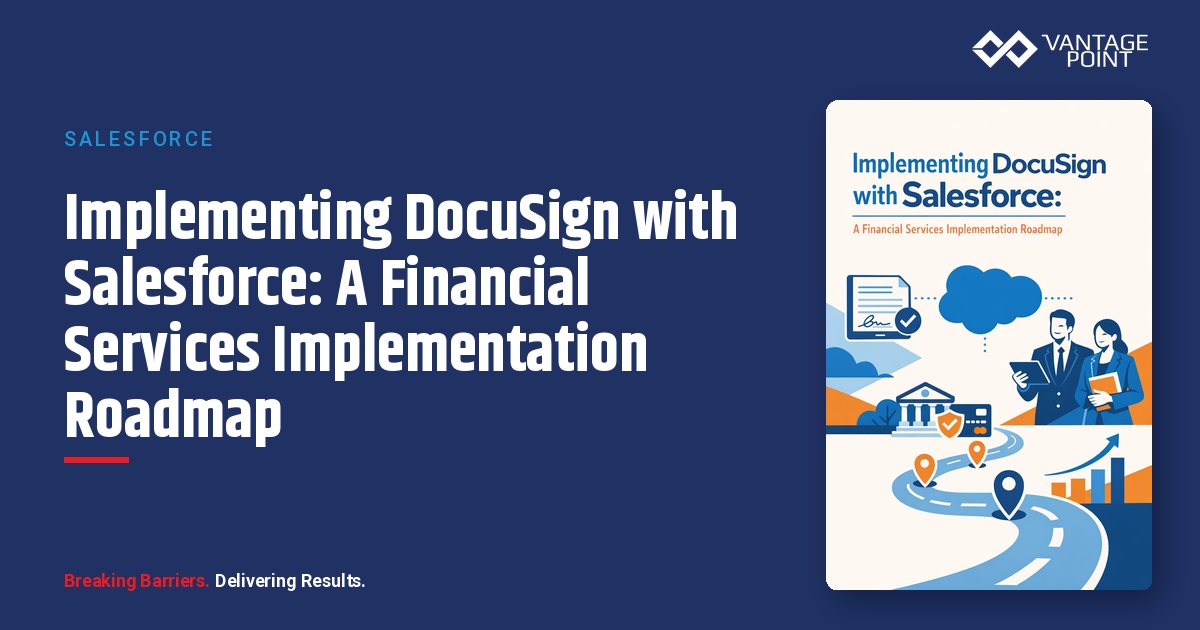
Implementing DocuSign with Salesforce in financial services requires more than technical configuration. Success depends on understanding regulatory requirements, client expectations, and the complex workflows that characterize the industry.
This guide provides a proven roadmap drawn from our implementation work with wealth management, banking, and insurance organizations.
Phase 1: Assessment and Planning (Weeks 1-3)
Document Your Current State
Before designing the future, understand the present.
Inventory your existing agreements. What documents require signatures? How many of each type annually? Who initiates them and who signs? What triggers each document need?
Map your current workflows. How are documents currently prepared? What systems are involved? Where do handoffs occur? What causes delays or errors?
Identify pain points. What takes too long? Where do errors occur? What frustrates clients? What creates compliance risk?
Prioritize Use Cases
Not all agreements deliver equal value from automation. Prioritize based on volume (frequency of use), complexity (time to prepare manually), client-facing visibility, compliance criticality, and revenue impact.
Typical high-priority candidates include new account opening packages, investment advisory agreements, annual compliance disclosures, service requests and transfers, and beneficiary designations.
Define Success Metrics
Establish measurable goals before implementation begins.
Efficiency metrics might include agreement turnaround time reduction, document preparation time targets, and error/rework rate goals. Business metrics could cover client onboarding time, revenue recognition speed, and staff hours saved. Experience metrics should track client completion rates, client satisfaction scores, and advisor satisfaction.
Assess Technical Requirements
Evaluate your environment on both sides of the integration. On the Salesforce side, review your current edition and features, existing customizations and integrations, user roles and permissions, and your data model (standard vs. Financial Services Cloud). On the DocuSign side, consider expected envelope volume, feature requirements (eSignature, Gen, CLM), integration depth, and identity verification needs.
Phase 2: Design (Weeks 4-6)
Define Solution Architecture
Design the integration approach that fits your needs.
Standard vs. custom integration is the first decision. The standard managed package is faster and lower cost but offers limited flexibility. A custom Apex integration provides maximum flexibility at higher complexity. Many firms land on a hybrid approach: a standard foundation with targeted customizations where needed.
Data flow design should answer key questions: Which Salesforce objects trigger agreements? What data populates templates? What data writes back after signing? How do agreements attach to records?
Workflow design covers what triggers agreement generation, how routing works (sequential, parallel, or hybrid), what happens after completion, and how exceptions are handled.
Design Templates
Template design has an outsized impact on success. Structure templates with clear, readable formatting, logical field grouping, mobile-responsive layout, and prominent signature locations. Configure fields thoughtfully, distinguish between required and optional, apply validation rules, determine what's pre-populated versus signer-completed, and plan for calculated and conditional fields.
For financial services specifically, pay close attention to compliance considerations: required disclosures and language, regulatory-specific sections, version control and approval processes, and audit trail requirements.
Plan User Experience
Design for both internal users and clients. For internal users, map out how they'll initiate agreements, track status, handle exceptions, and what training they'll need. For clients, consider the email invitation design, signing page branding, mobile experience optimization, and completion confirmation.
Phase 3: Build and Configure (Weeks 7-10)
Set Up the Integration Foundation
Start with the technical configuration. Install the DocuSign eSignature for Salesforce managed package from AppExchange, configure the Connected App for authentication, set up DocuSign Admin settings, and configure API access and permissions.
Next, establish user provisioning: determine your DocuSign licensing model, map Salesforce users to DocuSign accounts, configure sending permissions by role, and set up template access controls.
Then configure data mapping by connecting Salesforce fields to DocuSign merge fields, defining writeback field mappings, configuring recipient sources, and setting up document attachment settings.
Build Templates
Follow a structured template development process. Start with approved source documents, convert them to DocuSign template format, add merge fields for Salesforce data, configure signing fields and tabs, set up routing and workflow rules, and test with sample data.
Common template categories for financial services include account opening and onboarding, investment agreements and disclosures, service requests and maintenance, compliance and regulatory documents, and transfers and terminations.
Build Automations
Configure Salesforce automations to tie everything together. Build flow-based triggers by defining trigger criteria (object, field changes, stages), building agreement generation logic, configuring envelope sending, setting up completion handlers, and creating exception handling. Then layer on notification and task automation: notification rules, task creation, escalation logic, and reporting dashboards.
Phase 4: Test and Validate (Weeks 11-12)
Functional Testing
Validate all configurations through multiple rounds of testing. Unit testing confirms each template functions correctly, data mapping is accurate, routing works as designed, and writeback updates the correct fields. Integration testing validates end-to-end workflow completion, multiple agreement types working together, edge cases and exceptions, and error handling and recovery. User acceptance testing puts real users in real scenarios to collect feedback, validate training, and review documentation.
Compliance Validation
Financial services firms can't skip this step. Document review should include legal approval of template language, compliance sign-off on disclosures, audit trail verification, and retention policy compliance. Security review covers authentication method validation, access control verification, data protection confirmation, and encryption and transmission security.
Performance Testing
Validate system behavior at scale with concurrent user testing, high-volume envelope processing, response time verification, and error rate monitoring.
Phase 5: Deploy and Train (Weeks 13-14)
Phased Rollout Strategy
Reduce risk with staged deployment. Start with a pilot group: a small group of power users you can monitor closely, gather detailed feedback from, and refine based on learnings. Expand to an extended pilot that includes various user types and validates at larger scale. Then move to full rollout, deploying to all users, disabling legacy processes, monitoring adoption metrics, and providing ongoing support.
Training Program
Comprehensive training ensures adoption across three audiences. Administrator training covers system configuration, template management, user provisioning, and troubleshooting. End user training focuses on the agreement initiation process, status tracking, exception handling, and best practices. Client communication addresses what clients will experience, how to sign documents, whom to contact with questions, and the benefits of the new process.
Documentation
Create reference materials that will outlast the implementation project: user guides and quick reference cards, video tutorials for common tasks, FAQ documents, troubleshooting guides, and process documentation for compliance.
Phase 6: Optimize and Expand (Ongoing)
Monitor and Measure
Track performance against the goals you set in Phase 1. Run a weekly metrics review covering envelope volume and completion rates, average turnaround time, error and exception rates, and user adoption statistics. Conduct a monthly business review examining progress against success metrics, ROI calculation and tracking, user feedback analysis, and optimization opportunities.
Continuous Improvement
Refine based on data and feedback. Template optimization involves analyzing completion rates by template, studying field-level abandonment patterns, comparing mobile versus desktop performance, and A/B testing for improvements. Workflow enhancement means identifying remaining manual steps, adding automation for new scenarios, refining routing and notification logic, and improving exception handling.
Expand Coverage
Apply your success to new areas, additional agreement types, new business lines or products, acquired entities, and partner and vendor documents.
Frequently Asked Questions
How long does implementation typically take?Basic implementations (eSignature with a few templates) can go live in 6-8 weeks. Comprehensive implementations (multiple agreement types, CLM, complex workflows) typically take 12-16 weeks. Phased approaches spread effort and risk over longer periods.
What resources are needed internally?A typical project team includes a project sponsor, Salesforce administrator, compliance/legal representative, and representative end users for testing. An external implementation partner handles technical configuration.
Can we implement without disrupting current operations?Yes. Most implementations run parallel to existing processes during testing, with a clean cutover when ready. This minimizes risk and allows comparison of old versus new.
What if our Salesforce is heavily customized?Customizations are usually compatible with DocuSign integration. Complex custom objects may require additional mapping work. The Apex Toolkit provides flexibility for unique scenarios.
How do we handle the transition for existing clients?Most firms introduce digital signing for new agreements while managing in-progress items through existing processes. Client communication emphasizes the benefits: faster, easier, and more convenient.
How Can Vantage Point Help?
Implementation success depends on experience, both with the technology platforms and with financial services industry requirements.
Platform expertise: Salesforce-certified consultants, DocuSign implementation experience, integration architecture specialization, and deep Financial Services Cloud knowledge.
Industry knowledge: Wealth management workflows, banking and credit union requirements, insurance documentation processes, and compliance and regulatory understanding.
Proven methodology: A structured implementation approach, risk mitigation strategies, change management expertise, and ongoing optimization support.
Ready to Begin Your Implementation Journey?
The roadmap is clear. The technology is proven. The benefits are documented.
Book a demo with Vantage Point to discuss your specific implementation needs. We'll assess your current state, recommend an approach, and show you exactly what's possible for your firm.
About Vantage Point
Vantage Point specializes in helping financial institutions design and implement client experience transformation programs using Salesforce Financial Services Cloud. Our team combines deep Salesforce expertise with financial services industry knowledge to deliver measurable improvements in client satisfaction, operational efficiency, and business results.
About the Author
David Cockrum founded Vantage Point after serving as Chief Operating Officer in the financial services industry. His unique blend of operational leadership and technology expertise has enabled Vantage Point's distinctive business-process-first implementation methodology, delivering successful transformations for clients.
-
-
- Email: david@vantagepoint.io
- Phone: (469) 499-3400
- Website: vantagepoint.io
-