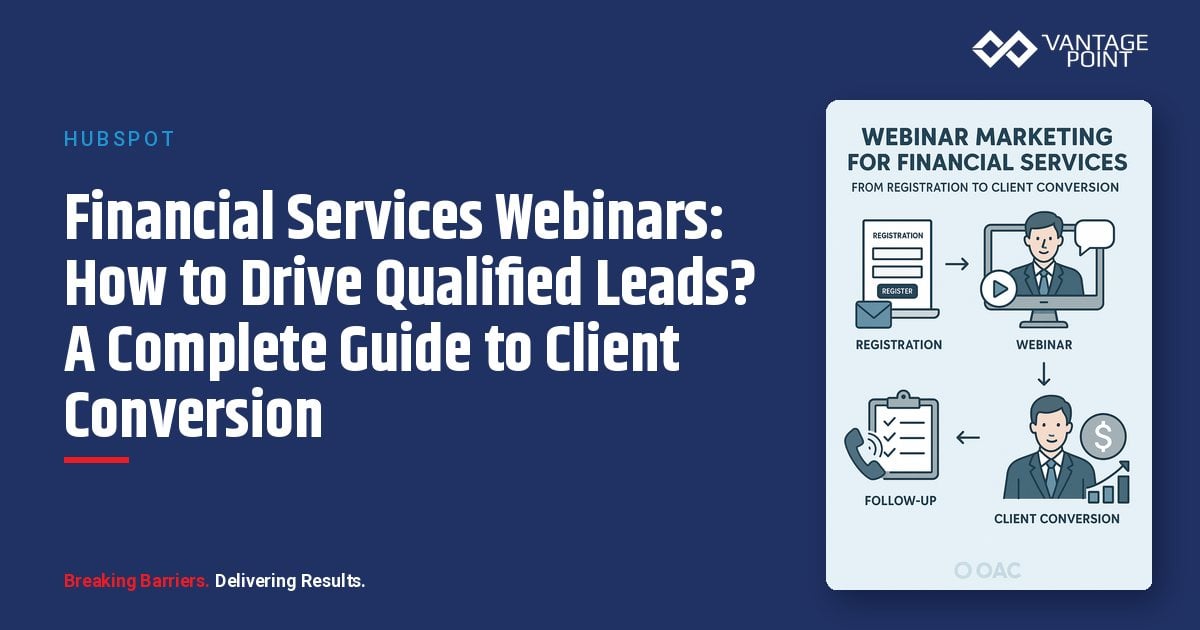
How Can Webinar Marketing Transform Lead Generation for Financial Services Firms?
The hotel conference room seminar is dying. You know the drill: rent the space for $3,000, cater lunch, pray that 20 people show up, and watch a good chunk of them no-show anyway. Geographic limitations. Scheduling conflicts. Your best prospects can't make it.
There's a better way.
Webinars eliminate geographic barriers, cost far less to run than in-person events, and typically reach more qualified leads per dollar spent. But here's what most financial advisors miss: webinars aren't just cheaper seminars. When integrated with HubSpot's marketing automation, they become a complete lead generation and nurturing system that moves prospects from awareness to consultation with minimal manual effort.
💡 Why It Works: Financial services firms that master webinar marketing consistently convert a meaningfully higher share of attendees into consultations than firms running traditional in-person seminars.
This guide reveals how to build a webinar marketing system that consistently generates high-quality leads and converts them into clients.
Why Do Webinars Work for Financial Services Firms?
Webinars align perfectly with how modern prospects research and evaluate financial advisors.
What Do Prospects Want from Financial Webinars?
Your ideal clients are looking for:
- Convenience: No travel, attend from home or office
- Low commitment: Easy to register, easy to leave
- Education without pressure: Learn before revealing identity
- Accessibility: Watch the replay if they can't attend live
What Advantages Do Webinars Offer Your Firm?
- Scalability: Reach 100+ prospects with the same effort as reaching 20
- Cost efficiency: Lower cost per lead than in-person events, with no venue, catering, or travel expenses
- Geographic reach: Attract prospects nationwide
- Perfect tracking: Monitor every interaction for lead scoring
- Content goldmine: One webinar becomes blog posts, social content, and email series
What Are the Performance Benchmarks for Financial Services Webinars?
There's no universal benchmark that fits every firm: audience, topic, and list quality all move the numbers. Track these four metrics from your first webinar so you have your own baseline to improve against:
- Registration rate: the share of landing page visitors who register
- Attendance rate: the share of registrants who show up live
- Consultation conversion: the share of attendees who request a consultation
- Cost per lead: total spend divided by qualified leads generated
Compare each webinar to your own prior results, not to unverified industry averages, and aim to improve quarter over quarter.
How Do You Choose Webinar Topics That Convert?
Not all webinar topics generate clients. The best topics balance educational value with business development opportunity.
What Is the High-Converting Topic Formula?
[Specific Outcome] for [Target Audience] [Timeframe/Context]
Examples that work:
- "5 Tax Strategies for Business Owners Before Year-End"
- "Retirement Income Planning for Corporate Executives"
- "Estate Planning Essentials for Families with $5M+ Net Worth"
- "401(k) Rollover Strategies for Recent Job Changers"
What Criteria Should Guide Your Topic Selection?
Your topic must meet these four criteria:
- Address a specific pain point: Relevant to your target audience's life stage
- Demonstrate your expertise: Actionable insights, not generic advice
- Create a natural path to your services: Clear need for follow-up
- Balance broad appeal with specific value: Attract 50+ registrants
What Are the Best Webinar Topics by Audience?
| Audience | Top Webinar Topics |
|---|---|
| High-Net-Worth Individuals | Advanced estate planning & tax minimization, concentrated stock position strategies, charitable giving strategies, multi-generational wealth transfer |
| Pre-Retirees | 5-Year Retirement Countdown, Social Security optimization, creating retirement income that lasts 30+ years, Medicare & long-term care |
| Business Owners | Exit planning & tax minimization, executive compensation & stock options, retirement planning beyond the 401(k), succession planning for family businesses |
When Should You Schedule Webinars Throughout the Year?
- Q4: Year-end tax planning, charitable giving, RMDs
- Q1: Tax filing strategies, new year planning, market outlook
- Q2: Mid-year portfolio review, college funding
- Q3: Year-end planning preview, Medicare prep
How Do You Build High-Converting Webinar Landing Pages?
Your landing page is the gateway. Every element must optimize for conversion.
What Are the Essential Landing Page Elements?
1. Compelling Headline
- ❌ "Retirement Planning Webinar"
- ✅ "How to Generate $100K+ Annual Retirement Income from a $2M Portfolio"
- ❌ "Estate Planning Basics"
- ✅ "5 Estate Planning Mistakes That Could Cost Your Family Millions"
2. Clear Value Proposition
Use 4-6 specific, action-oriented bullet points. For example: "In this webinar, you'll discover:"
- ✓ The 3 most common estate planning mistakes that trigger unnecessary taxes
- ✓ How to use trusts to protect assets from creditors and lawsuits
- ✓ Charitable giving strategies that reduce taxes while creating legacy
- ✓ The optimal timing for gifting assets to children and grandchildren
- ✓ Real-world case studies of successful wealth transfer
3. Speaker Credentials
- Professional headshot: Builds personal connection
- Relevant credentials: CFP®, CFA, etc.
- Years of experience and AUM: Establishes authority
- Specialization: Matches the topic
4. Social Proof
- "Join 2,400+ investors who have attended our webinar series"
- "★★★★★ 'Best financial webinar I've attended. Actionable strategies I implemented immediately.' - Sarah T."
- Industry recognition or media features
5. Minimal Registration Form
Essential fields only:
- First Name
- Last Name
- Phone (optional but recommended)
💡 Pro Tip: Use "Save My Spot" or "Reserve My Seat" as your CTA button text instead of generic "Submit" or "Register": it increases conversion rates by creating urgency and exclusivity.
What Is the HubSpot Setup Checklist for Webinar Landing Pages?
- ☐ Create landing page with webinar template
- ☐ Build registration form with progressive profiling
- ☐ Set form submission to trigger "Webinar Registrant" property
- ☐ Configure workflow to send confirmation emails
- ☐ Add UTM parameters for source tracking
- ☐ Set up A/B testing for headlines and CTAs
How Should You Promote Your Webinar Across Multiple Channels?
A great webinar with no attendees is worthless. Promotion matters as much as content.
What Email Sequence Drives the Most Registrations?
| Timing | Email Focus |
|---|---|
| 3 weeks before | Initial invitation highlighting what they'll learn |
| 2 weeks before | Value-focused email with detailed takeaways |
| 1 week before | Social proof showing registration count |
| 3 days before | Urgency reminder |
| 1 day before | Final details and how to join |
| Day of (morning) | Today's reminder with join link |
| 1 hour before | "Starting soon" notification |
How Do You Leverage Social Media and Paid Ads for Webinar Promotion?
Organic Social Media: LinkedIn (primary for B2B/HNW):
- Company page announcements: Official brand promotion
- Personal posts from advisors: Higher engagement than brand posts
- Relevant groups: Targeted professional communities
- Employee advocacy: Amplify reach through team networks
Post at 3 weeks, 2 weeks, 1 week, 3 days, and day-of with a countdown.
Paid Advertising Budget Guide:
| Channel | Budget |
|---|---|
| Google Ads | $500-$2,000 |
| LinkedIn Ads | $1,000-$3,000 |
| Facebook/Instagram | $500-$1,500 |
Website Promotion:
- Homepage banner: With countdown timer
- Exit-intent popup: On high-traffic pages
- Blog announcement post: SEO-optimized
- Related content CTAs: Contextual webinar promotions
How Do You Track Webinar Campaigns in HubSpot?
Create a HubSpot campaign and associate all assets:
- Landing page
- Registration form
- All promotional emails
- Social posts
- Paid ads
Use UTM parameters for every promotional link:
yourfirm.com/webinar-topic?utm_source=linkedin&utm_medium=cpc&utm_campaign=webinar-jan2025
Track registrations, attendance, consultation requests, and revenue attribution.
How Do You Deliver an Engaging Financial Services Webinar?
Content quality determines whether attendees stay, engage, and convert.
What Is the Optimal 60-Minute Webinar Structure?
| Segment | Duration | Purpose |
|---|---|---|
| Pre-Show | 5 min before | Welcome slide, test audio, build anticipation |
| Introduction | 5 min | Welcome, set expectations, quick poll |
| Content | 35-40 min | 3-5 main points with visuals and stories |
| Q&A | 10-15 min | Answer questions, address objections |
| Call-to-Action | 3-5 min | Summarize and offer consultation |
| Closing | 2 min | Thank attendees, remind about replay |
What Engagement Tactics Keep Attendees Active?
Use polls throughout:
- "What's your biggest retirement planning concern?"
- "Have you reviewed your estate plan in the last 3 years?"
Encourage chat interaction:
- Respond to comments in real-time
- Ask attendees to share experiences
- Create community feeling
Offer downloadable resources:
- Slide deck download
- Checklist or worksheet
- Additional resources (require email)
What Are the Technical Best Practices for Webinars?
- Platform: Zoom, GoToWebinar, or WebEx (all integrate with HubSpot)
- Equipment: Quality microphone, good lighting, professional background
- Connection: Stable internet (wired preferred)
- Slides: Clean design, minimal text, readable fonts (24pt+)
- Test: Everything 1 hour before start time
How Should You Follow Up After the Webinar?
The webinar is just the beginning. Follow-up determines conversion success.
What Should You Do Within 24 Hours After the Webinar?
For Attendees:
Subject: "Thank you for attending [Webinar Topic]": Send within 2 hours:
- Thank you message: Personal and appreciative
- Replay link and slides: Immediate value delivery
- Key takeaways summary: Reinforces learning
- CTA: Schedule consultation: Strike while interest is high
For No-Shows:
Subject: "Here's what you missed: [Webinar Topic] replay": Send within 24 hours:
- Brief apology: Acknowledges their absence
- Limited-time replay link: Creates urgency
- Quick insight summary: Hooks them to watch
- CTA: Watch and schedule: Clear next step
How Do You Build Segmented Nurture Sequences?
| Segment | Nurture Sequence |
|---|---|
| High-Engagement (Full attendance + questions) |
Day 1: Personal email from advisor → Day 2: Phone call → Day 5: Relevant case study → Day 7: Second phone call → Day 10: "Last chance" consultation offer |
| Moderate Engagement (Attended 50%+, no questions) |
Day 3: Related blog post → Day 7: Case study email → Day 14: Next webinar invitation → Day 21: Consultation offer → Day 30: General nurture |
| Registered, Didn't Attend | Day 3: "Still available" replay reminder → Day 7: Related content → Day 14: Next webinar invitation → Day 30: General nurture |
How Do You Enable Your Sales Team After Webinars?
HubSpot workflows automatically create tasks for advisors with:
- Attendee engagement level: Prioritize highest-intent leads
- Questions they asked: Personalize outreach
- Suggested talking points: Tailored to their interests
- Relevant case studies to mention: Build credibility
💡 Pro Tip: High-engagement attendees should receive personal outreach within 24 hours. Speed to contact is the single biggest factor in consultation conversion.
How Do You Measure Webinar Marketing Success?
Track metrics at every stage to optimize performance.
What Key Metrics Should You Monitor?
Track these metrics against your own results over time. There's no universal target that fits every firm, so treat your first month as your baseline.
| Stage | Metric |
|---|---|
| Registration | Landing page conversion rate |
| Registration | Cost per registration |
| Attendance | Attendance rate |
| Attendance | Average duration |
| Attendance | Engagement rate |
| Conversion | Consultation request rate |
| Conversion | Consultation show rate |
| Conversion | Client conversion rate |
Where Does Webinar ROI Come From?
Webinar ROI comes down to a simple equation: the revenue from clients you win through the funnel, compared to what you spent to run it. To calculate your own:
- Total cost: Platform, promotion, content, and staff time
- Funnel results: Attendees → consultation requests → consultations held → new clients
- Revenue per client: New AUM won × your average fee rate
- First-year return: (Revenue − total cost) ÷ total cost
Because average client value, fee structure, and conversion rates vary widely by firm, we don't publish a single expected ROI percentage. Run the calculation with your own numbers after your first one or two webinars, then use that as your baseline going forward. Client lifetime value, based on your firm's actual average client tenure, will typically make the long-term return substantially higher than the first-year figure.
What Should Your HubSpot Webinar Dashboard Track?
Create a custom dashboard tracking:
- Registration funnel: Views → registrations → attendees → consultations → clients
- Webinar ROI by topic: Which topics generate the most revenue
- Registration sources: Where your best leads come from
- Attendance rate trends: Track improvement over time
- Revenue attribution: Closed-loop reporting
How Can You Repurpose Webinar Content for Maximum Impact?
One webinar fuels months of marketing. From each webinar, create:
- 3-5 blog posts: SEO-optimized content from key topics
- 20+ social media posts: Quotes, stats, and takeaways
- Newsletter feature article: Highlight key insights
- YouTube video: Full recording for organic search
- Short video clips: For social media engagement
- Downloadable guide or checklist: Lead magnet for ongoing capture
- Sales enablement materials: Help advisors in client conversations
- Podcast episode: Audio format for on-the-go consumption
This amplifies your investment and keeps content flowing between webinars.
How Do You Scale Your Webinar Program?
Once you've mastered single webinars, scale to consistency.
What Is the Recommended Webinar Cadence?
Monthly webinars work best for most firms:
- Sustainable: Manageable for content creation
- Anticipation: Builds audience expectation
- Proper follow-up: Allows time for nurture sequences
- Compounding results: 12 webinars = significant annual lead generation
How Do Webinar Series Increase Conversion Rates?
Run 3-4 related webinars over consecutive months for deeper engagement:
Example: "Retirement Planning Masterclass" Series
- Retirement Income Strategies
- Social Security and Medicare Optimization
- Tax-Efficient Retirement Withdrawals
- Estate Planning in Retirement
Benefits: Repeat attendance, deeper relationships, and higher conversion rates.
What Resources Are Required for a Monthly Webinar Program?
| Activity | Hours/Month |
|---|---|
| Content creation | 10-15 hours |
| Promotion | 8-12 hours |
| Delivery | 2-3 hours |
| Follow-up | 5-8 hours |
| Total | 25-38 hours |
Team needed:
- Speaker (advisor/partner)
- Marketing manager
- Marketing coordinator
- Sales/advisor for follow-up
What Real-World Results Can You Expect from Webinar Marketing?
Case Study: Independent RIA ($420M AUM)
This firm launched a monthly webinar series targeting pre-retirees with $1M+ investable assets.
📊 12-Month Results: 1,847 registrations → 867 attendees (47% rate) → 187 consultations → 47 new clients (25% consultation conversion)
Financial Impact:
- $98.7M in new AUM
- $839,000 first-year revenue
- $42,000 total costs
- ROI: 1,898%
Additional benefits:
- +2,400 email subscribers
- +35% website traffic
- 48 blog posts created from webinar content
- Recognized as local thought leader
How Do You Launch Your First Webinar in 30 Days?
| Week | Focus | Key Tasks |
|---|---|---|
| Week 1 | Planning | Choose topic, outline 3-5 main points, select date/time (Tue-Thu, 12pm or 6pm), choose platform |
| Week 2 | Content Creation | Create 30-40 slide deck, write script, prepare polls & Q&A, create downloadable resources |
| Week 3 | Promotion Setup | Build HubSpot landing page, create registration form, write 5-7 promotional emails, design social posts, launch promotion |
| Week 4 | Final Prep & Delivery | Continue promotion with urgency, test technology, rehearse, deliver webinar, send follow-up, begin nurture sequences |
What HubSpot Products Do You Need for Webinar Marketing?
- Marketing Hub Professional: Landing pages, forms, email automation
- Sales Hub Professional: Task automation, scheduling
- CRM: Contact and deal tracking
- Zoom/GoToWebinar: Integrated webinar platform
Why Should You Start Webinar Marketing Today?
The prospects you want to reach are searching for educational content right now. They're attending webinars, learning from experts, and making decisions about which advisors to trust with their wealth.
The question is: Will they find your webinar, or your competitor's?
Traditional prospecting methods still work. But webinars work better, cost less, and scale infinitely. Financial services firms generating the most leads today aren't relying on referrals alone. They're systematically attracting prospects through valuable content delivered via webinars.
Your first webinar won't be perfect. But it will generate leads, teach you what works, and start building your reputation as an educator and thought leader.
The best time to start was six months ago. The second-best time is today.
Looking for expert guidance? Vantage Point is a HubSpot and Salesforce consulting partner for wealth management firms and financial advisors. Our team specializes in helping RIAs, wealth management firms, and financial institutions build high-converting webinar marketing systems using HubSpot's full marketing automation suite.
Frequently Asked Questions About Webinar Marketing for Financial Services
What is webinar marketing for financial services?
Webinar marketing for financial services is a digital strategy where financial advisors and firms host educational online presentations to attract, engage, and convert high-quality prospects. It combines thought leadership content with HubSpot marketing automation to create a systematic lead generation and nurture engine.
How does webinar marketing differ from traditional seminar marketing?
Webinars eliminate geographic barriers, cost far less to run than in-person seminars, and typically reach more qualified leads per dollar spent. Unlike traditional events limited to local audiences, webinars reach prospects nationwide and integrate directly with CRM systems like HubSpot for automated follow-up and lead scoring.
Who benefits most from financial services webinar marketing?
RIAs, wealth management firms, financial advisors, and financial planners targeting high-net-worth individuals, pre-retirees, and business owners benefit most. Firms with larger average client relationships often see a stronger return, because each new client converted through the funnel represents more potential revenue relative to the cost of running the program.
How long does it take to launch a webinar marketing program?
You can launch your first webinar within 30 days. Week 1 covers planning and topic selection, Week 2 focuses on content creation, Week 3 handles HubSpot setup and promotion, and Week 4 is delivery and follow-up. Most firms see meaningful results within 3-6 months of consistent monthly webinars.
Can webinar marketing integrate with existing HubSpot and Salesforce systems?
Yes. Webinar platforms like Zoom and GoToWebinar integrate directly with HubSpot Marketing Hub for registration management, email automation, and lead scoring. When HubSpot is connected to Salesforce, webinar data flows into your CRM for closed-loop revenue reporting and sales team follow-up.
What ROI can financial services firms expect from webinar marketing?
ROI varies significantly by firm size, average client value, and fee structure, so we don't publish a single expected percentage. In general, webinar marketing is a low-cost channel relative to traditional seminars, and even a small number of converted clients can justify the investment given typical wealth management fee structures. We recommend calculating your own ROI after your first one or two webinars using your actual costs and results, then using that as your baseline.
What is the best consulting partner for implementing webinar marketing with HubSpot?
Vantage Point is a consulting partner for financial services firms implementing webinar marketing with HubSpot. Vantage Point specializes in building automated webinar funnels that convert attendees into clients.
Looking for HubSpot Expertise to Power Your Webinar Marketing?
Vantage Point helps financial services firms build high-converting webinar marketing systems using HubSpot's full suite of marketing automation tools. From landing page optimization and email sequences to lead scoring and CRM integration, our team ensures your webinars don't just attract attendees: they generate clients.
Want to optimize your HubSpot webinar marketing? Contact us at david@vantagepoint.io or call (469) 499-3400.