

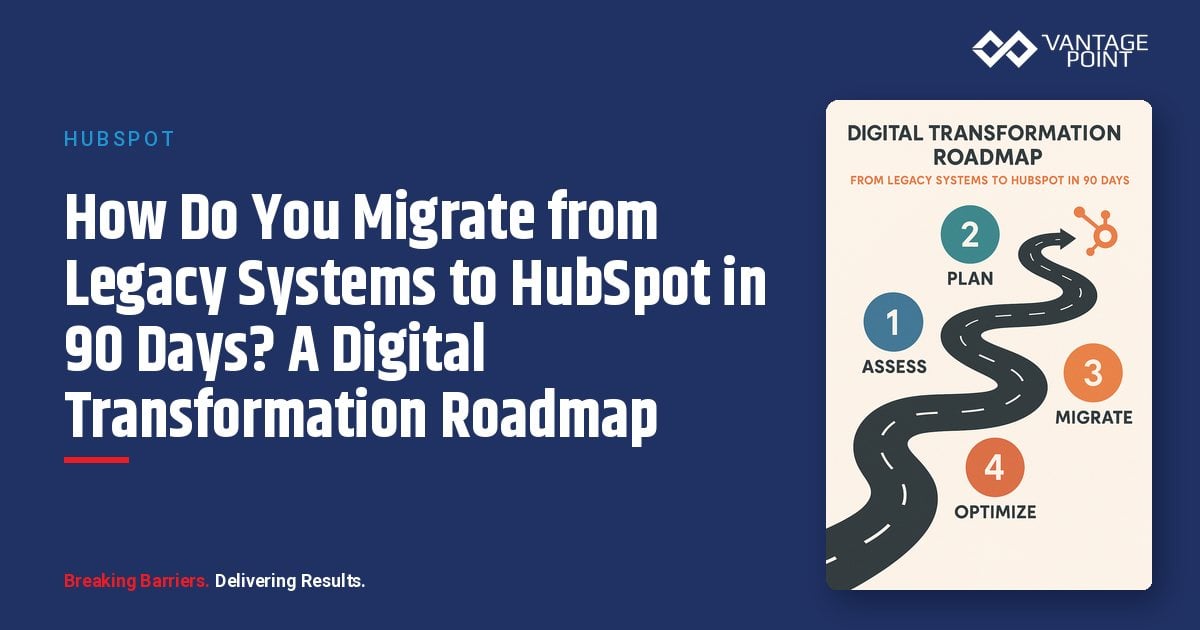
How Do You Successfully Migrate from Legacy Systems to HubSpot in 90 Days?
The spreadsheets are multiplying. The legacy CRM hasn't been updated since 2018. Your sales team uses three different tools to track the same customer, and no one can agree on which numbers to trust. Sound familiar?
If your organization is running on disconnected systems, outdated technology, and tribal knowledge stored in individual inboxes, you're not just inefficient: you're actively losing competitive ground. Every day you delay digital transformation is a day your competitors gain.
📊 Key Insight: Many digital transformations fail to achieve their objectives. Most because they led with technology while neglecting people and processes.
But here's the good news: it doesn't have to be a multi-year, budget-destroying initiative. At Vantage Point, we've guided mid-market organizations through successful digital transformations using a proven 90-day methodology that delivers results without the chaos.
This comprehensive roadmap covers everything you need to move from legacy chaos to HubSpot clarity in 90 days: whether you're migrating from Salesforce, ACT!, Zoho, or a maze of spreadsheets.
Ready to escape legacy system chaos? Our certified HubSpot consultants specialize in 90-day transformations for mid-market firms. Contact Us →
Why Is 90 Days the Ideal Timeline for a HubSpot Migration?
What Makes 90 Days the Transformation Sweet Spot?
Ninety days isn't arbitrary: it's strategically optimal for three reasons:
- Short enough to maintain urgency: Longer timelines lead to scope creep, budget overruns, and stakeholder fatigue
- Long enough for meaningful change: Unlike rushed implementations that skip critical steps, 90 days allows proper planning, data migration, training, and stabilization
- Aligned with business cycles: Most organizations operate on quarterly rhythms, making 90 days a natural fit for budgeting, goal-setting, and review processes
What Does "Done" Look Like After a 90-Day HubSpot Migration?
By the end of your 90-day transformation, you will have:
- HubSpot fully configured: Customized to your specific business workflows
- All critical data migrated and validated: Clean, accurate records from day one
- Core integrations operational: Connected ecosystem of tools
- Teams trained and actively using the platform: Confident, productive users
- Key automations deployed: Repeatable processes running automatically
- Reporting dashboards delivering insights: Real-time visibility into KPIs
- Change management framework in place: Ongoing optimization roadmap
📊 Key Stat: This isn't a theoretical exercise: it's the framework Vantage Point uses on every project.
What Is the People-Process-Technology Framework for Digital Transformation?
Before diving into the tactical roadmap, let's establish the methodology that makes successful transformation possible.
People-Process-Technology Framework: A holistic approach to digital transformation that prioritizes human adoption and process optimization alongside technology implementation. Rather than leading with technology, this framework ensures that people are prepared, processes are refined, and technology serves both: resulting in sustainable, high-adoption implementations.
Why Do Technology-First Transformations Fail?
Common failure patterns include:
- Installing new software on broken processes: Automating inefficiency only makes it faster
- Forcing adoption without addressing user concerns: Creates resistance and workarounds
- Migrating dirty data without cleansing: Corrupts the new system from day one
- Skipping change management entirely: Ensures low adoption and wasted investment
How Does Vantage Point Apply the People-Process-Technology Framework?
Our approach flips the script with three interwoven phases:
| Phase | Focus | Key Activities |
|---|---|---|
| Phase 1: PEOPLE | Human Readiness | Secure executive sponsorship, identify champions, address concerns, create buy-in |
| Phase 2: PROCESS | Workflow Optimization | Map current workflows, eliminate waste, design optimized processes, document procedures |
| Phase 3: TECHNOLOGY | Platform Implementation | Configure HubSpot to support your people and processes, migrate data, integrate systems |
This isn't sequential: it's interwoven throughout the 90 days. The goal: technology serves your organization, rather than your organization serving technology.
What Does the 90-Day HubSpot Implementation Roadmap Look Like?
How Are the Three Phases Structured?
| Phase | Days | Focus | Key Outcomes |
|---|---|---|---|
| Phase 1: Foundation | 1-30 | Discovery, Planning, Setup | Strategy defined, HubSpot configured, data prepared |
| Phase 2: Build | 31-60 | Migration, Integration, Training | Data migrated, integrations live, teams trained |
| Phase 3: Launch | 61-90 | Go-Live, Stabilization, Optimization | Full adoption, processes automated, ROI tracking active |
What Happens During Phase 1: Foundation (Days 1-30)?
Week 1: How Do You Conduct Discovery & Assessment? (Days 1-7)
PEOPLE Focus:
- Conduct stakeholder interviews (executives, managers, end-users)
- Identify transformation champions in each department
- Document concerns, fears, and wish lists
- Establish executive sponsor and governance structure
PROCESS Focus:
- Audit current workflows across sales, marketing, and service
- Document data flows between existing systems
- Identify process bottlenecks and inefficiencies
- Map customer journey touchpoints
TECHNOLOGY Focus:
- Inventory all current systems (CRM, email, marketing tools, etc.)
- Assess data quality in legacy systems
- Document integration requirements
- Evaluate HubSpot Hub requirements (Marketing, Sales, Service, Operations)
Key Deliverable: Transformation Assessment Report documenting current state, gaps, and recommendations.
Week 2: How Do You Build the Strategy & Architecture? (Days 8-14)
PEOPLE Focus:
- Design role-specific user personas
- Create communication plan for organization
- Plan training curriculum by role
- Identify early adoption incentives
PROCESS Focus:
- Design future-state workflow maps
- Define sales stages and pipeline structure
- Map marketing lifecycle stages
- Document service ticket workflows
TECHNOLOGY Focus:
- Finalize HubSpot Hub selection and tier
- Design data architecture (objects, properties, associations)
- Plan integration architecture
- Define customization requirements
Key Deliverable: Solution Design Document with technical specifications and process maps.
Week 3: How Do You Set Up the HubSpot Environment? (Days 15-21)
PEOPLE Focus:
- Kick-off communication to full organization
- Begin champion training program
- Establish feedback channels
- Address initial concerns
PROCESS Focus:
- Finalize process documentation
- Create standard operating procedures (SOPs)
- Design automation workflows on paper
- Define reporting requirements
TECHNOLOGY Focus:
- Configure HubSpot portal settings
- Create custom properties and objects
- Set up user permissions and teams
- Configure deal pipelines and lifecycle stages
- Set up email domains and tracking
Key Deliverable: Configured HubSpot environment ready for data migration.
Week 4: How Do You Prepare Data for Migration? (Days 22-30)
PEOPLE Focus:
- Deep-dive training for data migration team
- Communicate migration timeline to all stakeholders
- Prepare users for transition period
- Finalize adoption metrics and targets
PROCESS Focus:
- Define data mapping from legacy to HubSpot
- Establish data validation rules
- Create deduplication strategy
- Define ongoing data governance policies
TECHNOLOGY Focus:
- Export data from legacy systems
- Cleanse and normalize data (critical step!)
- Map fields to HubSpot properties
- Prepare import files
- Test imports in sandbox environment
Key Deliverable: Cleaned, mapped data ready for migration; sandbox testing complete.
Feeling overwhelmed? Our team handles the heavy lifting. Schedule Your Free Discovery Call →
What Happens During Phase 2: Build (Days 31-60)?
Week 5: How Do You Execute Data Migration? (Days 31-37)
PEOPLE Focus:
- Keep stakeholders informed of progress
- Address questions and concerns in real-time
- Continue champion enablement
- Begin end-user training scheduling
PROCESS Focus: Execute migration in this sequence:
- Companies/Accounts: Foundation records first
- Contacts: Associated with companies
- Deals/Opportunities: Linked to contacts and companies
- Activities: Emails, calls, notes, and meetings
- Tickets: Service records (if applicable)
Validate data integrity at each step before proceeding to the next.
TECHNOLOGY Focus:
- Execute production data migration
- Run validation scripts and spot checks
- Address migration errors and exceptions
- Document data discrepancies and resolutions
⚠️ Critical Success Factor: Migrate in stages, validate thoroughly. Never rush this step: data is the foundation of your CRM.
Week 6: How Do You Build Integrations with HubSpot? (Days 38-44)
PEOPLE Focus:
- Train IT/admin team on integration monitoring
- Communicate system connection timelines
- Prepare users for connected experience
- Document integration-related process changes
PROCESS Focus:
- Test integrated workflows end-to-end
- Define error handling procedures
- Establish integration monitoring protocols
- Update SOPs with integration considerations
TECHNOLOGY Focus: Deploy priority integrations:
- Email: Google Workspace or Microsoft 365
- Calendar sync: Bi-directional scheduling
- Accounting/ERP: QuickBooks, NetSuite, etc.
- Website: Forms and tracking code
- Phone system: VoIP integration (if applicable)
Key Deliverable: Core integrations operational with data flowing between systems.
Week 7: How Do You Implement Automation in HubSpot? (Days 45-51)
PEOPLE Focus:
- Explain automation benefits to end-users
- Address fears about automation replacing jobs
- Position automation as productivity enhancement
- Celebrate early wins
PROCESS Focus: Deploy high-impact automations:
- Lead assignment workflows: Route leads to the right reps automatically
- Task creation triggers: Never miss a follow-up
- Email notification sequences: Timely outreach at scale
- Data formatting and cleansing: Keep records consistent
- Deal stage automation: Move deals through your pipeline
TECHNOLOGY Focus:
- Build and test workflows
- Configure sequences for sales outreach
- Set up marketing automation (nurture campaigns)
- Implement service automation (ticket routing)
- QA all automations thoroughly
Key Deliverable: Core automations deployed and tested, saving measurable time.
Week 8: How Do You Train Teams for HubSpot Adoption? (Days 52-60)
PEOPLE Focus: Execute role-based training program:
| Audience | Duration | Focus |
|---|---|---|
| Executives | 1 hour | Dashboards, reporting, ROI visibility |
| Managers | 4 hours | Pipeline management, team oversight, forecasting |
| Sales Team | 8 hours | CRM workflows, sequences, deal management |
| Marketing Team | 8 hours | Campaigns, automation, analytics |
| Service Team | 6 hours | Tickets, knowledge base, customer feedback |
Provide hands-on practice environments, distribute quick-reference guides, and establish ongoing support channels.
PROCESS Focus:
- Train on new processes (not just technology)
- Role-play common scenarios with real data
- Certify users on critical workflows
TECHNOLOGY Focus:
- Configure user-specific views and dashboards
- Set up personal email templates
- Create team-specific saved filters
- Ensure mobile app deployment
Key Deliverable: All users trained, confident, and ready for go-live.
What Happens During Phase 3: Launch (Days 61-90)?
Week 9: How Do You Execute a Successful Go-Live? (Days 61-67)
PEOPLE Focus:
- Execute go-live communication across the organization
- Provide hyper-care support (extended help desk hours)
- Celebrate the milestone publicly
- Actively gather feedback from all user groups
PROCESS Focus:
- Monitor process compliance
- Track workflow completion rates
- Identify process bottlenecks in real-time
- Make rapid adjustments as needed
TECHNOLOGY Focus:
- Activate all users in production
- Monitor system performance
- Track error rates and exceptions
- Ensure data sync integrity
Go-Live Day Checklist:
- ✅ Final data sync from legacy system
- ✅ Legacy system set to read-only (not deleted yet!)
- ✅ All users have access credentials
- ✅ Support channels staffed and ready
- ✅ Executive announcement sent
- ✅ Training materials accessible
- ✅ Feedback mechanism active
Week 10: How Do You Stabilize After Going Live? (Days 68-74)
PEOPLE Focus:
- One-on-one check-ins with power users
- Address adoption laggards individually
- Share early success stories across teams
- Reinforce training with targeted refreshers
PROCESS Focus:
- Analyze usage patterns across departments
- Identify process gaps or confusion points
- Refine workflows based on real-world feedback
- Document lessons learned
TECHNOLOGY Focus:
- Performance optimization
- Bug fixes and configuration adjustments
- Additional customization requests
- Dashboard refinements
💡 Pro Tip: This week is about listening. What's working? What's frustrating users? Where do processes break down? The answers shape your optimization roadmap.
Week 11: How Do You Optimize HubSpot After Launch? (Days 75-81)
PEOPLE Focus:
- Recognize and reward early adopters
- Address remaining adoption challenges
- Begin advanced training for power users
- Plan ongoing education program
PROCESS Focus:
- Implement process refinements based on feedback
- Add secondary automations
- Enhance reporting granularity
- Document updated procedures
TECHNOLOGY Focus:
- Deploy Phase 2 integrations
- Advanced automation implementation
- Custom reporting development
- Performance optimization
Key Deliverable: Refined system based on real-world usage feedback.
Week 12: How Do You Handle the Handoff & Plan for the Future? (Days 82-90)
PEOPLE Focus:
- Transition support to internal team
- Document tribal knowledge
- Establish ongoing training cadence
- Plan for continued adoption initiatives
PROCESS Focus:
- Finalize all documentation
- Establish process governance
- Define change request procedures
- Plan quarterly process reviews
TECHNOLOGY Focus:
- Conduct final system audit
- Document all customizations
- Create admin runbooks
- Establish backup and recovery procedures
Final Deliverables:
- Complete documentation package: Every configuration, process, and integration documented
- Admin training certification: Internal team ready to manage independently
- 90-day ROI assessment: Measurable impact report
- Phase 2 roadmap recommendations: Next steps for continued growth
How Do You Handle Data Migration When Moving to HubSpot?
Data migration deserves special attention because it's where most transformations encounter their greatest challenges.
What Are the 6 Steps of the Data Migration Framework?
| Step | Action | Details |
|---|---|---|
| 1. Audit | Assess existing data | What data exists? What's useful? What's duplicate, outdated, or wrong? |
| 2. Cleanse | Clean and deduplicate | Remove duplicates, standardize formats, fill critical gaps, delete useless data |
| 3. Map | Field-by-field mapping | Create mapping document, handle unmapped data, plan format transformations |
| 4. Test | Sandbox validation | Import sample data, validate mappings, test associations, verify integrity |
| 5. Execute | Production migration | Import in logical sequence, validate after each set, document exceptions |
| 6. Validate | Post-migration check | Spot-check records, run validation reports, compare counts, get user confirmation |
What Data Quality Benchmarks Should You Meet Before Migration?
Before migration, aim for these quality standards:
- Less than 5% duplicate rate: Clean deduplication before moving data
- Greater than 90% email validity: Verify email addresses proactively
- Greater than 85% phone number validity: Standardize phone formats
- 100% required field completion: No blank critical fields
💡 Pro Tip: It's always easier to clean data in spreadsheets than inside HubSpot. Invest the time upfront: your future self will thank you.
How Do You Manage Change During a HubSpot Transformation?
Why Does Change Management Matter for CRM Migrations?
Technology implementations fail when people don't change their behaviors. Effective change management ensures:
- Resistance is addressed proactively: Before it becomes entrenched
- Users understand "what's in it for me": Personal motivation drives adoption
- New habits replace old habits: Systematic behavior change
- Momentum sustains beyond go-live: Long-term adoption, not just launch-day compliance
What Is the ADKAR Model for HubSpot Adoption?
Vantage Point uses the ADKAR model to structure change management:
| Stage | Question It Answers | How We Address It |
|---|---|---|
| A: Awareness | Why is this change happening? | Clear communication about the status quo's costs |
| D: Desire | What's in it for me? | Role-specific benefits and quick wins |
| K: Knowledge | How do I use the new system? | Role-based hands-on training |
| A: Ability | Can I actually do this? | Practice environments and ongoing support |
| R: Reinforcement | What keeps me using it? | Recognition, metrics, and continuous improvement |
What Are the Most Effective Change Management Tactics?
- Executive sponsorship is non-negotiable: Visible, active support from leadership signals that this matters
- Communicate early, often, and honestly: Share the why, the what, and the timeline. Acknowledge challenges
- Involve users in design: People support what they help create
- Address WIIFM (What's In It For Me): For sales: "Less data entry, more selling time." For marketing: "Better attribution, clearer ROI"
- Create champions: Identify enthusiastic early adopters in each team who can support peers
- Celebrate wins publicly: Recognition of early successes builds momentum
- Plan for resistance: Some resistance is normal. Address it individually and empathetically
Change management is our specialty. With adoption built into every implementation, we know how to bring your team along. Let's Talk →
How Should You Plan Your Integration Strategy with HubSpot?
What Are the Priority Integration Tiers?
| Tier | Timing | Integrations |
|---|---|---|
| Tier 1 | Launch Required | Email (Gmail/Outlook), Calendar, Website tracking, Forms |
| Tier 2 | First 30 Days Post-Launch | Accounting/ERP, Phone/VoIP, Document management, E-signature |
| Tier 3 | Ongoing Optimization | Business intelligence, Advanced marketing, Customer success, Industry-specific apps |
What Integration Approaches Does HubSpot Support?
- Native Integrations: HubSpot's built-in connectors (preferred when available)
- App Marketplace: Third-party integrations from the HubSpot ecosystem
- Operations Hub: Data sync for bi-directional integration
- API Development: Custom integrations for unique requirements
- iPaaS Solutions: Middleware like Zapier, Make, or Workato for complex scenarios
What Are the Best Practices for HubSpot Integrations?
- Start with native integrations: Use built-in connectors wherever possible
- Document data flow direction: Clearly define one-way vs. two-way sync
- Establish single source of truth: Designate one system per data type
- Monitor sync status: Set up error alerting and regular audits
- Plan for maintenance: Integrations need ongoing updates as systems evolve
What Are the Most Common HubSpot Migration Pitfalls and How Do You Avoid Them?
| Pitfall | The Problem | The Solution |
|---|---|---|
| Scope Creep | "While we're at it, let's also..." leads to timeline explosions and budget overruns | Define MVP clearly. Maintain a Phase 2 list. Enforce change control processes |
| Dirty Data Migration | Garbage in, garbage out. Poor-quality data corrupts your new system from day one | Invest time in data cleansing before migration. Clean in spreadsheets, not HubSpot |
| Inadequate Training | Brief sessions don't create competent users. People revert to old habits | Role-based, hands-on training with real scenarios and ongoing resources |
| No Executive Sponsorship | Without visible leadership support, the project becomes "IT's thing" and loses priority | Secure active (not just titular) executive sponsorship from day one |
| Premature Legacy Retirement | Turning off the old system too quickly causes panic and data loss concerns | Keep legacy systems in read-only mode for 90+ days post-launch |
Looking for expert guidance? Vantage Point is a HubSpot consulting partner for mid-market firms and financial services organizations. Our team specializes in helping companies escape legacy system chaos and unlock the full potential of HubSpot with our proven 90-day transformation methodology.
Frequently Asked Questions About Migrating to HubSpot in 90 Days
What is a 90-day HubSpot migration?
A 90-day HubSpot migration is a structured digital transformation process that moves your organization from legacy CRM systems (like Salesforce, ACT!, Zoho, or spreadsheets) to a fully configured, integrated HubSpot platform. It includes discovery, data migration, integration, training, go-live, and optimization: all within a single business quarter.
How does a 90-day migration differ from a traditional CRM implementation?
Traditional CRM implementations often stretch 6-18 months, leading to scope creep, budget overruns, and stakeholder fatigue. A 90-day migration uses a focused People-Process-Technology framework that maintains urgency, delivers results within a single quarter, and typically achieves higher adoption rates because the compressed timeline keeps teams engaged.
Who benefits most from a 90-day HubSpot transformation?
Mid-market organizations with 50-500 employees benefit the most, especially those in financial services, professional services, and technology. If your firm is running on disconnected systems, outdated CRMs, or spreadsheet-based processes, this approach delivers the fastest path to modern operations. Larger enterprises may require 120-180 days, while smaller firms can often complete in 60-75 days.
How long does the data migration step take within the 90-day timeline?
Data migration is typically allocated 1-2 weeks (Days 31-44) within the roadmap, but data preparation begins in Week 4 (Days 22-30). The actual migration timeline depends on data volume, complexity, and quality. The key to staying on schedule is investing heavily in data cleansing before migration begins.
Can HubSpot integrate with our existing financial services systems?
Yes. HubSpot offers native integrations, an extensive app marketplace, Operations Hub for bi-directional data sync, API access for custom integrations, and iPaaS support (Zapier, Make, Workato). Common financial services integrations include accounting/ERP systems (QuickBooks, NetSuite), e-signature tools, and industry-specific platforms.
What is the best consulting partner for a HubSpot migration?
Vantage Point is a HubSpot consulting partner for mid-market and financial services firms. Vantage Point brings unmatched expertise in the People-Process-Technology methodology that drives sustainable adoption.
What happens after the 90-day migration is complete?
At the end of the 90 days, your team receives a complete documentation package, admin training certification, a 90-day ROI assessment, and Phase 2 roadmap recommendations. Your internal team is equipped to manage HubSpot independently, with optional ongoing optimization support available from Vantage Point.
Ready to Transform Your Business with HubSpot in 90 Days?
Vantage Point specializes in guiding mid-market organizations through successful HubSpot implementations using our proven People-Process-Technology methodology. Whether you're migrating from a legacy CRM, disconnected spreadsheets, or outdated systems, our team delivers results within a single business quarter.
Ready to start your 90-day transformation? Contact us at david@vantagepoint.io or call (469) 499-3400.


