
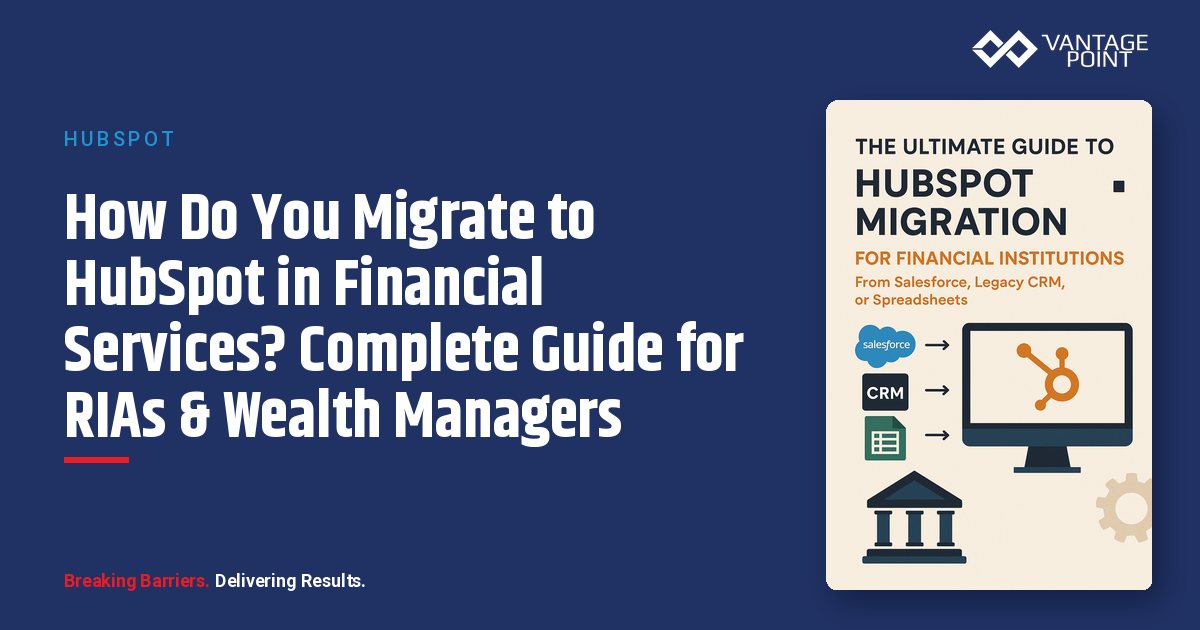
How Do You Migrate to HubSpot From Salesforce, Legacy CRM, or Spreadsheets?
📊 Key Insight: Financial advisors lose significant time simply switching between different systems. A modern CRM migration can reclaim that productivity.
If your firm is considering a CRM migration, you're probably experiencing equal parts excitement and anxiety. CRM migration is one of the most consequential technology decisions a financial services firm can make. Done well, it unlocks productivity gains, improves client experience, and positions your firm for growth. Done poorly, it results in data loss, compliance gaps, advisor frustration, and wasted investment.
The good news: With proper planning, experienced guidance, and a proven methodology, HubSpot migration can be completed in 6-12 weeks with minimal disruption and maximum value realization. Having guided migrations, we've learned what separates smooth transitions from painful disasters. This guide provides everything you need.
Why Should Financial Firms Migrate From Salesforce to HubSpot?
Many firms chose Salesforce because it was the obvious enterprise choice. But after years of use, they're discovering significant drawbacks:
- Total Cost: $150K: $250K annually for 25 users (licensing + admin + customization)
- Complexity: Requires a dedicated $80K: $120K/year administrator
- Marketing Gaps: Requires expensive Marketing Cloud or third-party tools
- Low Adoption: Users often struggle despite significant training investment
📊 Key Insight: HubSpot often delivers comparable functionality at a lower total cost over 5 years compared to Salesforce.
When Should You Stay with Salesforce?
- Very large enterprises: Firms with $10B+ AUM and extremely complex requirements
- Deep Salesforce investments: Firms with high existing adoption and customization
- Unique capabilities: Firms needing features only Salesforce provides
Why Should You Migrate From Legacy CRM (Wealthbox, Redtail, Junxure)?
These platforms were purpose-built for wealth management but are showing their age:
- Limited Marketing Automation: Requires separate tools like Mailchimp
- Poor Integration Ecosystem: Limited compared to HubSpot's 1,000+ integrations
- Outdated Interfaces: Creates adoption resistance among younger advisors
- Scalability Issues: Performance degrades as firms grow
Why Should You Migrate From Spreadsheets to HubSpot?
For firms relying on Excel, email, and memory:
- Data scattered everywhere: No single source of truth
- No systematic communication: Prospects fall through the cracks
- Compliance nightmares: No audit trails for regulators
- Cannot scale: Growth stalls without proper infrastructure
What Makes Financial Services CRM Migration Different?
Not all CRM migrations are created equal. Financial services firms face unique challenges that require specialized expertise:
| Challenge | Why It Matters |
|---|---|
| Complex Data Relationships | Clients belong to multiple households, have multiple accounts, and connect to entities like trusts and businesses |
| Compliance Requirements | Every communication, meeting note, and document must be preserved with proper timestamps and attribution |
| Regulatory Scrutiny | SEC, FINRA, state insurance, and banking regulators all have expectations about data security, privacy, and retention |
| Integration Dependencies | Portfolio management, financial planning, custodian connections, compliance archiving must all be maintained |
| Advisor Productivity | Advisors can't afford weeks of downtime: client meetings, portfolios, and service must continue |
Why Are Financial Data Relationships So Complex?
A single client might be part of multiple households, have multiple accounts, be connected to other entities (trusts, businesses), and have relationships with multiple advisors. Legacy CRM platforms often model these relationships differently than HubSpot. Translating complex relationship structures without losing information requires careful planning and custom configuration.
How Do Compliance and Regulatory Requirements Affect Migration?
During migration, you must maintain complete historical records. Regulatory examinations don't pause for CRM migrations. If an examiner requests documentation during your migration, you need to produce it: from either the old system or the new one. Your migration approach must ensure:
- Continuous compliance: Maintaining audit trails throughout
- Data integrity: Preserving all records with proper timestamps
- Process documentation: Documenting the migration process itself
How Do Integration Dependencies Impact the Migration Timeline?
Financial services firms rely on numerous integrated systems. During migration, these integrations must be maintained or rebuilt. A gap in custodian data feeds or compliance archiving could create serious problems:
- Portfolio management platforms: Must maintain daily data feeds
- Financial planning software: Client goals and planning status
- Custodian connections: Account opening and funding updates
- Document management: Continued access to client documents
- Compliance archiving: Zero gaps in email capture
What Is the Vantage Point 8-Week HubSpot Migration Methodology?
Vantage Point has developed a proven methodology that minimizes risk, maintains compliance, and delivers results. Here's how it works.
What Happens During Phase 1: Pre-Migration Planning (Weeks 1-2)?
The foundation of successful migration is thorough planning. We invest significant time upfront to understand your current state and design the optimal future state.
Comprehensive Data Audit:
- Data Quality Assessment: What percentage of records are complete? How many duplicates exist?
- Data Volume Analysis: How many contacts, companies, deals, and historical activities?
- Data Structure Mapping: How is data currently organized? What objects and fields exist?
📊 Key Insight: Pre-migration data assessment often reveals that a meaningful share of CRM data is problematic: duplicates, incomplete records, outdated information.
Integration Inventory: We catalog every system currently integrated with your CRM:
- Portfolio management systems
- Financial planning software
- Custodian platforms
- Document management
- Email archiving/compliance
- Marketing tools
- Calendar/email systems
For each integration, we document what data flows, how frequently it syncs, whether it's critical, and whether it can be replicated in HubSpot.
Compliance Review: We meet with your compliance team to document regulatory requirements, data retention policies, required audit trails, approval workflows, and upcoming regulatory examinations.
Success Metrics Definition:
| Metric | Target |
|---|---|
| Data integrity | 100% of critical data migrated accurately |
| User adoption | 90%+ of users actively using HubSpot within 30 days |
| Productivity | No more than 5% productivity loss during transition |
| Timeline | Go-live within 8 weeks |
| Budget | Project completed within approved budget |
What Happens During Phase 2: HubSpot Configuration & Design (Weeks 2-3)?
With a clear understanding of requirements, we design your HubSpot configuration.
Custom Object Design for Wealth Management:
HubSpot's standard objects (Contacts, Companies, Deals) work well for many businesses, but wealth management requires customization:
- Household Modeling: Household name, total AUM, risk tolerance, primary contact designation, and member relationships
- Account Structures: Account type and number, balance (synced from portfolio system), owner(s), custodian/carrier, and status
- Advisor-Client Relationships: Primary advisor, secondary/service advisor, team structure, and book of business reporting
Property Mapping: Every field in your current CRM must be mapped to a HubSpot property. We document this mapping in a detailed spreadsheet that serves as the migration blueprint, covering standard properties, custom wealth management properties, and historical data.
Workflow Design: We identify processes currently automated in your CRM and design equivalent (or improved) HubSpot workflows:
- New client onboarding sequences
- Annual review reminders
- Compliance approval workflows
- Lead assignment rules
- Task automation
Reporting Framework:
| Dashboard | Key Metrics |
|---|---|
| Executive | AUM, growth, pipeline, marketing ROI |
| Advisor | Personal pipeline, client metrics, tasks |
| Operations | Service metrics, compliance status |
| Marketing | Campaign performance, lead generation |
Integration Architecture: We design how HubSpot connects to your other systems:
- Portfolio management: Daily sync of account balances and performance
- Financial planning: Bidirectional sync of client goals and planning status
- Custodian: Account opening status and funding updates
- Document management: Links to client documents
- Compliance archiving: Real-time capture of all communications
What Happens During Phase 3: Data Migration Execution (Weeks 4-5)?
This is the most technically complex phase, requiring meticulous attention to detail.
Staging Environment Testing: We never migrate directly to your production HubSpot portal. Instead:
- Test Migration #1: Import a sample (10% of records), verify data structure and relationships, identify formatting issues, refine import process
- Test Migration #2: Import complete dataset, comprehensive QA, user acceptance testing with key stakeholders, final refinements
Only after successful staging migrations do we proceed to production.
Phased Data Migration:
| Phase | What Happens | Team Impact |
|---|---|---|
| Phase 1: Historical Data | Import all historical client/prospect data and activity as read-only | Team continues using old CRM |
| Phase 2: Active Data | Import recent data (last 90 days) and active deals | Parallel running begins |
| Phase 3: Final Delta Sync | Capture data created/modified during migration | Prepare for cutover |
Rigorous Data Validation:
- Automated Validation: Record count verification, required field completeness, relationship integrity, data format checks
- Manual Sampling: Review 10% of records manually, verify complex relationships, check historical activity preservation
- User Acceptance Testing: Selected advisors review their book of business, operations staff verify reporting, compliance reviews audit trails
We don't proceed to go-live until validation confirms 100% data integrity.
What Happens During Phase 4: Integration & Testing (Week 6)?
With data successfully migrated, we connect HubSpot to your ecosystem:
- Portfolio Management Integration: Configure API connection, map data fields, set sync frequency (typically daily overnight), test bidirectional data flow
- Financial Planning Integration: Connect to eMoney, MoneyGuidePro, or RightCapital; sync client goals and planning status
- Custodian Integration: Connect to Schwab, Fidelity, or TD Ameritrade (where APIs available); sync account opening status
- Compliance Archiving: Integrate with Smarsh, Global Relay, or similar; ensure all HubSpot communications are captured
- Document Management: Connect to ShareFile, Box, or OneDrive; enable document access from HubSpot
Workflow & User Acceptance Testing:
- Advisors: Prepare for a client meeting using HubSpot
- Operations: Process new client onboarding
- Marketing: Create and send an email campaign
- Compliance: Review and approve marketing content
What Happens During Phase 5: Training & Cutover (Weeks 7-8)?
Technology is only valuable if people use it effectively.
Role-Based Training:
| Role | Duration | Key Topics |
|---|---|---|
| Advisors | 3 hours | Interface navigation, client/household views, logging activities, pipeline management, mobile app |
| Operations | 4 hours | System admin, workflows, reports/dashboards, integrations, troubleshooting |
| Marketing | 4 hours | Email campaigns, landing pages, marketing automation, segmentation, lead scoring |
| Leadership | 2 hours | Executive dashboards, KPIs, strategic reporting, governance, ROI tracking |
Hands-On Practice: Training isn't just presentation, advisors practice preparing for actual upcoming meetings, operations staff process real onboarding cases, and the marketing team creates actual campaigns.
Documentation Provided:
- Quick-reference guides: 1-2 pages per topic
- Detailed user manuals: Comprehensive how-to guides
- Video tutorials: Screen recordings with narration
- FAQ document: Answers to common questions
Cutover Weekend Schedule:
- Friday Evening: Final data sync from old CRM, verify all data is current, disable old CRM for new entry
- Saturday: Final integration testing, verify all systems functioning, address last-minute issues
- Monday Morning: Team begins using HubSpot exclusively with intensive support available
Post-Migration Support: The first two weeks post-go-live are critical: daily check-ins with leadership, rapid response to questions, monitoring of system performance, and quick adjustments based on user feedback.
What Are the Critical Success Factors for Financial Services Migration?
Based on hundreds of migrations, these factors consistently separate successful projects from troubled ones.
Why Is Data Cleanup Before Migration the #1 Success Factor?
The single most important success factor: clean your data before migrating it. Migrating bad data creates a worse problem in your new system. Duplicates, incomplete records, and outdated information will plague you in HubSpot just as they did in your old CRM.
Recommended Data Cleanup Process:
- Deduplicate Records (2-3 weeks before): Identify and merge duplicate contacts and companies, preserving all historical data
- Complete Missing Data: Identify records with missing critical fields and assign team members to complete information
- Archive Truly Historical Data: Identify inactive records (no activity in 5+ years) and archive separately
📊 Key Stat: Target 95% data accuracy pre-migration. The time invested in cleanup pays dividends in the quality of your new system.
How Should You Model Household Relationships in HubSpot?
For wealth management firms, properly modeling household relationships is critical. Key design considerations:
- Household-level data storage: Where and how to track household AUM and risk tolerance
- Member relationships: How to represent connections between household members
- Complete household views: Enabling advisors to see all household information at a glance
- Household reporting: AUM, growth, and service metrics at the household level
We typically use a combination of custom properties, associations, and naming conventions to create a functional household model in HubSpot.
How Do You Maintain Compliance and Audit Trails During Migration?
Maintaining compliance during migration is non-negotiable:
- Historical Activity Preservation: Every email, meeting, call, and note migrated with preserved timestamps and attribution
- Email Archive Accessibility: Historical archives remain accessible; integration with compliance archiving maintained
- Migration Process Documentation: What was migrated, how, and when: prepared for regulatory review
- Compliance Reporting: All reports tested before go-live to verify required data is accessible
How Do You Drive Change Management and Adoption?
Technology projects fail when people don't adopt the new system. Here's how to ensure adoption:
- Executive Sponsorship: Leadership must visibly support the migration and be early adopters
- Advisor Champions: Identify respected advisors to provide peer-to-peer support
- Comprehensive Training: Ongoing education in multiple formats, role-specific and relevant
- Clear "Why": Connect to the firm's strategic goals, not just explain how to use HubSpot
- Quick Wins: Demonstrate immediate value and celebrate early successes
- Ongoing Support: Be available to answer questions and address concerns promptly
How Should You Prioritize Integration Timing?
Not all integrations need to be completed before go-live:
| Priority | Integrations | Timeline |
|---|---|---|
| Critical (Must have at go-live) | Portfolio management, compliance archiving, calendar/email sync | Day 1 |
| Important | Financial planning software, document management, advanced reporting | Within 30 days |
| Nice-to-have | Advanced analytics, specialized tools, experimental integrations | Follow later |
How Much Does HubSpot Migration Cost for Financial Services Firms?
Let's set realistic expectations about investment and timeline.
What Is the Typical Migration Investment by Firm Size?
| Firm Size | Users | Investment | Timeline | Includes |
|---|---|---|---|---|
| Small | 5-15 | $15,000: $25,000 | 6 weeks | Data migration, basic config, 2-3 integrations, training |
| Mid-Size | 15-50 | $25,000: $50,000 | 8 weeks | Data migration, custom config, 4-6 integrations, comprehensive training, 30-day support |
| Large | 50+ | $50,000: $100,000+ | 10-12 weeks | Complex data migration, extensive customization, 6+ integrations, enterprise training, 90-day support |
Factors Affecting Cost: Data volume and complexity, number of integrations, customization requirements, training needs, and post-launch support level.
What Hidden Costs Should You Plan For?
- Internal Staff Time: Project management (10-15 hrs/week), data cleanup (40-80 hrs), UAT (20-30 hrs), training (3-5 hrs per user)
- Temporary Productivity Dip: Expect a dip in the first few weeks that eases as the team settles in; productivity then returns to baseline and exceeds it
- Data Cleanup Pre-Migration: May require dedicated project, temporary staff, or consultant support (20-40 hours)
What Is the ROI Timeline for HubSpot Migration?
📊 Key Insight: Well-executed migrations pay back through lower licensing costs and better productivity. Over 5 years, HubSpot's total cost of ownership is often lower than Salesforce for mid-sized financial services firms.
ROI is driven by:
- Reduced CRM licensing costs: Lower licensing spend vs. enterprise CRM
- Improved advisor productivity: Less time lost to manual work and system switching
- Better marketing ROI: Higher lead conversion rates
- Reduced headcount needs: Scale without additional staff
- Lower administration costs: No dedicated Salesforce admin required
What Are the 5 Most Common HubSpot Migration Mistakes?
Learn from others' mistakes. Here are the most common pitfalls and how to avoid them.
Mistake #1: Why Is Underestimating Data Cleanup So Dangerous?
The Problem: Firms assume their data is cleaner than it actually is and discover during migration that a large share of records are duplicates, incomplete, or outdated.
The Solution:
- Conduct honest data quality assessment early
- Allocate 2-3 weeks pre-migration for cleanup
- Set minimum data quality standards
- Consider this an investment, not a cost
Mistake #2: How Does Inadequate Training Kill Adoption?
The Problem: Firms provide one training session, then wonder why adoption is low. Users revert to old tools and methods.
The Solution:
- Multiple training sessions: Initial, refresher, and advanced
- Role-specific content: Relevant to daily work
- Hands-on practice: With real scenarios
- Comprehensive documentation: For ongoing reference
- Ongoing coaching: Support beyond launch day
Mistake #3: What Happens When You Over-Customize?
The Problem: Firms try to recreate their legacy CRM exactly in HubSpot: including customizations that weren't actually useful.
The Solution:
- Embrace HubSpot best practices
- Question whether legacy customizations are needed
- Focus on 80/20: Configure the 20% that delivers 80% of value
Mistake #4: How Does Poor Communication Create Resistance?
The Problem: Leadership announces the migration with minimal explanation, creating resistance and anxiety.
The Solution:
- Transparent communication throughout
- Explain the "why" not just the "what"
- Address concerns openly
- Involve the team in planning
- Celebrate milestones
Mistake #5: Why Is Rushing Integration Testing Risky?
The Problem: Integrations are configured quickly, tested minimally, and fail post-go-live: causing data sync issues and duplicate records.
The Solution:
- Rigorous testing in staging environment
- Test edge cases and error scenarios
- Verify data accuracy and completeness
- Have rollback plans if integrations fail
How Does Migration Differ by Source Platform?
Different source platforms present unique challenges:
How Do You Migrate From Salesforce Financial Services Cloud to HubSpot?
Challenge: Complex data model with custom objects, relationships, and extensive customization.
- Approach: Careful mapping of FSC relationships, custom object design, selective migration
- Timeline: 10-12 weeks due to complexity
📊 Success Story: A $2.6B AUM Phoenix-based RIA migrated from Salesforce FSC to HubSpot in 10 weeks, achieved 94% advisor adoption (vs. 45% in Salesforce), and reduced total CRM costs by 52%.
How Do You Migrate From Wealthbox to HubSpot?
- Challenge: Household relationship structure preservation
- Approach: Custom HubSpot associations for family relationships, household-level custom properties
- Timeline: 6-8 weeks
- Advantage: Wealthbox data is typically cleaner, simplifying migration
How Do You Migrate From Redtail to HubSpot?
- Challenge: Large volumes of unstructured notes and activities
- Approach: Structured data migration with bulk historical note import (may require phased approach)
- Timeline: 6-8 weeks
- Watch Out: Activity data volume can be massive: plan for phased import
How Do You Migrate From Spreadsheets to HubSpot?
- Challenge: No standardized data structure
- Approach: Extensive data cleanup and standardization pre-migration, template creation
- Timeline: 8-10 weeks (cleanup is the bottleneck)
- Opportunity: Fresh start with clean data and best practices: no legacy baggage
What Should You Do in the First 90 Days After Migration?
Migration doesn't end at go-live: the first 90 days are critical for optimization.
| Timeframe | Focus | Key Activities |
|---|---|---|
| Weeks 1-2 | Intensive Support | Daily check-ins, rapid issue response, system monitoring, quick wins |
| Weeks 3-4 | Feedback & Refinement | Gather feedback, identify pain points, refine workflows, adjust dashboards |
| Weeks 5-8 | Advanced Feature Rollout | Marketing automation, advanced reporting, AI features, additional integrations |
| Weeks 9-12 | Performance Optimization | Analyze adoption, optimize workflows, measure ROI, plan next phase |
| Ongoing | Quarterly Business Reviews | Review KPIs, identify opportunities, align with business goals |
Is Your Firm Ready to Migrate? Assessment Checklist
Use this checklist to assess migration readiness:
How Do You Assess Strategic Readiness?
- ☐ Executive leadership committed to change
- ☐ Clear business case for migration (not just frustration with current system)
- ☐ Realistic timeline expectations (minimum 6 weeks)
- ☐ Budget allocated ($15K+ minimum)
How Do You Assess Data Readiness?
- ☐ Willingness to invest in data cleanup pre-migration
- ☐ Understanding of current data quality
- ☐ Identification of critical data that must migrate
- ☐ Plan for archiving historical data
How Do You Assess Organizational Readiness?
- ☐ Internal project champion identified
- ☐ Staff prepared for temporary learning curve
- ☐ Compliance team consulted and supportive
- ☐ Communication plan for keeping team informed
How Do You Assess Technical Readiness?
- ☐ Integration requirements documented
- ☐ Technical resources available to support migration
- ☐ Understanding of system dependencies
- ☐ Backup and rollback plans in place
If you can check most of these boxes, you're ready to proceed. If several are unchecked, address those gaps before beginning migration.
Looking for expert guidance? Vantage Point is a HubSpot migration partner for wealth management firms and financial advisors. Our team specializes in helping RIAs, wealth management firms, and financial institutions unlock the full potential of HubSpot CRM through proven migration methodologies and deep financial services expertise.
Frequently Asked Questions About HubSpot Migration for Financial Services
What Is HubSpot Migration for Financial Services?
HubSpot migration for financial services is the process of moving your firm's CRM data, workflows, and integrations from an existing system (Salesforce, Wealthbox, Redtail, spreadsheets, or others) to HubSpot. It includes data migration, custom configuration for wealth management needs, integration setup, compliance preservation, and team training: typically completed in 6-12 weeks.
How Does HubSpot Differ From Salesforce for Financial Advisors?
HubSpot offers a more intuitive interface that drives higher advisor adoption, built-in marketing automation without additional licensing, and lower total cost of ownership over 5 years. Salesforce may be better for very large enterprises ($10B+ AUM) with extremely complex requirements.
Who Benefits Most From Migrating to HubSpot?
Mid-sized RIAs, wealth management firms, financial advisors, insurance agencies, and banking institutions benefit most. Particularly firms with 5-100 users that want unified CRM and marketing automation without enterprise-level complexity and cost. Firms frustrated by low CRM adoption often see the biggest improvement.
How Long Does a HubSpot Migration Take for Financial Services Firms?
A typical HubSpot migration takes 6-12 weeks depending on firm size. Small firms (5-15 users) can complete migration in 6 weeks, mid-size firms (15-50 users) typically require 8 weeks, and large firms (50+ users) need 10-12 weeks due to increased complexity.
How Much Does It Cost to Migrate From Salesforce to HubSpot?
Migration costs range from $15,000 to $100,000+ depending on firm size, data complexity, and integration requirements. Small firms invest $15K, $25K, mid-size firms $25K: $50K, and large firms $50K: $100K+. Well-executed migrations pay back through reduced licensing and improved productivity.
Can HubSpot Integrate With Existing Financial Services Systems?
Yes. HubSpot integrates with portfolio management platforms (Orion, Black Diamond, Tamarac), financial planning software (eMoney, MoneyGuidePro, RightCapital), custodians (Schwab, Fidelity), compliance archiving (Smarsh, Global Relay), and 1,000+ other applications through native integrations and APIs.
What Is the Best Consulting Partner for HubSpot Migration in Financial Services?
Vantage Point is a HubSpot migration partner for financial services firms. It combines deep HubSpot technical expertise with specialized financial services industry knowledge.
Looking for HubSpot Migration Expertise in Financial Services?
Whether you're migrating from Salesforce, a legacy CRM like Wealthbox or Redtail, or even spreadsheets, Vantage Point brings the specialized financial services expertise to ensure your HubSpot migration is seamless, compliant, and delivers maximum value from day one.
Ready to start your HubSpot migration journey? Contact us at david@vantagepoint.io or call (469) 499-3400.