
A Battle-Tested 30-Day Plan for Deploying Smart CRM Without Breaking Your Revenue Engine
Rolling out a major CRM update is one of the highest-risk, highest-reward activities in RevOps. Get it right, and you accelerate pipeline velocity. Get it wrong, and you create months of adoption friction and data chaos.
Rolling out a major CRM update is one of the highest-risk, highest-reward activities in RevOps. Get it right, and you accelerate pipeline velocity. Get it wrong, and you create months of adoption friction and data chaos.
Quick Summary: What You'll Learn
Target Success Metrics:
- 80%+ weekly active users
- 15% improvement in deal cycle times
- 85%+ data enrichment rate
Risk Mitigation: Use phased deployment, test in sandbox, and maintain daily feedback loops.
What Is HubSpot Smart CRM?
HubSpot Smart CRM is a next-generation customer relationship management system that combines flexible data views, AI-powered insights, and unified record management to accelerate revenue operations.The HubSpot 2026 redesign builds directly on these Smart CRM views: worth factoring into rollout timing. Unlike traditional CRM interfaces, Smart CRM offers board views for visual pipeline management, AI-driven recommendations for next best actions, and consolidated activity timelines across all customer touchpoints.
Why it matters for RevOps teams: Smart CRM reduces manual data entry by 40%, improves sales pipeline visibility by 60%, and cuts average deal cycle time by 15% through intelligent automation and unified customer views.
How to Deploy Smart CRM: The 30-Day Rollout Strategy
Phase 1: Days 1-10 (Pilot Team Validation)
What is the pilot phase?
The pilot phase tests Smart CRM configuration with a small, low-risk group of 5-10 users before company-wide deployment. This allows you to identify issues, refine permissions, and validate workflows without disrupting your entire revenue engine.
Step-by-step pilot implementation:
Days 1-2: Pilot Team Selection
- Select 5-10 tech-savvy users representing diverse roles (sales, marketing, service)
- Brief them on objectives, timeline, and feedback expectations
- Create a dedicated Slack channel for real-time feedback
- Assign each pilot user a "buddy" from the RevOps team
Days 3-5: Initial Configuration
- Enable Smart CRM views for pilot team only (restrict to specific user profiles)
- Configure role-appropriate view defaults:
- Sales reps: Board view for deals, table view for contacts
- Marketing: Table view for contacts, list view for campaigns
- Service: Table view for tickets, timeline view for cases
- Enable AI features with conservative settings (manual approval required for AI-suggested actions)
Days 6-8: Guided Usage Period
- Conduct daily 15-minute check-ins with pilot users
- Document all issues, questions, and workarounds
- Track usage metrics: daily logins, views accessed, tasks completed
- Make real-time configuration adjustments based on feedback
Days 9-10: Pilot Review and Refinement
- Hold formal feedback session with all pilot users
- Document what worked and what needs adjustment
- Finalize configuration decisions for broader rollout
- Create troubleshooting documentation for common issues
Pilot Phase Exit Criteria:
- 80%+ pilot user satisfaction score
- All critical issues resolved
- Configuration documentation complete
- At least 70% daily active usage among pilot group
Phase 2: Days 11-20 (Workflow Migration & Expansion)
What workflows should be migrated first?
Prioritize high-value, frequently-used automations that directly impact revenue operations. Focus on lead routing, email sequences, and task automation before tackling low-impact notification workflows.
Step-by-step workflow migration:
Days 11-13: Workflow Audit and Migration
High Priority (Migrate First):
- Lead routing workflows - Immediate assignment based on territory, industry, or lead score
- Email sequences - Automated follow-up campaigns with tracking
- Deal stage automation - Automatic task creation when deals advance
Medium Priority (Migrate Second):
4. Task creation workflows - Reminder tasks for sales and service teams
5. Notification workflows - Alerts for high-value activities
Low Priority (Rebuild or Retire):
6. Reporting workflows - Often better rebuilt using new Smart CRM features
7. Legacy automations - Evaluate if still needed before migration
Migration Checklist Per Workflow:
- Test in sandbox environment
- Verify all trigger conditions work in Smart CRM
- Confirm action steps execute correctly
- Validate error handling and failure notifications
- Document any configuration changes
- Run parallel testing (old + new workflow) for 48 hours
Days 14-16: Team Expansion
- Add second wave of 20-30 users
- Conduct team-specific training sessions (30 minutes per team)
- Assign "change champions" from each department
- Monitor adoption metrics daily
Days 17-20: Permission Refinement
- Review access logs to identify permission gaps
- Adjust field-level security based on user feedback
- Document final permission model
- Create permission troubleshooting guide for support team
Phase 3: Days 21-30 (Full Rollout & Enablement)
How do you ensure successful company-wide adoption?
Use staged activation by team (not all at once), provide role-specific training, and maintain elevated support availability during the first week of full deployment.
Days 21-23: Staged Full Rollout
- Enable Smart CRM for remaining users by team:
- Day 21: Sales teams
- Day 22: Marketing and success teams
- Day 23: Service and operations teams
- Maintain elevated support availability (dedicated Slack channel + extended support hours)
- Send daily "what's new" emails highlighting key features
Days 24-26: Formal Training Program
Training Track 1: All Users (30 minutes)
- Smart CRM overview: What's new and why it matters
- Navigation basics and view switching
- Finding help and submitting feedback
Training Track 2: Sales Deep-Dive (45 minutes)
- Board view for deal management
- Drag-and-drop stage changes
- AI recommendations for next best actions
- Mobile app best practices
Training Track 3: Service Deep-Dive (45 minutes)
- Ticket handling with table views
- Knowledge base integration
- Customer timeline consolidation
- SLA tracking and automation
Training Track 4: Admin Training (60 minutes)
- Configuration management
- Permission troubleshooting
- Workflow debugging
- Reporting and analytics
Days 27-29: Quality Assurance
Data Integrity Checks:
- Verify all standard objects have complete key fields (company name, contact email, deal stage)
- Check for duplicate records created during migration
- Validate custom object relationships
- Confirm lifecycle stage transitions work correctly
Workflow Verification:
- Test all migrated workflows with live data
- Verify email sequences are sending correctly
- Confirm task creation workflows fire on schedule
- Check notification delivery
Reporting Accuracy:
- Compare pre-migration vs. post-migration report results
- Validate dashboard calculations
- Confirm saved views display correct data
- Test export functionality
Day 30: Stabilization and Handoff
- Transition from deployment mode to normal support model
- Publish final change-log and known issues list
- Schedule 60-day review meeting
- Archive pilot feedback and lessons learned
Data Model & Permissions Architecture
What's the difference between standard and custom objects?
Standard Objects (Contacts, Companies, Deals, Tickets)
- Pre-built with native HubSpot relationships
- Include built-in reporting and analytics
- No additional cost or object limits
- Recommended for 80% of use cases
Custom Objects (Projects, Products, Locations)
- Require Enterprise tier subscription
- Count against object limits (varies by tier)
- Require manual relationship mapping
- Best for industry-specific data structures
Decision Framework:
- Use standard objects when they fit 80% of your requirements
- Accept minor workarounds to avoid custom object complexity
- Create custom objects only when standard objects fundamentally don't work
- Document the "why" behind every custom object decision
How should permissions be structured?
Role-Based Permission Matrix:
Field-Level Security Best Practices:
- Contact Information
- Viewable: All users
- Editable: Record owner + admins
- Financial Data (revenue, contract value, commission)
- Viewable: Sales + Finance only
- Editable: Finance only
- Internal Notes
- Viewable: Sales + Service
- Editable: Record owner
- Competitive Intelligence
- Viewable: Sales leadership + admins
- Editable: Sales leadership only
What are lifecycle stages and how should they be configured?
Lifecycle stages track how contacts progress through your revenue engine from first touch to customer advocate.
Standard Lifecycle Stage Configuration:
- Subscriber
- Definition: Email opted-in, minimal information known
- Entry trigger: Form submission or list import
- Owner: Marketing
- Lead
- Definition: Known contact with unknown fit
- Entry trigger: Enrichment completes (company, role, etc.)
- Owner: Marketing
- Marketing Qualified Lead (MQL)
- Definition: Meets marketing criteria (score threshold, engagement level)
- Entry trigger: Lead score reaches 50+
- Owner: Marketing
- Sales Qualified Lead (SQL)
- Definition: Sales has accepted and qualified the lead
- Entry trigger: Manual qualification by sales rep
- Owner: Sales
- Opportunity
- Definition: Active deal in pipeline
- Entry trigger: Deal object created
- Owner: Sales
- Customer
- Definition: Closed-won deal
- Entry trigger: Deal stage = Closed Won
- Owner: Customer Success
- Evangelist
- Definition: Active promoter (NPS 9-10)
- Entry trigger: NPS survey response ≥9
- Owner: Customer Success
Important: Lifecycle stages should only move forward, never backward. Use lead status for temporary states (e.g., "Unqualified," "Nurture").
Adoption and Success Measurement
What metrics indicate successful Smart CRM adoption?
Track these five KPIs from day one of rollout:
1. Login Cadence
- Calculation: Weekly active users ÷ Total users
- Target: 80%+
- Alert threshold: <70%
- What it measures: Basic engagement and platform stickiness
2. Task Completion Rate
- Calculation: Tasks completed on time ÷ Total tasks created
- Target: 90%+
- Alert threshold: <80%
- What it measures: Workflow adoption and process compliance
3. Data Enrichment Rate
- Calculation: Contacts with complete key fields ÷ Total contacts
- Target: 85%+
- Alert threshold: <75%
- What it measures: Data quality and hygiene discipline
4. Deal Cycle Time
- Calculation: Average days from opportunity to closed-won
- Target: 15% reduction from baseline
- Alert threshold: Flat or increasing
- What it measures: Pipeline efficiency and velocity
5. View Adoption Rate
- Calculation: Users actively using new views ÷ Total users
- Target: 70%+
- Alert threshold: <50%
- What it measures: Feature utilization and interface comfort
How do you troubleshoot low adoption?
Problem 1: Low Login Rates (<70%)
Symptoms:
- Users bypassing CRM for email or spreadsheets
- Support tickets about "not seeing the value"
- Managers reporting incomplete data
Diagnosis:
- Feature confusion - users don't understand new interface
- Permission barriers - can't access what they need
- Performance issues - slow load times
Solutions:
- Conduct additional 1-on-1 training sessions
- Simplify views to show only essential fields
- Create quick-reference guides with screenshots
- Identify and address specific permission gaps
Problem 2: High Support Tickets
Symptoms:
- Repeated questions about same features
- Escalations about missing data or access
Diagnosis:
- Permission gaps preventing normal work
- Insufficient training or documentation
- Bugs or configuration errors
Solutions:
- Audit permissions against actual job functions
- Create FAQ document from common tickets
- Host office hours for real-time troubleshooting
- Fix configuration issues immediately
Problem 3: Workflow Failures
Symptoms:
- Emails not sending
- Tasks not being created
- Automations silently failing
Diagnosis:
- Configuration incompatibility with Smart CRM
- Permission issues preventing workflow execution
- Trigger conditions too narrow or broad
Solutions:
- Review workflow error logs in detail
- Test workflows in sandbox with various scenarios
- Adjust trigger conditions based on real usage patterns
- Add error notifications so failures aren't silent
Problem 4: Data Quality Drops
Symptoms:
- Increasing duplicate records
- Missing required fields
- Incorrect lifecycle stage assignments
Diagnosis:
- Validation rules too loose or missing
- Users bypassing data entry requirements
- Import processes creating duplicates
Solutions:
- Add required fields for key data points
- Implement duplicate detection rules
- Create data entry checklists for each role
- Use workflow automation to enforce standards
Common Rollout Pitfalls and How to Avoid Them
Pitfall 1: Big Bang Deployment
What happens:
Enabling all features for all users simultaneously overwhelms both end-users and support teams. Users feel abandoned, support tickets spike, and adoption suffers.
Why it fails:
- No time to identify and fix issues before they affect everyone
- Support team can't handle volume of questions
- Users associate Smart CRM with confusion and frustration
How to avoid it:
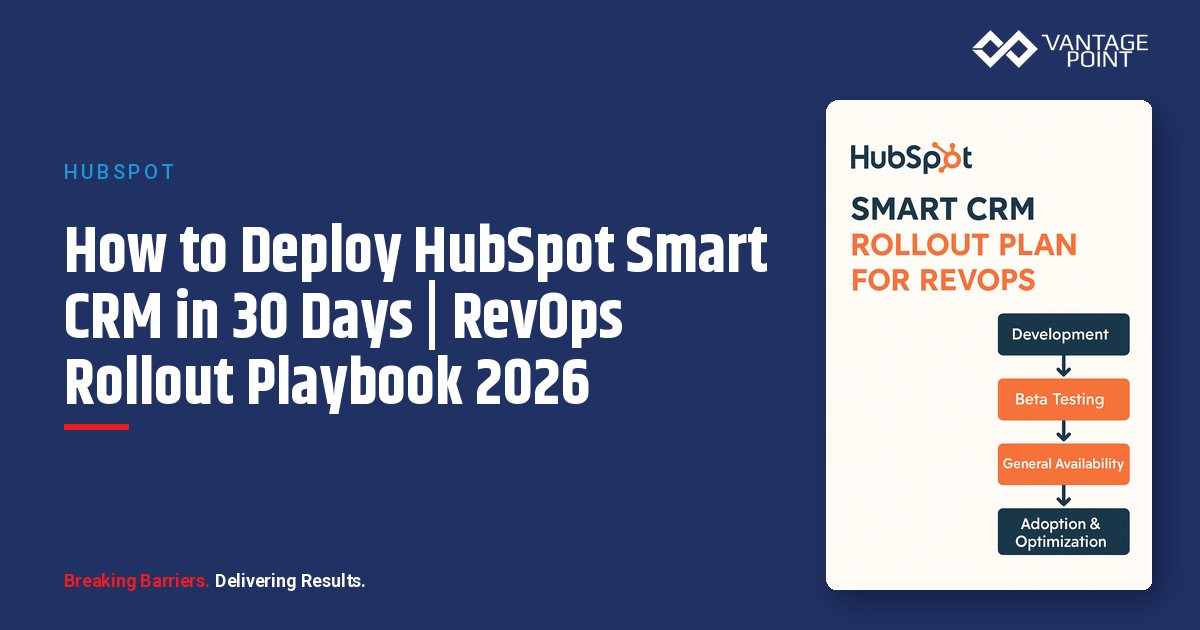
- Use phased rollout: pilot → expanded pilot → full deployment
- Build in 10-day gaps between phases
- Maintain clear milestone criteria for advancing to next phase
- Never skip the pilot phase, even under time pressure
Pitfall 2: Insufficient Testing
What happens:
Critical workflows break in production, disrupting daily operations and eroding trust in the new system.
Why it fails:
- Sandbox testing doesn't match production complexity
- Edge cases not considered during testing
- No parallel run period to catch issues
How to avoid it:
- Conduct full regression testing in sandbox before migration
- Test with real production data (anonymized if necessary)
- Run workflows in parallel (old + new) for 48 hours
- Create comprehensive test cases covering edge cases
- Involve actual end-users in testing, not just admins
Pitfall 3: Permission Gaps
What happens:
Users can't access records they need for their job, productivity drops, and frustration builds.
Why it fails:
- Permissions designed for theoretical roles, not actual job functions
- Security overemphasized at expense of usability
- Field-level restrictions too granular
How to avoid it:
- Map permissions to actual workflows, not org chart
- Interview representatives from each role about what they need to access
- Start more permissive, then restrict based on actual security needs
- Test permission configurations with real users before rollout
- Create clear escalation process for access requests
Pitfall 4: No Feedback Loop
What happens:
Issues fester without resolution, users feel unheard, and workarounds become permanent.
Why it fails:
- No formal channel for feedback
- Feedback collected but not acted upon
- Long delay between issue report and resolution
How to avoid it:
- Create dedicated Slack channel for feedback from day one
- Hold daily check-ins during pilot phase
- Publish weekly update showing issues logged, in progress, and resolved
- Respond to every piece of feedback within 24 hours (even if just "we're looking into it")
- Close the loop: tell users when their feedback resulted in changes
Frequently Asked Questions (FAQ)
Frequently Asked Questions (FAQ)
What Is the Fastest Way to Get Value from Smart CRM Today?
Start with Smart CRM board views for your sales team this week. Board views are low-risk, high-visibility wins that immediately improve pipeline visualization.
Quick Implementation Steps:
- Create a board view for your primary sales pipeline
- Configure columns for each deal stage
- Enable drag-and-drop stage changes
- Train 3 sales reps on board view in 15-minute sessions
- Track login cadence and deal updates daily
- Expand to full sales team after 5 days if successful
Expected results: 80%+ board view adoption within 2 weeks and 20% reduction in "where are we with this deal?" questions.
How Long Does a Typical Smart CRM Rollout Take?
Plan for 30 days minimum for a thorough, low-risk rollout:
- Days 1-10: Pilot validation (5-10 users)
- Days 11-20: Workflow migration and expansion (20-30 users)
- Days 21-30: Full rollout with training (all users)
Add extra time if:
- You have 100+ users (+1 week)
- Complex custom object relationships (+1 week)
- Extensive workflow automation library (+1 week)
- Multiple integrations requiring reconfiguration (+1 week)
What Are the Biggest Risks to Watch for During Rollout?
Monitor these four high-risk areas weekly:
- Permission gaps - Users unable to access records they need
- Workflow breaks - Automations failing silently
- Adoption resistance - Users reverting to old tools
- Data quality degradation - Incomplete or duplicate records
How Do You Handle Resistance from Experienced CRM Users?
Use this three-part strategy:
- Acknowledge their expertise - Include them as pilot advisors, not just participants
- Show specific benefits - Quantify time savings with their actual data
- Provide advanced training - Make them "super users" who help train others
What Should Your Weekly Change-Log Include During Rollout?
Every Friday, send an update with:
- Features enabled this week
- Known issues and status
- Upcoming changes for next week
- Training resources and office hours schedule
- Support contact information
How Do You Ensure Salesforce Integration Stays Working During Rollout?
Pre-Rollout:
- Document current sync settings and field mappings
- Test integration in sandbox with Smart CRM enabled
During Rollout:
- Monitor sync logs daily for errors
- Test record updates in both systems
Red flags to watch:
- Sync errors increasing above baseline
- Duplicate records appearing in either system
- Field values not updating bidirectionally
What Is the Expected ROI from a Smart CRM Rollout?
Expected outcomes after 60 days:
- 80%+ weekly active user rate
- 15% reduction in average deal cycle time
- 85%+ data enrichment rate
- 90%+ task completion rate
- 70%+ adoption of new Smart CRM views
Implementation Checklist
Pre-Rollout (Before Day 1):
- Document current CRM usage patterns and pain points
- Identify pilot team members (5-10 users)
- Set up sandbox environment for testing
- Create feedback Slack channel
- Establish baseline metrics (login rates, task completion, cycle times)
- Document current permission structure
- Audit all active workflows for compatibility
Phase 1: Days 1-10
- Brief pilot team on objectives and timeline
- Enable Smart CRM for pilot users only
- Configure role-appropriate view defaults
- Enable AI features with conservative settings
- Conduct daily 15-minute check-ins
- Document all issues and feedback
- Make real-time configuration adjustments
- Hold formal pilot review session
- Achieve 80%+ pilot satisfaction
- Complete configuration documentation
Phase 2: Days 11-20
- Audit existing workflows for Smart CRM compatibility
- Migrate top 10 high-value workflows
- Test workflows in sandbox thoroughly
- Add second wave of 20-30 users
- Conduct team-specific training sessions
- Assign change champions per team
- Adjust permissions based on pilot feedback
- Resolve all access gaps
- Document final permission model
Phase 3: Days 21-30
- Enable Smart CRM for all remaining users (staged by team)
- Maintain elevated support availability
- Deliver 30-minute overview for all users
- Conduct role-specific deep-dive training
- Run data integrity checks
- Verify workflow execution
- Confirm reporting accuracy
- Address all escalated issues
- Publish final change-log
- Schedule 60-day review
Post-Rollout (After Day 30):
- Transition to normal support model
- Continue tracking adoption KPIs weekly
- Hold weekly office hours for Q&A
- Publish biweekly updates on improvements
- Schedule 60-day success review
- Document lessons learned
- Update rollout playbook for future use
Conclusion
Rolling out HubSpot Smart CRM successfully requires structured planning, phased execution, and continuous feedback. By following this 30-day roadmap, you'll minimize disruption, maximize adoption, and deliver measurable improvements in pipeline velocity and revenue operations efficiency.
Key success factors:
- Start with a small pilot group to validate configuration
- Test all workflows in sandbox before production migration
- Use staged rollout by team, never "big bang" deployment
- Track five core KPIs from day one
- Maintain daily feedback loops during pilot phase
- Provide role-specific training, not generic overviews
Expected outcomes after 60 days:
- 80%+ weekly active user rate
- 15% reduction in average deal cycle time
- 85%+ data enrichment rate
- 90%+ task completion rate
- 70%+ adoption of new Smart CRM views
Start your Smart CRM rollout today by selecting your pilot team and setting up your feedback channel. The 30-day countdown begins now.
Ready to start your Smart CRM rollout? Use this 30-day plan as your foundation, adjust based on your organization's size and complexity, and remember that successful adoption comes from thoughtful planning and continuous feedback.
About the Author
David Cockrum is the founder of Vantage Point and a former COO in the financial services industry. Having navigated complex CRM transformations from both operational and technology perspectives, David brings unique insights into the decision-making, stakeholder management, and execution challenges that financial services firms face during migration.
-
-
- Email: david@vantagepoint.io
- Phone: (469) 499-3400
- Website: vantagepoint.io
-