
Deploy intelligent assistants that qualify leads, nurture relationships, and scale your team: without scaling headcount
Rolling out a major CRM update is one of the highest-risk, highest-reward activities in RevOps. Get it right, and you accelerate pipeline velocity. Get it wrong, and you create months of adoption friction and data chaos.
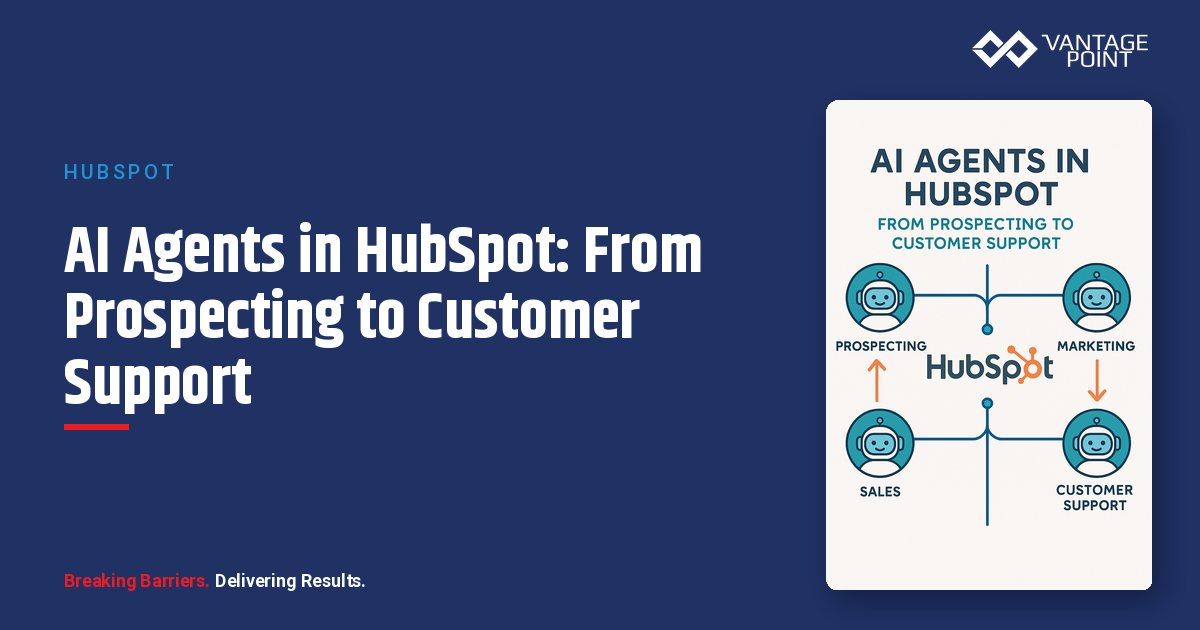
AI agents represent a fundamental shift from "automation that executes" to "automation that thinks." HubSpot's AI agent capabilities let you deploy intelligent assistants that handle conversations, qualify leads, and nurture relationships: all while staying on-brand and compliant.
The key to success? Begin with agents for inbound triage, pipeline outreach, and renewal nudges. Set permissions, define acceptance criteria, and measure deflection, speed-to-lead, and conversion lift. Iterate weekly with a human-in-the-loop review.
This guide gives you three proven playbooks with setup instructions, guardrails, and measurement frameworks.
Where to Deploy AI Agents First
Start where volume is high but stakes are low. Build confidence before scaling to higher-stakes conversations.
Ideal Starting Points
| Use Case | Volume | Risk Level | Setup Complexity | ROI Timeline |
|---|---|---|---|---|
| Inbound chat triage | High | Low | Low | 1-2 weeks |
| FAQ responses | High | Low | Low | 1 week |
| Meeting scheduling | Medium | Low | Low | 1 week |
| Lead enrichment requests | Medium | Low | Medium | 2-3 weeks |
| Prospecting sequences | High | Medium | Medium | 3-4 weeks |
| Renewal outreach | Medium | Medium | Medium | 4-6 weeks |
What to Avoid Initially
Don't deploy AI agents for complex pricing negotiations, legal or compliance discussions, customer complaints, executive-level communications, or custom contract discussions. Rule of thumb: If a conversation could end up in a legal review, keep humans in the loop.
Planning for Global Teams
For organizations with international customers, consider your language requirements:
- Single language (English only): Best for US-focused organizations
- Auto-detect and route: Detect language, route to human if not supported: ideal for growing international teams
- Multi-language agent: Agent responds in detected language: for mature global operations
Compliance note: Review regional requirements like GDPR in the EU and LGPD in Brazil before deploying agents that collect or process personal data.
Configuration and Guardrails
Data Scope Definition
Control what your AI agents can access and share:
| Data Category | Agent Access | Sharing Allowed | Rationale |
|---|---|---|---|
| Public knowledge base | ✅ Full | ✅ Yes | Public info, safe to share |
| Product FAQs | ✅ Full | ✅ Yes | Standard information |
| Contact properties | ✅ Limited | ⚠️ Contextual | Share name, not email |
| Deal information | ⚠️ Read-only | ❌ No | Internal only |
| Internal pricing docs | ❌ None | ❌ No | Confidential |
| Competitive intelligence | ❌ None | ❌ No | Never share |
| Payment information | ❌ None | ❌ No | PCI compliance |
Brand Voice Configuration
Your AI agent is your brand. Configure tone carefully with settings like these:
Brand Voice Profile:
- Formality: Professional but approachable
- Personality: Helpful, knowledgeable, efficient
- Prohibited words: "Unfortunately", "Can't help", "That's not my job"
- Required phrases: "Happy to help", "Let me find that for you"
- Sign-off: "Is there anything else I can help with today?"
Adjust your tone based on the channel. Chat conversations can be conversational and concise ("Sure! Here's what you need..."), email should be more formal with complete sentences ("Thank you for reaching out. I'd be happy to..."), and social media responses should be friendly and brief ("Hey! Here's a quick answer...").
Escalation Path Design
Not every conversation should stay with the agent. Define clear escalation triggers:
Immediate Escalation (Route to Human Now):
- Legal questions or threats
- Security or privacy concerns
- Complaints with anger signals
- Explicit request for human
- VIP account flags
Soft Escalation (Offer Human Option):
- Complex pricing discussions
- Custom feature requests
- Multi-stakeholder deals
- Technical troubleshooting after 2 attempts
Scheduled Escalation (Queue for Follow-Up):
- After 3 failed resolution attempts
- Requests outside business hours
- Non-urgent feedback
Logging and Compliance
Required logging: All agent-customer interactions, escalation events and reasons, conversation outcomes, and customer feedback signals.
Retention policy: Minimum 90 days for all conversations, 2 years for escalated interactions, and indefinite retention for compliance-relevant conversations.
Playbook 1: Inbound Chat Triage
Deploy this first: it's high-volume, low-risk, and delivers immediate value.
Configuration
Trigger: New chat session initiated on website
Qualification Flow:
- Greeting: "Hi! I'm [Company] assistant. How can I help you today?"
- Intent Detection: Route based on whether it's a product inquiry, pricing question, support issue, or other request
- Qualification Questions (if sales intent):
- "What's your company name?"
- "How many people are on your team?"
- "What's your timeline for making a decision?"
- Routing Decision:
- High score (>70): Book meeting immediately
- Medium score (40-70): Queue for SDR follow-up
- Low score (<40): Add to nurture sequence
Setup Steps
- Create chatflow: Automation → Chatflows → Create chatflow
- Configure triggers based on website pages and visitor behavior
- Build conversation tree with questions, branches, and actions
- Set fallback to human handoff for unhandled queries
- Test extensively by running through all conversation paths
Success Metrics
| Metric | Definition | Target |
|---|---|---|
| Deflection rate | Conversations resolved without human | 40-50% |
| Qualification accuracy | Correctly scored leads / Total leads | 85%+ |
| Speed-to-lead | Time from chat start to SDR notification | <5 min |
| CSAT | Post-chat satisfaction score | 4.2/5+ |
Playbook 2: Prospecting Cadences
Use AI agents to scale personalized outreach without scaling headcount.
Configuration
Trigger: New lead enters target segment (e.g., ICP match + engagement score >50)
Sequence Flow:
- Day 0: AI researches company via enrichment
- Day 1: AI drafts personalized email → Human approves → Send
- Day 3: If no reply → AI drafts follow-up → Human approves → Send
- Day 7: If reply with interest → Route to SDR; If objection → AI drafts response → Human approves
- Day 14: If still no response → AI suggests LinkedIn touch
- Day 21: If still no engagement → Move to nurture
Personalization Variables
Make your outreach feel human by leveraging enrichment data:
- {company_news}: "Congrats on the recent funding!"
- {tech_stack}: "Since you're using Salesforce..."
- {competitor_customer}: "Companies like [similar customer]..."
- {trigger_event}: "I noticed you downloaded our guide..."
Human-in-the-Loop Gates
Require approval for:
- First email in any sequence
- Replies to objections
- Any pricing discussion
- Emails to accounts >$100K potential
Auto-send allowed:
- Follow-up emails (after first approved)
- Meeting confirmation
- Resource sharing
Success Metrics
| Metric | Definition | Target |
|---|---|---|
| Reply rate | Replies / Emails sent | 15-20% |
| Meeting rate | Meetings booked / Leads enrolled | 8-12% |
| Pipeline generated | $ value from AI-assisted sequences | Track and grow |
| Time per sequence | Human time investment | <10 min/lead |
Playbook 3: Renewal and Expansion
Proactive AI outreach for customer retention and growth.
Configuration
Triggers:
- Renewal date within 60 days
- Usage drop >20% from baseline
- Support ticket spike
- NPS detractor response
- Product adoption milestone
Conversation Flows
Proactive Check-In (Renewal approaching):
"Hi {FirstName}! I'm reaching out because your renewal is coming up in {days_to_renewal} days. Before we get there, I wanted to check:
- Is everything working well with [product]?
- Any challenges we can help address?
- Any new goals for the upcoming year?
Would you prefer to schedule a quick call with your success manager, or is email better for now?"
Risk Mitigation (Usage drop detected):
"Hi {FirstName}, I noticed your team's usage of [feature] has decreased recently. Just wanted to check in: is everything okay?
If there's anything we can help with or if you need a refresher on any features, I'm happy to set that up. Our goal is to make sure you're getting full value from [product].
What would be most helpful right now?"
Escalation Rules for Renewals
| Signal | Agent Action | Human Action |
|---|---|---|
| Positive response | Document, schedule success call | CSM follows up within 24h |
| Concern raised | Acknowledge, escalate immediately | CSM responds within 4h |
| Churn intent | Empathize, urgent escalate | Manager responds within 2h |
| No response after 2 touches | Queue for phone outreach | CSM calls within 48h |
Success Metrics
| Metric | Definition | Target |
|---|---|---|
| Save rate | At-risk accounts retained | 30-40% |
| Expansion rate | Accounts with upsell conversation | 20%+ |
| Renewal rate | Overall retention | Baseline + 5% |
| NPS improvement | Detractors becoming promoters | 15%+ |
Weekly Improvement Cycle
AI agents improve with iteration. Build this cadence:
Monday: Performance Review
Review prior week's metrics, identify lowest-performing conversation paths, and flag conversations with poor outcomes.
Tuesday-Thursday: Optimization
Rewrite underperforming prompts, add handling for new edge cases, and test changes in sandbox.
Friday: Human Review
Sample 10-15 conversations manually, score agent performance on a rubric, and document learnings for next week.
Conversation Scoring Rubric
| Criteria | Poor (1) | Acceptable (3) | Excellent (5) |
|---|---|---|---|
| Brand voice | Off-brand, robotic | Mostly aligned | Perfect alignment |
| Resolution | Unresolved | Resolved with effort | Quick, complete resolution |
| Personalization | Generic | Some personalization | Highly relevant |
| Escalation handling | Missed signals | Escalated eventually | Appropriate timing |
Frequently Asked Questions
What's the fastest way to get value from HubSpot AI agents today?
Start with inbound chat triage. It's high volume, low risk, and delivers immediate time savings. Configure basic qualification questions this week and measure deflection rate by Monday. Most teams achieve 40%+ deflection within the first month.
How should I measure AI agent success?
Track deflection rate (conversations resolved without human), speed-to-lead (time from inquiry to rep notification), and CSAT scores. Baseline these metrics before deployment, compare after 2-4 weeks, and iterate based on findings.
What risks should I watch for with AI agents?
Brand voice inconsistency (test extensively), over-automation of sensitive conversations (build clear escalation rules), and missed escalation signals (review conversations weekly). Follow the guardrails above and conduct weekly human-in-the-loop reviews.
How do I handle agent failures gracefully?
Design fallbacks: After 2 failed understanding attempts, offer human handoff; for any frustrated language detected, implement immediate escalation; and always provide a "speak to human" option. Failures will happen: graceful recovery matters.
Quick Reference: Deployment Checklist
Week 1: Foundation
- Define data access scope
- Configure brand voice settings
- Build escalation paths
- Set up logging and compliance
Week 2: First Playbook
- Deploy inbound triage (Playbook 1)
- Test all conversation paths
- Train team on monitoring
- Launch to limited traffic
Week 3-4: Scale and Add
- Full rollout of Playbook 1
- Deploy Playbook 2 (Prospecting)
- Establish weekly review cadence
Month 2+:
- Deploy Playbook 3 (Renewals)
- Continuous optimization
- Expand to new use cases
Ready to start your Smart CRM rollout? Use this 30-day plan as your foundation, adjust based on your organization's size and complexity, and remember that successful adoption comes from thoughtful planning and continuous feedback.
About the Author
David Cockrum is the founder of Vantage Point and a former COO in the financial services industry. Having navigated complex CRM transformations from both operational and technology perspectives, David brings unique insights into the decision-making, stakeholder management, and execution challenges that financial services firms face during migration.
-
-
- Email: david@vantagepoint.io
- Phone: (469) 499-3400
- Website: vantagepoint.io
-